
 |
As of V9.06 you have the possibility to hide NB and LINA on PARTcommunity.
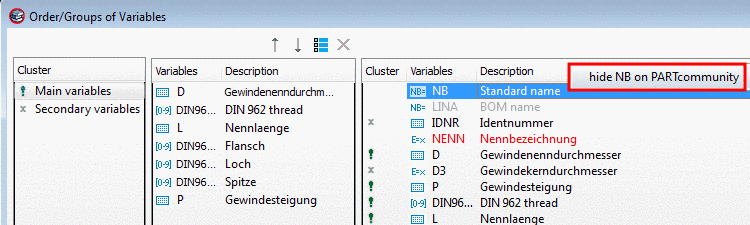
Via PARTproject -> Edit project -> General1 -> Columns -> Order/Groups of Variables -> open the dialog box Order/Groups of Variables.
In the context menu of NB and LINA you can find the command Hide NB on PARTcommunity or Hide LINA on PARTcommunity.
-> Now NB or LINA are displayed in RED.
With the context menu command Show NB on PARTcommunity or Show LINA on PARTcommunity you can revert the procedure. Afterwards the variables are displayed in GRAY again.
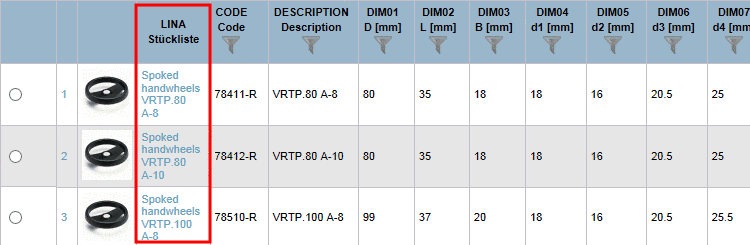
You can find more information on this under Section 5.9.2.3.2, “ Order/Groups of Variables - Hide columns (variables) ” in eCATALOGsolutions Manual.