2.8.1.1.5. PARTdataManager: Enhancements for PLDBDEMO - Additional columns and functions

As of V11 SP5 you can find the following additional functions in the demo database, which can be implemented in this way or in a similar way on request.
Toolbar

Toolbar

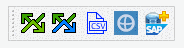
  • Jump to the ERP number

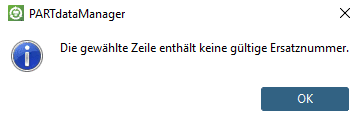
    Jumps to parts with the same number. In this way you can make a quick test, if the respective number (erroneously) exists multiple times. Normally the message "The ERP number isn't available multiple times." should display.

  • Jump to preferred part (spare part)

    In the column SPARE, the ERP_PDM_NUMBER of another part can be entered. When clicking on the button , you jump to this part.

    If the column SPARE does not contain a number, a respective message appears.

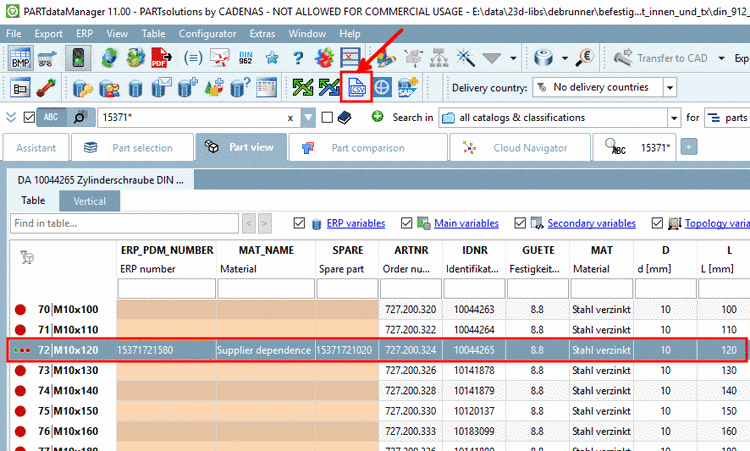
  • Export attributes to CSV

    When clicking on the button, all attributes are exported in a CSV file, so that you can simply save it.

    -> An Editor window appears.

  • Detect customs tariff number

    When clicking on the icon, the dialog box Detect customs tariff number is opened. The functional characteristics are read from the table as far as possible. In addition, enter material and surface.

    When clicking Ok, the Customs tariff number is entered in the column CTNR. If no ERP_PDM_NUMBER exists yet, it is also created.

  • SAP MM: Material No. creation

    • PARTdataManager automatically fills the mapped MM fields such as following for example:

      CADENAS PARTdataManager (LinkDB)   MM fields
      • Part description (in any number of languages)

      • Material

      • BOM

      • Standard number

      • ... any other desired fields

      ===>
      • The "Material" field is automatically filled by SAP

      • The respective fields are filled from PARTdataManager (LinkDB)

      Display material

      Display material

    • If before the SAP PLM process has run the DIS is linked.

    • Together with the saving of the MM data record the MAT No. and other desired information fields are transferred back into the CADENAS LinkDB and displayed for all users

      CADENAS PARTdataManager (LinkDB)   MM fields
      • The respective columns in the PARTdataManager table

      <===
      • Mat No.

      • Any other fields...