
1.14.1.3.1. PARTproject 1.14.1.3.1.9. Points d'ajout marqués et nom dans l'info-bulle |  |
| Précédent | Suivant |
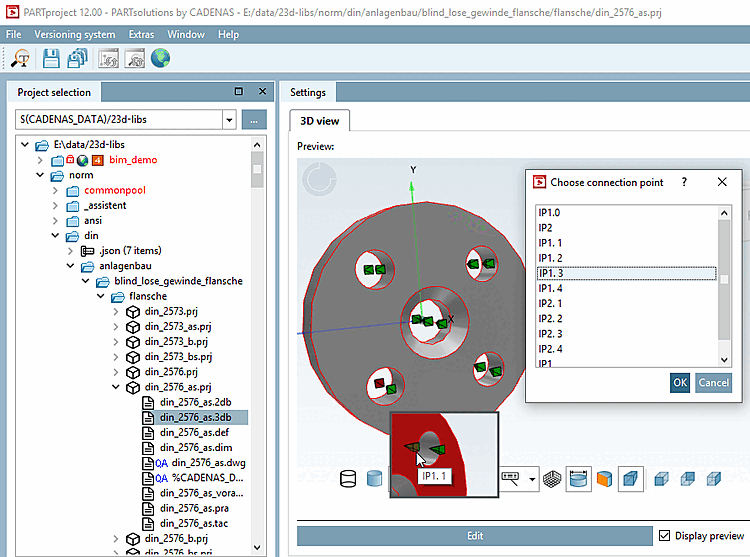
Si un fichier 3db est sélectionné dans la sélection de projet [Project selection] et que le curseur de la souris passe sur un point d'attache dans la vue 3D [3D view], une info-bulle apparaît avec le nom correspondant et si un point d'attache est sélectionné dans la boîte de dialogue Sélectionner un point d'attache [Choose connection point], celui-ci est marqué en rouge dans la vue 3D [3D view].
La même chose fonctionne sous Paramètres -> Classification -> Vue 3D.
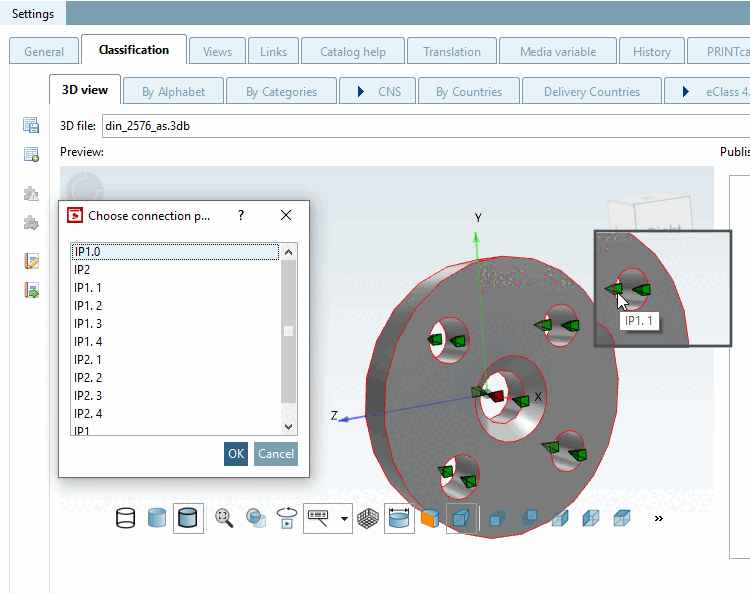
Point d'attache marqué en rouge après sélection dans le dialogue et nom dans l'info-bulle au survol de la souris