Avec
de la fonction Congé à 2
Éléments [Radius with 2 elements]
 vous pouvez créer un congé entre deux éléments
créer. Cependant, si vous arrondissez plusieurs coins d’un polygone à la fois
, vous êtes plus rapide avec la fonction Ajouter des rayons [Add radii].
vous pouvez créer un congé entre deux éléments
créer. Cependant, si vous arrondissez plusieurs coins d’un polygone à la fois
, vous êtes plus rapide avec la fonction Ajouter des rayons [Add radii].
![[Remarque]](https://webapi.partcommunity.com/service/help/latest/pages/fr/installation_ecatalogsolutions/doc/images/note.png) | Remarque |
|---|---|
La commande n'apparaît que dans le menu contextuel des polygones (rectangle, hexagone et N-angle), pas pour les polygones composés de lignes assemblées manuellement.
| |
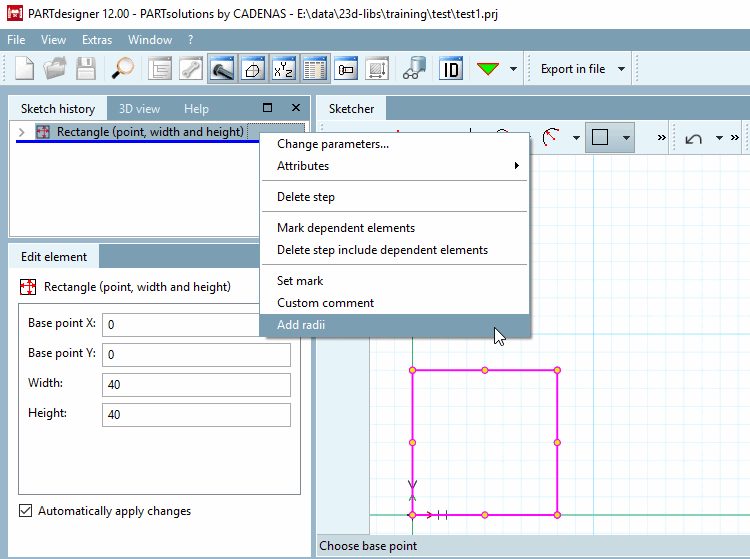
Sélectionner l'objet à arrondir dans l' historique de l'esquisse [Sketch history].
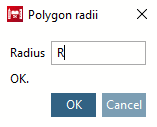
-> La boîte de dialogue Rayons de polygone [Polygon radii] s'ouvre.
Saisissez le rayon [Radius] souhaité et confirmez en cliquant sur . Vous pouvez saisir une valeur librement définie ou une variable de tableau.
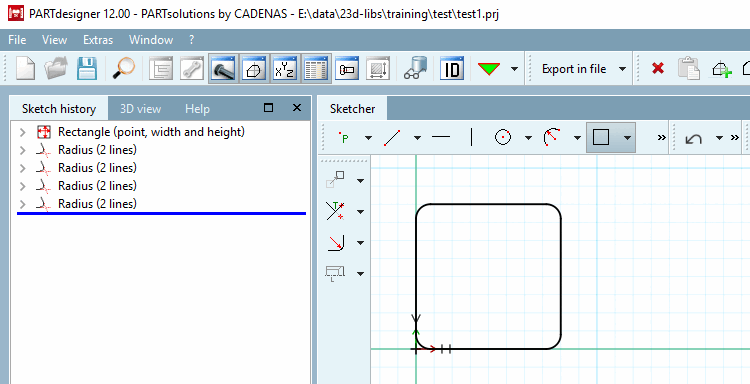
-> Les congés sont insérés dans le Sketcher.
-> De plus, l’individu Eléments de raccord dans l’historique de l’esquisse [Sketch history] appliqué. Ils correspondent à ceux créés avec la fonction Déposez sur 2 éléments [Radius with 2 elements]
.
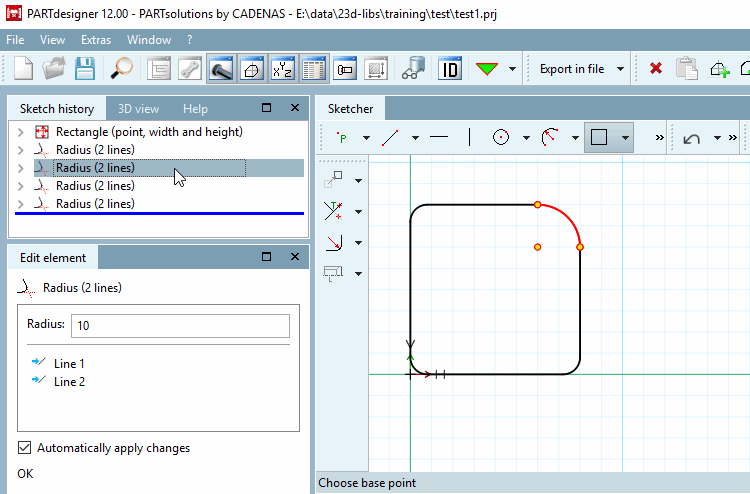
Vous pouvez maintenant apporter des modifications à des congés individuels (ou à plusieurs). Sélectionnez ceux que vous souhaitez dans l' historique de l'esquisse [Sketch history] ou dans Sketcher.