
 |
As of PARTsolutions v9.03 SP2 in the PARTdataManager characteristic attribute table, in an own column PLMTABLE_DOCVIEW, for each characteristic it can be signalized via icon, whether there are one or more CAD documents available and whether they are available with the currently set values.
The ERP_PDM_NUMBER column shows, whether a part is administrated in the ERP system. In this column the material number is then displayed. For the engineering normally this information is sufficient. For the administration however it can be interesting in addition, to know exactly which parts have been exported or whether a document is available for a part. The ERP_PDM_NUMBER column says nothing about it. This information is delivered by the PLMTABLE_DOCVIEW column. By reference to the PDM-ID the respective document can easily be found in the PDM system.
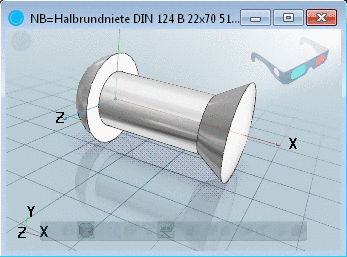
Parts like
springs, rivets or seals have orange  value range fields. Even when these parts
have been exported with different values in the orange fields, these are
only one time administrated (and are only one time in stock).
value range fields. Even when these parts
have been exported with different values in the orange fields, these are
only one time administrated (and are only one time in stock).

Characteristic attribute table with PLMTABLE_DOCVIEW column:
The following figure exemplifies that for 4 characteristics there is an ERP number available, but only for 3 characteristics CAD documents are available.
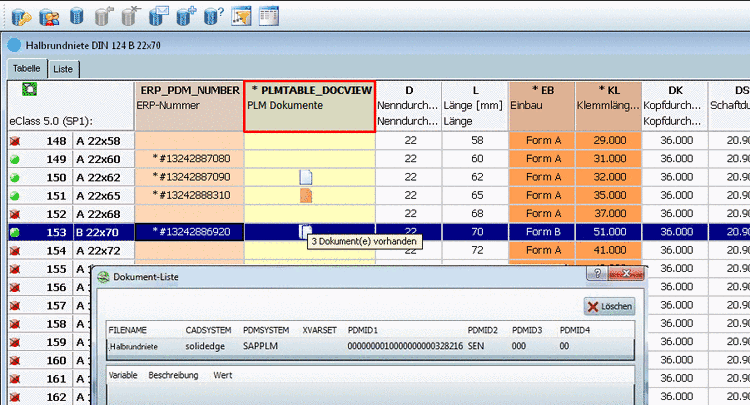
Meaning of icons in the PLMTABLE_DOCVIEW column


Detailed technical information on this is found under Section 3.2.4, “Show CAD documents (PDM-ID) in PARTdataManager ” in PARTsolutions - Administration Manual.