![[Remarque]](https://webapi.partcommunity.com/service/help/latest/pages/fr/installation_ecatalogsolutions/doc/images/note.png) | Remarque |
|---|---|
La commande Générer un index HTML [Create HTML index] est disponible au niveau du catalogue. | |
Créez la structure de votre catalogue (ou une sous-structure) au format HTML.
Sélectionnez le répertoire du catalogue ou n'importe quel sous-répertoire et exécutez la commande Générer un index HTML [Create HTML index] dans le menu contextuel sous Sortie [Output].
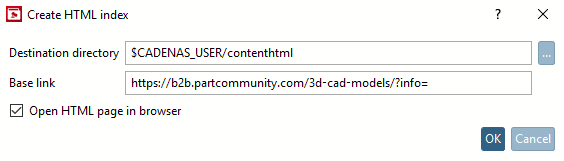
-> La fenêtre de dialogue du même nom s'ouvre.
Le répertoire cible [Destination directory]: Toute la structure HTML générée est placée ici.
Lien de base [Base link]: Pour tous les répertoires et projets, des liens profonds sont créés à l'aide du chemin défini sous Lien de base [Base link].
Ouvrir la page HTML dans le navigateur [Open HTML page in browser]: Si vous souhaitez voir le résultat immédiatement, cochez la case.
Effectuez les réglages souhaités et confirmez en cliquant sur .
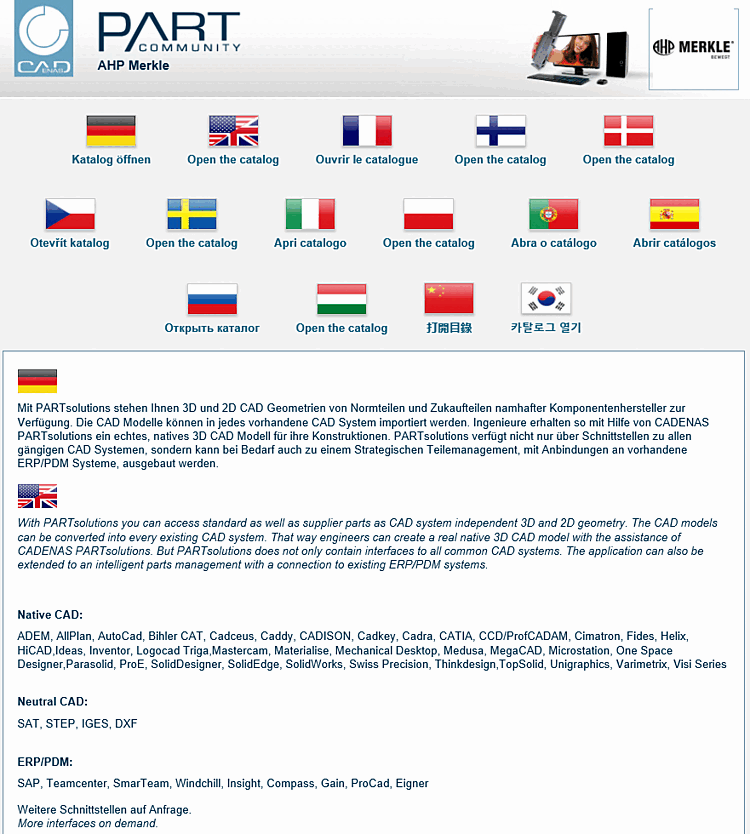
La page d'accueil contient des informations sur les formats de sortie pris en charge (Native CAD et Neutral CAD ). Elle contient également des informations sur les interfaces ERP/PDM prises en charge.
Sélectionnez la langue du catalogue souhaitée.
-> Vous voyez la structure de l'index au niveau supérieur.
Cliquez jusqu'à la pièce souhaitée. Au niveau le plus bas, vous voyez le lien Charger les données CAO [Load the CAD data].
Cliquez sur Charger les données CAO [Load the CAD data].
-> La pièce s'ouvre sur PARTcommunity.