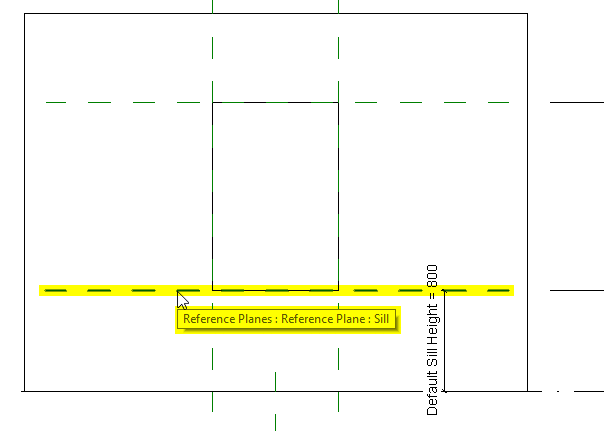
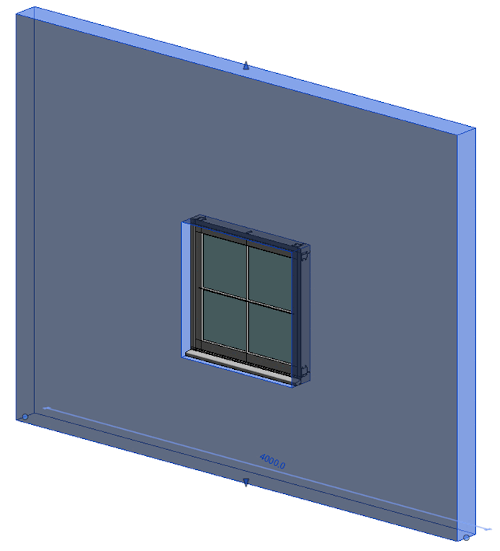
Il ne faut plus classifier que selon la méthode Placement Coordinatesystem (CNS_CP). Les éléments de construction plus anciens peuvent éventuellement encore être classifiés selon Revit family template mapping (RVT_CP).
Si les deux sont présents, l'interface utilise CNS_CP.
Les règles suivantes s'appliquent à la fois à la classification CNS_CP_PLACE_PC et à la classification RVT_CP:
Pour les éléments de construction qui reposent sur le sol : L'axe Z est dirigé vers le sol
Pour les éléments de construction qui se trouvent contre le mur : L'axe Z est dirigé vers le mur
Pour les éléments suspendus au toit : L'axe Z est dirigé vers le toit depuis le haut
Pour les éléments de construction qui sont suspendus au plafond : L'axe Z est dirigé vers le plafond depuis le bas
L'axe Z du point d'attache (attention, cela correspond à la face plate de la "pyramide") doit être orienté vers la face cible dans Revit.
Pour la grande majorité des templates familiaux, il s'agit du "fond" (= vers le bas).
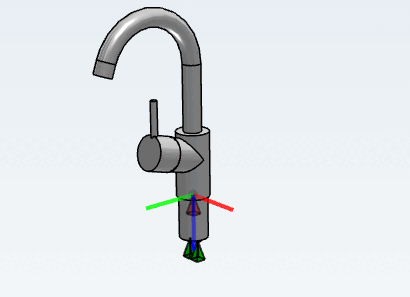
Exceptions à la surface cible "sol" :
Tous les modèles "basés sur le plafond" (le côté plat de la "pyramide" doit être orienté vers le haut)
Tous les modèles "basés sur le mur" (le côté plat de la "pyramide" doit être orienté vers le mur, l'axe Y (vert)=vers le bas)
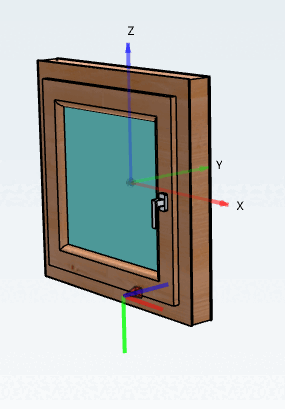
Tous les modèles de portes et de fenêtres (le côté plat de la "pyramide" doit être orienté vers le mur, axe Y (vert)=vers le bas)
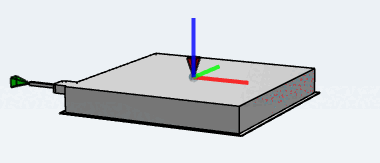
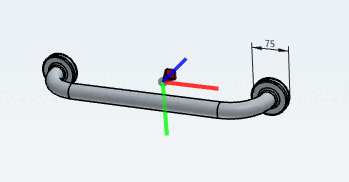
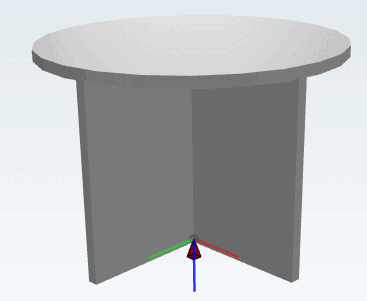
Le point d'attache est orienté vers le bas (Z), l'axe X vers la droite et l'axe Y vers la gauche.
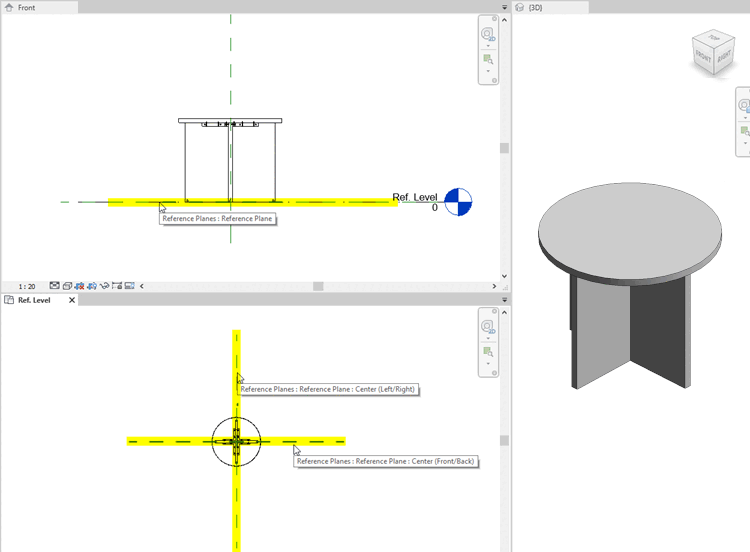
Les produits auxquels est attribuée la classe Metric generic model sont placés comme suit :
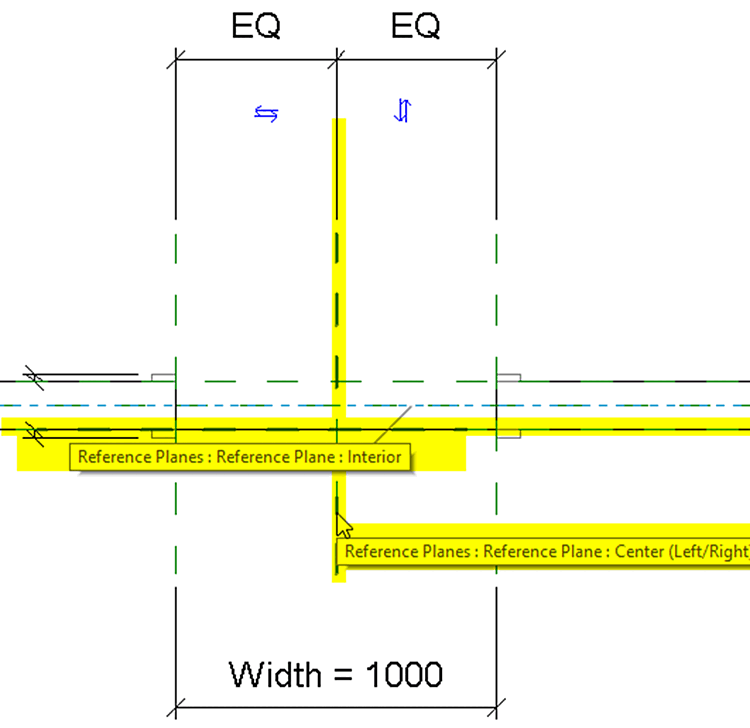
L'axe X pointe vers le plan "Centre (gauche/droite)".
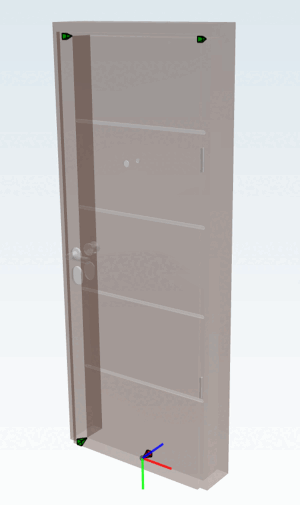
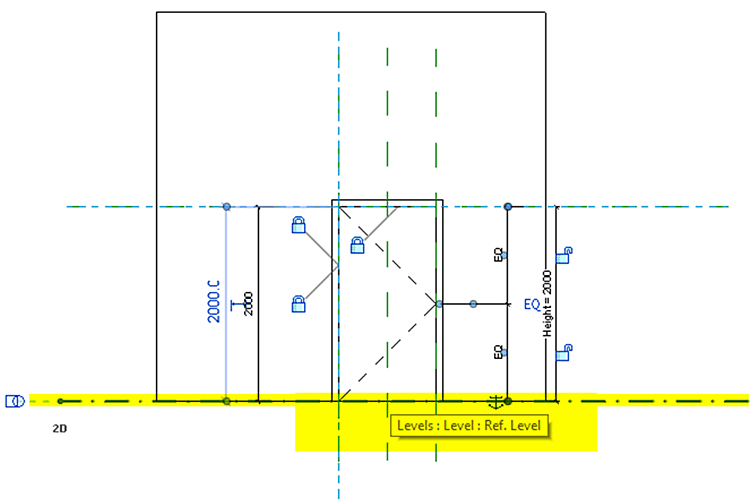
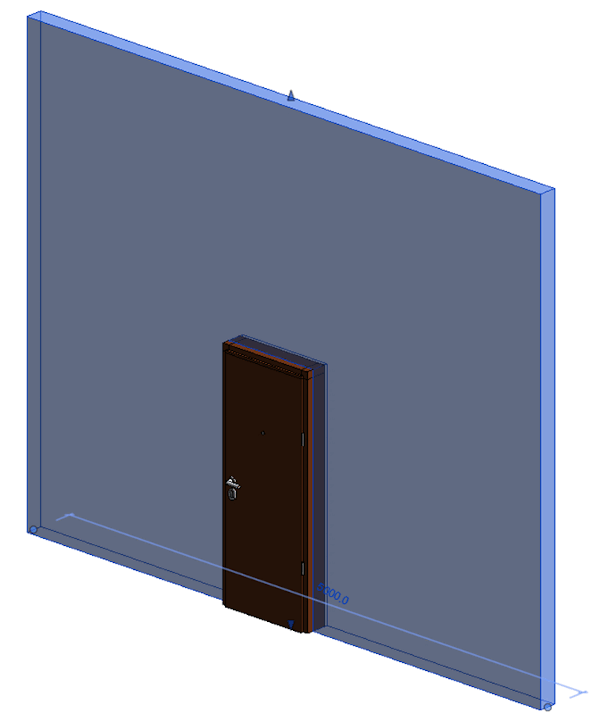
Le point d'attache est dirigé vers le mur (Z), l'axe Y (vert) est dirigé vers le bas et l'axe X vers la droite.
Voir également à ce sujet Section 3.5.2.6, « Exemples d'objets » -> Portes.
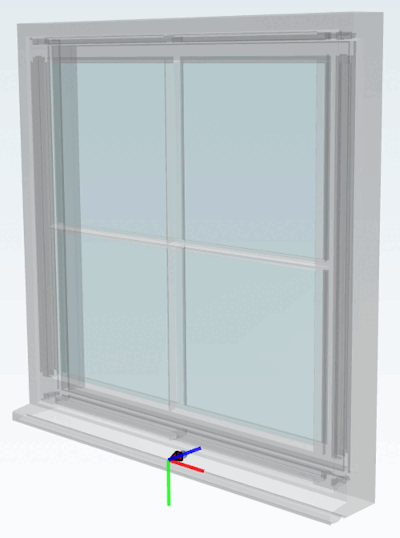
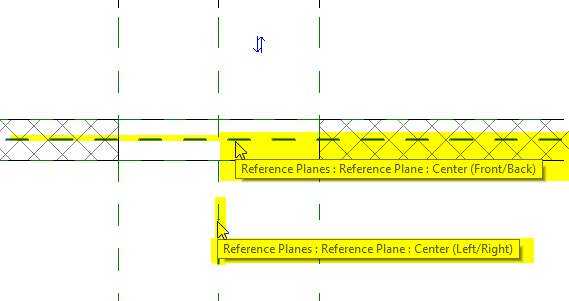
Le point d'attache est dirigé vers le mur (Z), l'axe Y est dirigé vers le bas et l'axe X vers la droite. C'est identique au modèle de la porte, mais la fenêtre est placée au milieu du mur.