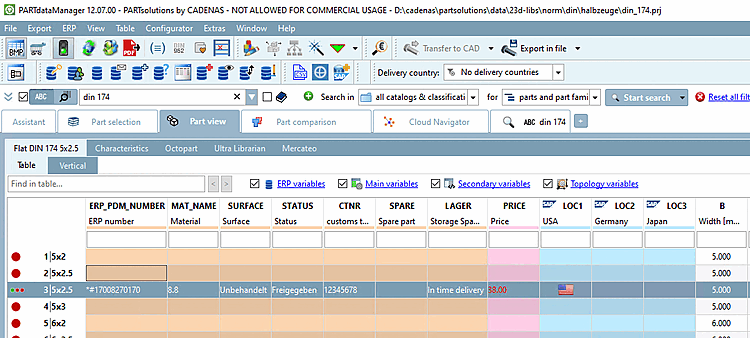
6.3.1. Ajout de nouveaux numéros ERP
6.3.1.1. Numéro d'horodatage généré automatiquement
|  |
| Précédent | Suivant |
Dans l'environnement de démonstration, un numéro d'horodatage généré automatiquement est déjà défini par défaut.
[VARS]
TIMESTAMPNR=1
Test
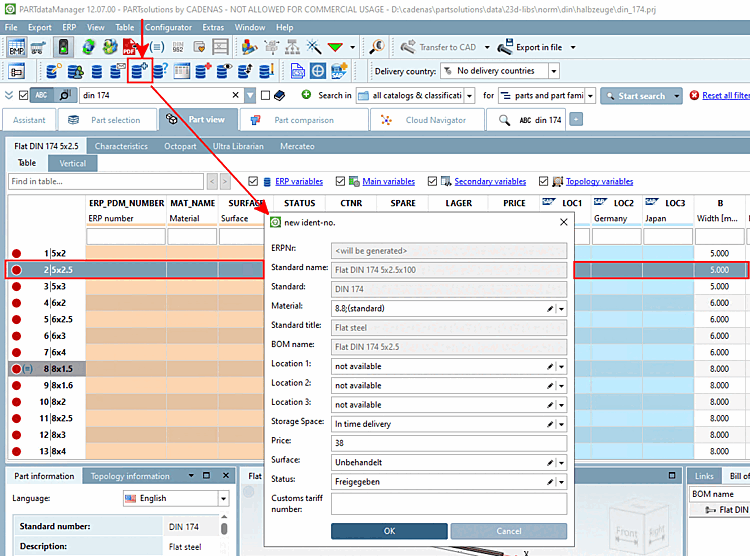
Sélectionnez un enregistrement sans numéro ERP.
Utilisez le bouton Ajouter un enregistrement à la base de données de liaison [Add dataset to link database]
 pour appeler la boîte de dialogue Nouveau numéro d’identification [new ident-no.].
(L'affichage du bouton dépend du rôle. Il se peut qu'il ne soit pas disponible pour certains rôles).
La ligne ERPNr est désactivée et affiche l'entrée "<est généré>".
Sélectionnez les valeurs souhaitées dans les champs de liste actifs et confirmez ensuite en cliquant sur OK.
-> L'enregistrement LinkDB est immédiatement affiché en conséquence dans le PARTdataManager.
![[Remarque]](https://webapi.partcommunity.com/service/help/latest/pages/fr/partsolutions_user/doc/images/note.png)