
5.24.7.2. Personnaliser la configuration de la recherche de texte 5.24.7.2.1. Configuration de la tâche UpdateDBSearchIndex |  |
| Précédent | Suivant |
La tâche UpdateDBSearchIndex sert à actualiser l'index de recherche ERP lorsque des données ERP ont été modifiées. La mise à jour s'effectue de manière incrémentielle à l'aide de LOGTABLE. Pour que LOGTABLE puisse être utilisé aussi bien pour la V11 que pour la V12, une colonne supplémentaire doit être créée.
Cela peut être fait par exemple avec un logiciel de base de données. Le nom de la colonne est UPDSEARCH_V12. Il est important de lui attribuer une valeur par défaut de 1.
Exemple d'instruction SQL pour créer la colonne :
ALTER TABLE LOGTABLE ADD UPDSEARCH_V12 smallint default 1 not null
Le
Le nom de la colonne doit être saisi dans le plinkcommon.cfg
dans le bloc Commun sous la touche LOGTABLE_UPDSEARCH_FIELD.
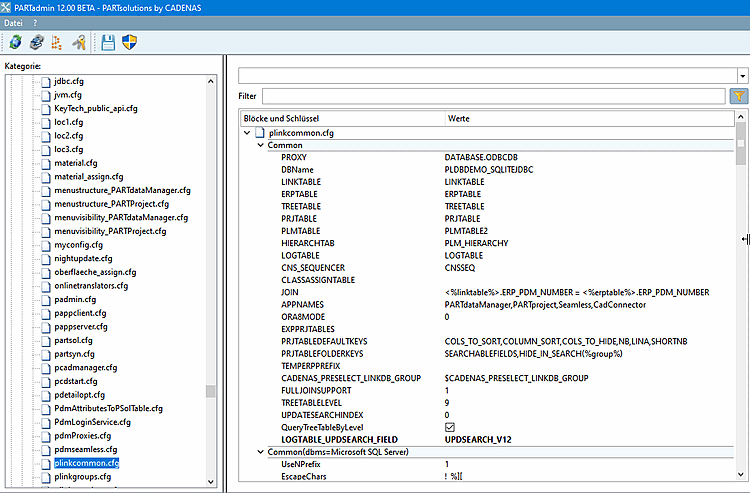
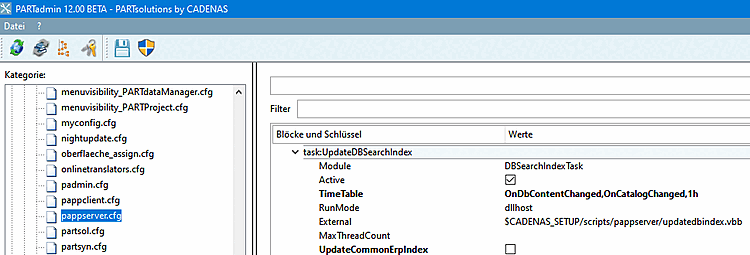
En outre, la tâche UpdateDBSearchIndex doit être configurée dans le plinkcommon.cfg.
Le déclencheur OnCatalogChanged doit être ajouté à la TimeTable
devenir.
De plus, la génération de l' index CommonErpIndex devrait être désactivée. Cet index est utilisé pour la recherche géométrique lorsque les séries préférentielles sont activées. Comme le même index est utilisé ici dans la V11 et la V12, il ne doit pas être généré à nouveau dans la V12. L'index se trouve dans le sous-répertoire common.
Il est également important que l'AppServer ait accès à la base de données et que la connexion automatique soit activée pour l'AppServer. Pour cela, il faut attribuer une configuration à l'utilisateur sous lequel fonctionne l'AppServer.
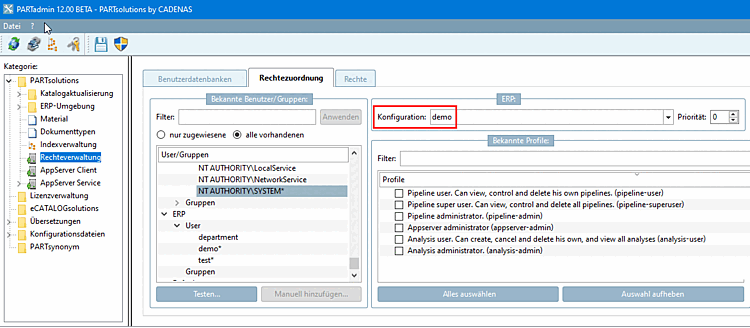
Ici, dans l'exemple, la configuration demo.
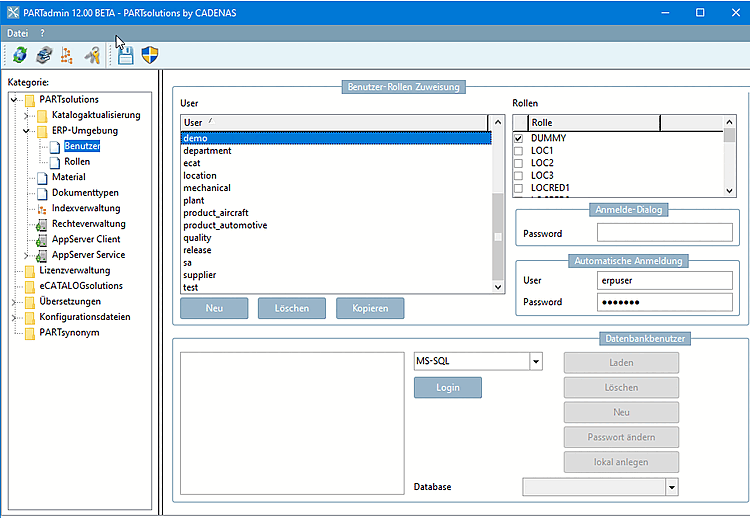
Le nom d'utilisateur (User ) et le mot de passe (Password ) pour la connexion automatique [Automatic login] à la base de données doivent à leur tour être attribués à cette configuration.