3.3.8.2.2. Bloc [CadDocumentAttributes] - Transmettre des attributs définis par l'utilisateur
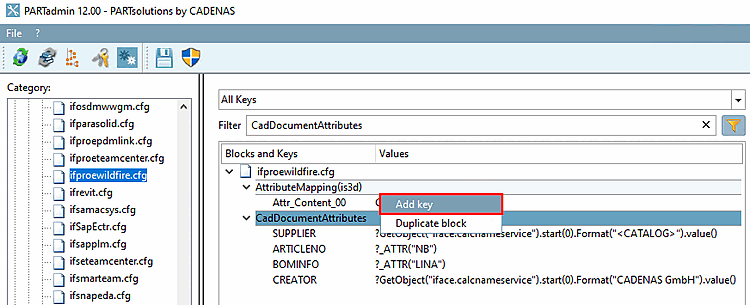
3.3.8.2.2.2. Ajouter de nouvelles clés
|  |
| Précédent | Suivant |
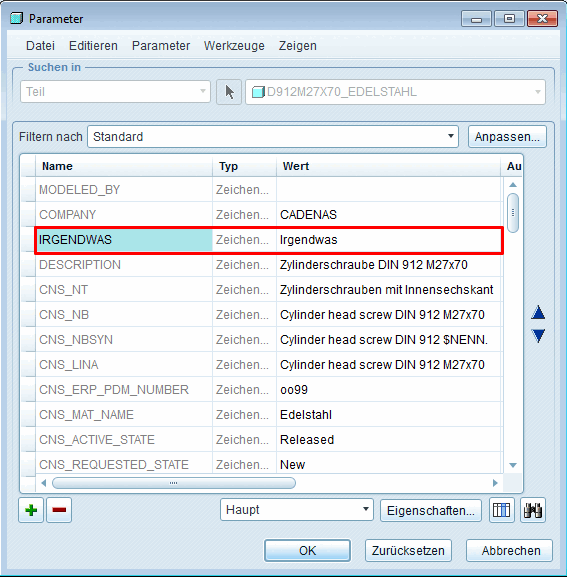
Dans l'exemple suivant, une clé doit être ajoutée et apparaître comme attribut supplémentaire sous Paramètres.