![Réglages des couleurs [Color settings]](https://webapi.partcommunity.com/service/help/latest/pages/fr/partwarehouse/doc/resources/img/img_c1f5c3d6992c4202a06d1d37e54d9def.png)
La zone de dialogue Paramètres de couleur [Color settings] contient les options de réglage suivantes :
![Paramètres de couleur [Color settings] - exemples](https://webapi.partcommunity.com/service/help/latest/pages/fr/partwarehouse/doc/resources/img/img_ac73dbde03c64b80b71a8f22f2bce706.png)
Couleur de l'élément [Element color]: Les éléments dessinés dans Sketcher
Surligné [Highlighted]: tant que la souris est passée sur un élément sans cliquer, l'élément correspondant est surligné.
Sélectionné [Selected]: Un élément est sélectionné d'un clic de souris ou d'un rectangle étiré.
Grille [Grid]: voir aussi Section 7.20.4.2.3, « Grille ».
Cotation auxiliaire [Live dimensions]: voir ci-dessous.
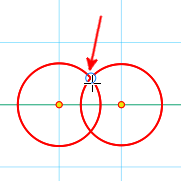
Points d'appui [Base points] (points d'aide à la construction) : Cercle bleu indiquant qu'un point de référence peut être pioché à cet endroit. Par exemple, à l'intersection de deux cercles. Dès que l'on s'approche de ce point avec la souris, celui-ci est entouré.
Lorsqu'une commande est activée, les points d'aide à la construction s'affichent également, à condition que le curseur de la souris passe sur le point.
Système de coordonnées [Coordinate system]: voir ci-dessous.
Rallonge d'axe [Axis extension]: voir ci-dessous.
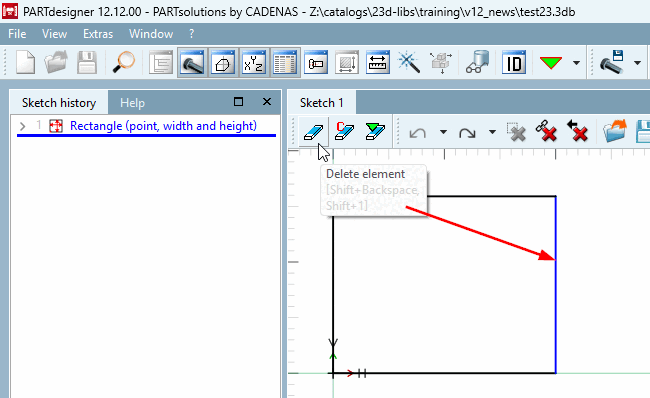
Bloqué [Blocked]: éléments qui ne peuvent pas être supprimés parce qu'ils sont utilisés par d'autres fonctions.
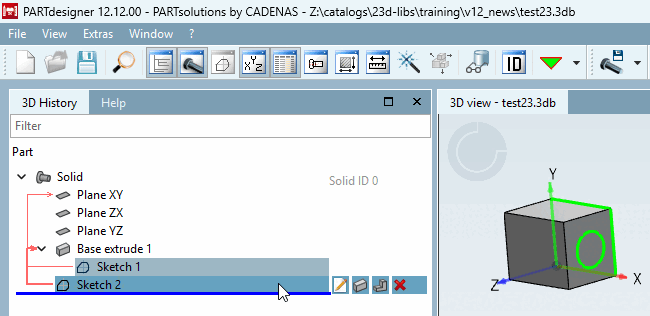
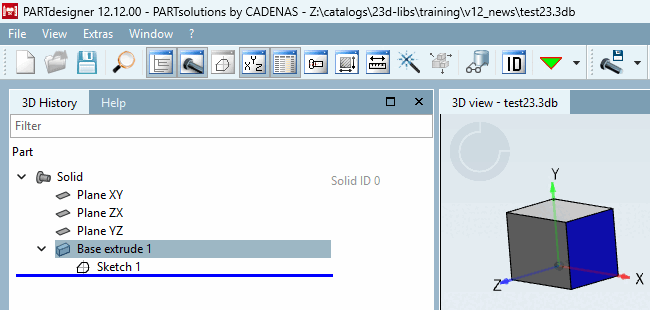
Par exemple, si une autre esquisse a été créée et extrudée sur une face à l'aide de Créer une nouvelle esquisse sur la face sélectionnée [Generate sketch on selected face], l'arête correspondante est bloquée dans l'esquisse de base, de sorte qu'elle ne peut pas être supprimée. Si vous essayez de la supprimer, un message d'erreur correspondant apparaît.
Il en va de même lorsque l'on définit un attribut de surface à l'aide de Flächenattribute.... [Face attributes...]