2.1.10.1. Boîte de dialogue "Vue 2D
2.1.10.1.6. Transférer des dérivations spéciales ou des vues techniques au système de CAO
|  |
| Précédent | Suivant |
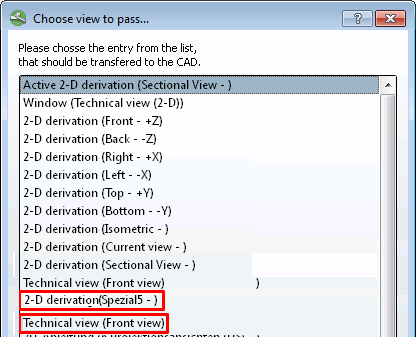
Si le fabricant l'a spécifié, il est possible d'ajouter des vues [Choose view to pass...] supplémentaires dans la boîte de dialogue Sélectionner la vue à transférer. [Choose view to pass...].. des dérivations supplémentaires (dans l'exemple ci-dessous "Spécial5") peuvent également être transmises au système de CAO.
En outre, les vues techniques sont affichées dans la boîte de dialogue et peuvent également être transmises au système de CAO.
Si vous souhaitez exporter des dérivations spéciales vers le système de CAO, procédez comme suit :
Appeler PARTdataManager dans la CAO via le menu 3Dfindit, Insertion 2D [Insert 2D].
Après avoir sélectionné l’option Composant sur
 CAD
. [Export to CAD]
CAD
. [Export to CAD]
![[Remarque]](https://webapi.partcommunity.com/service/help/latest/pages/fr/partwarehouse/doc/images/note.png)
Remarque Consultez à ce sujet les options de paramétrage sous Section 1.3.13, « Page d'onglet "Transfert vers la CAO » in ENTERPRISE 3Dfindit (Professional) - Administration.
-> La boîte de dialogue Sélectionner la vue à transférer.... [Choose view to pass...] s'ouvre
Sélectionnez ici l'affichage spécial souhaité.
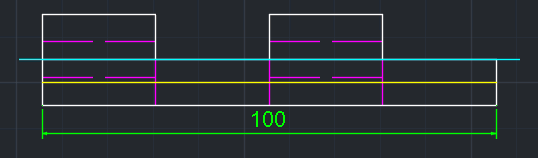
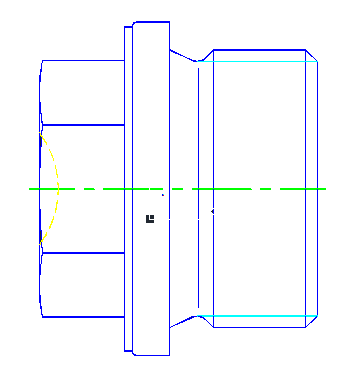
-> La dérivation spéciale ou la vue est transmise au système de CAO.