5.9.4.3.
Variantes
5.9.4.3.5. Exemple : particularités pour la création de projets, en particulier dans les catalogues d'architecture / BIM
|  |
| Précédent | Suivant |
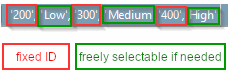
Dans les catalogues d'architecture / BIM, le thème LOG (autrefois appelé LOD) revêt une importance particulière. Parallèlement aux niveaux High / Medium / Low connus dans le domaine "Mechanical", il existe ici un principe propre dans le schéma 100 / 200 / 300 / 400. "Low" et "200", "Medium" et "300", "High" et "400" se correspondent. Pour "100", il n'y a pas d'équivalent dans le domaine Mechanical.
Nous allons maintenant montrer, à l'aide d'un exemple, comment créer un composant avec deux niveaux de géométrie différents.
Créer un nouveau projet dans PARTproject
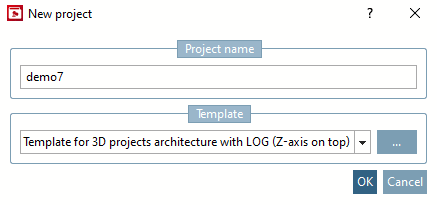
Dans la boîte de dialogue Nouveau projet [New project], saisissez un nom de projet sous Nom pour le projet [Project name] et sélectionnez "Modèle pour projet 3D Architecture avec LOG (AEC - axe Z en haut)" sous Modèle [Template].
-> Dans PARTproject, le nouveau projet est affiché par défaut dans l'arbre d'index.
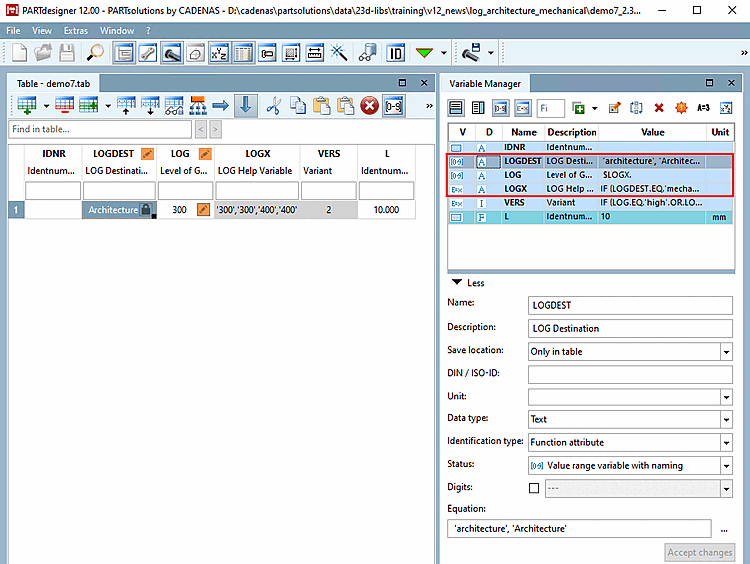
-> Dans PARTdesigner, les variables suivantes sont automatiquement définies :
LOGDEST (caractéristique fonctionnelle [Function attribute] )
LOGX (caractéristique fonctionnelle [Function attribute] )
Si nécessaire, adaptez l'algorithme de la caractéristique aux valeurs à afficher.
IF (LOGDEST.EQ.'mechanical')THEN LOGX = '''300'', ''Medium'',''400'',''High'''
ELSEIF(LOGDEST.EQ.'architecture')THEN LOGX = '''300'',''300'',''400'',''400'''
ELSE
 LOGX = '''-'',''-'''
ENDIF
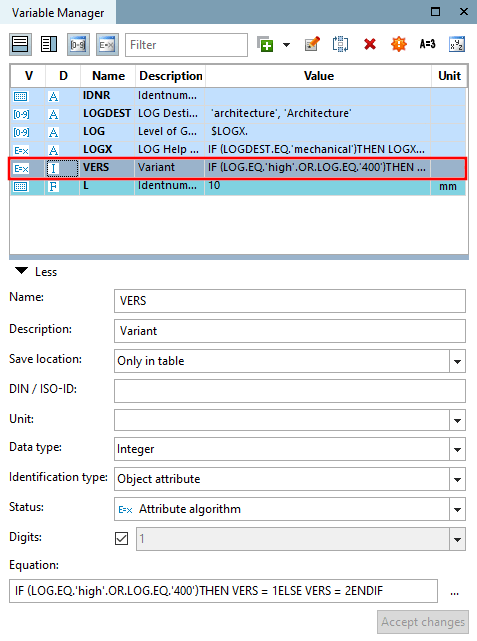
Créez une variable avec l'algorithme de caractéristique correspondant pour chaque version du modèle 3D à utiliser.
L'algorithme des caractéristiques contrôle à quelle valeur de LOG quel modèle 3D doit être chargé.
IF (LOG.EQ.'high'.OR.LOG.EQ.'400')THEN VERS = 1 ELSE VERS = 2 ENDIF
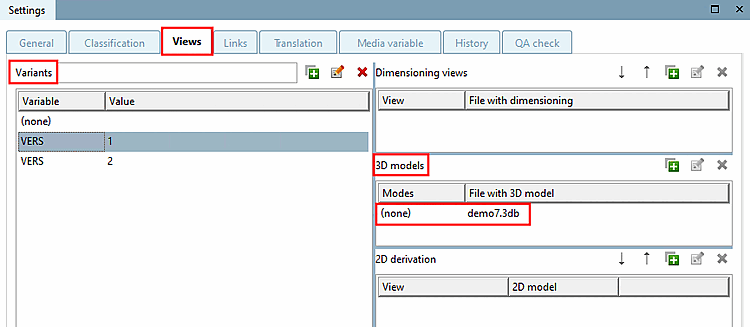
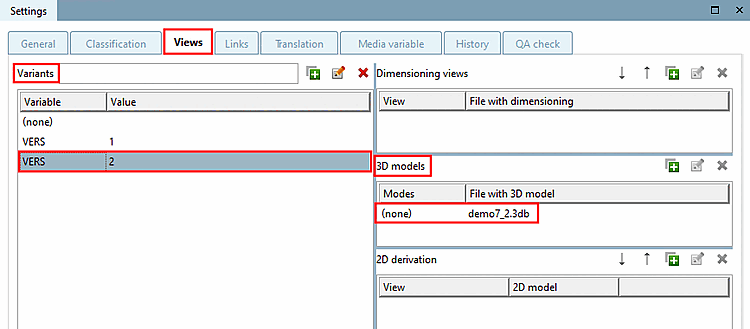
Créez maintenant des variantes avec la même variable (ici par exemple "VERS") sous PARTproject -> onglet Paramètres [Settings] -> onglet Vues [Views] -> zone de dialogue Variantes [Variants] et attribuez les modèles 3D [3D models] correspondants aux différentes variantes.
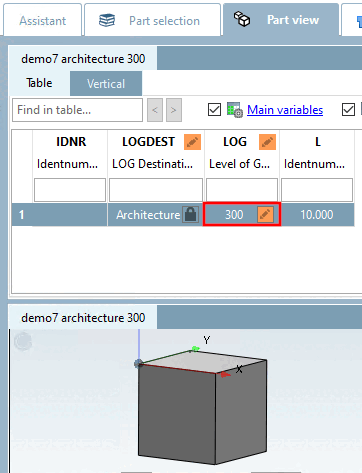
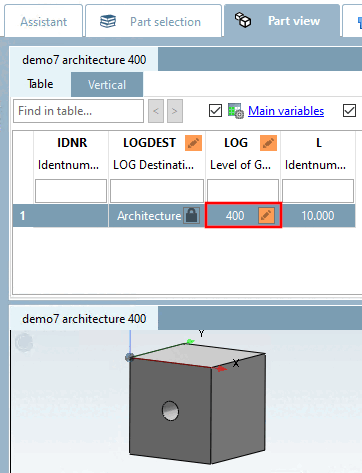
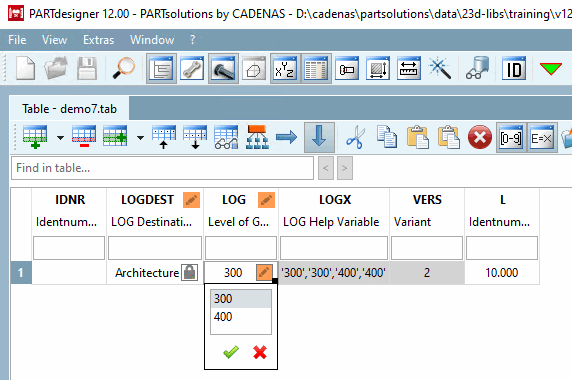
-> Vous contrôlez le Level of Geometry dans le champ de plage de valeurs LOG dans le tableau.
![[Remarque]](https://webapi.partcommunity.com/service/help/latest/pages/fr/partwarehouse/doc/images/note.png)