
2.1.6.4.12.
Sélection de pièces à l'aide de structures de répertoire
2.1.6.4.12.7.
Sélection via le chemin de navigation (fil d'Ariane)
|  |
| Précédent | Suivant |
![[Remarque]](https://webapi.partcommunity.com/service/help/latest/pages/fr/partwarehouse/doc/images/note.png)
Si vous vous déplacez plus profondément dans l'arborescence des répertoires, le répertoire sélectionné est ajouté à la ligne des fils d'Ariane (chemin de navigation), ce qui vous permet de visualiser clairement le chemin de la sélection actuelle.
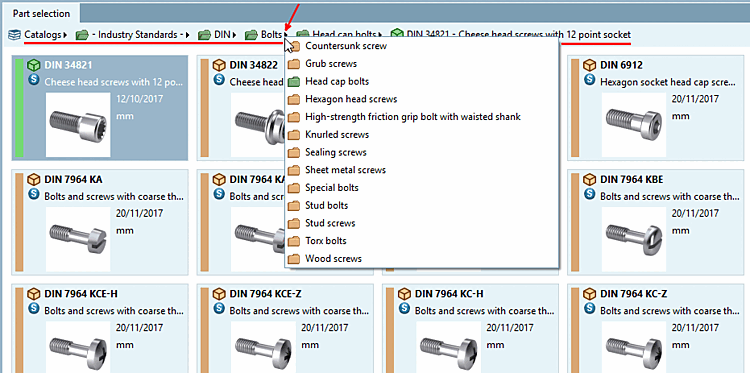
Vous pouvez cliquer sur l'une des icônes de répertoire pour accéder directement au niveau concerné.
Les flèches permettent d'afficher les sous-répertoires correspondants. Si vous déplacez la souris sur un répertoire, celui-ci est marqué en couleur. En cliquant dessus, vous accédez au niveau concerné.