5.9.2.3. Point de menu : Variables
5.9.2.3.2.
Création de groupes de variables (au niveau du catalogue)
|  |
| Précédent | Suivant |
![[Remarque]](https://webapi.partcommunity.com/service/help/latest/pages/fr/partwarehouse/doc/images/note.png)
La création de groupes de variables présente l'avantage de pouvoir les sélectionner séparément. Lors de la détermination des variables dans 3Dfindit / PARTdataManager ou PARTcommunity, l'utilisateur a une bien meilleure vue d'ensemble si le tableau est plus petit et si moins de variables sont affichées en même temps.
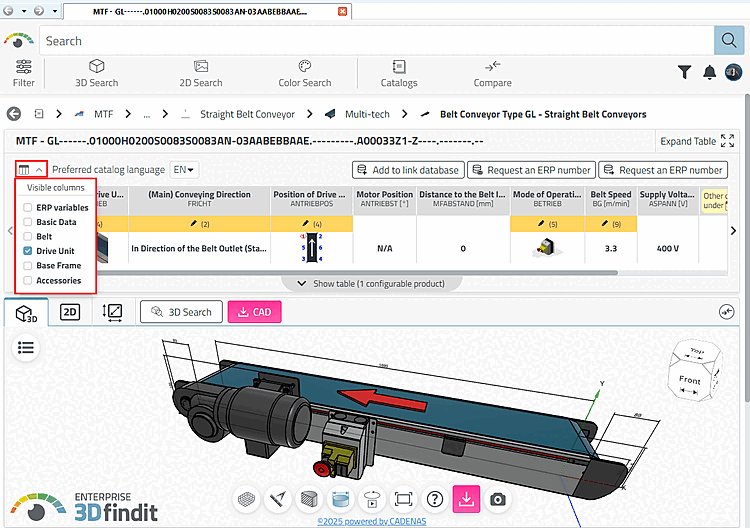
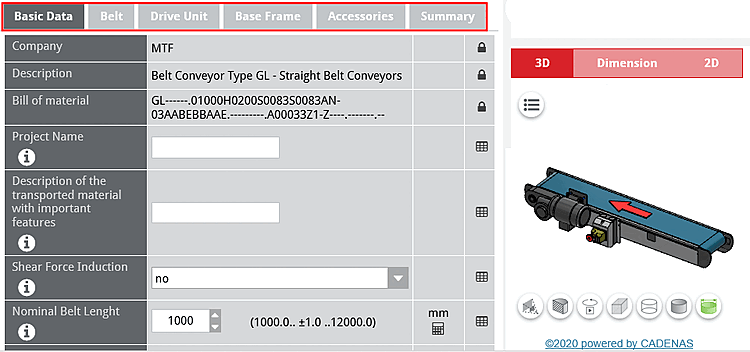
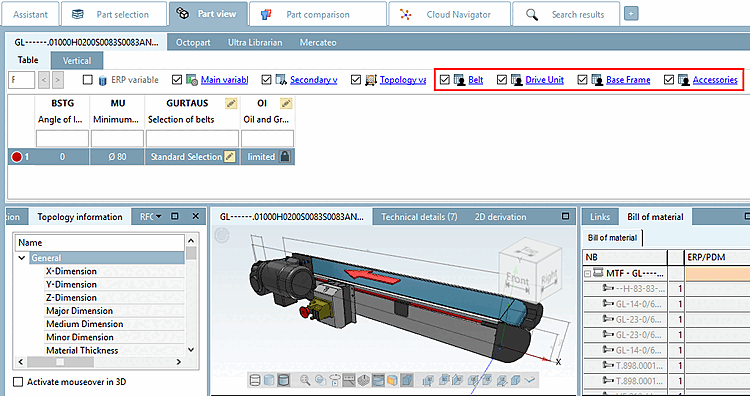
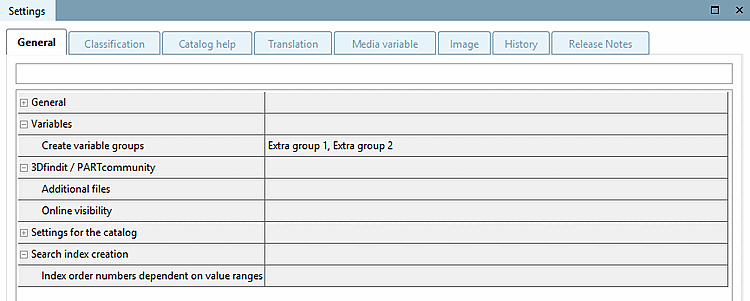
Dans PARTproject, sélectionnez l'élément racine du catalogue dans la zone de dialogue Sélection du projet [Project selection].
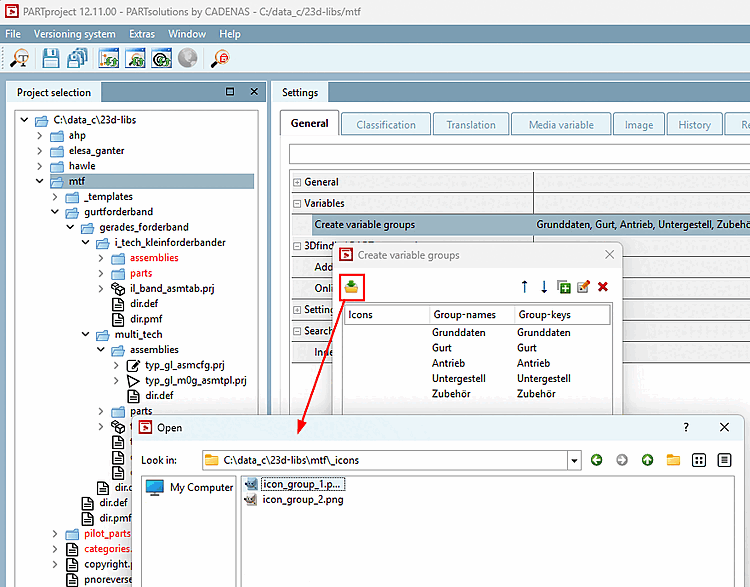
Cliquez sous Paramètres [Settings] > onglet Général [General] > rubrique Variables > point de menu Créer des groupes de variables [Create variable groups] en fin de ligne sur
→ La boîte de dialogue Créer des groupes de variables [Create variable groups] s'ouvre.
Utilisez
 icône plus pour créer les groupes de variables souhaités et
confirmez avec
icône plus pour créer les groupes de variables souhaités et
confirmez avec
Optionnel: Avec Kick on
 vous avez la possibilité de créer des icônes pour le
appartenance à un groupe.
vous avez la possibilité de créer des icônes pour le
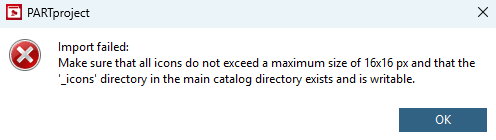
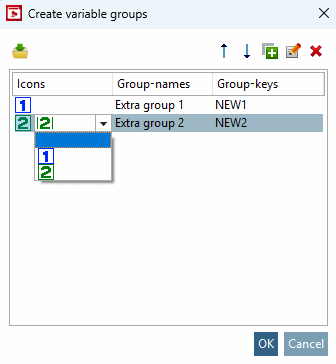
appartenance à un groupe.Sélectionner l'icône souhaitée dans l'explorateur. L'icône doit se trouver à la racine du catalogue, dans le répertoire "_icons" et ne doit pas dépasser une taille maximale de 16 px x 16 px, sinon un message d'erreur apparaît.
Vous pouvez ensuite sélectionner l'icône souhaitée dans la zone de liste.
→ Les groupes sont maintenant affichés sous Variables → Boîte de dialogue "Créer des groupes de variables [Create variable groups]".
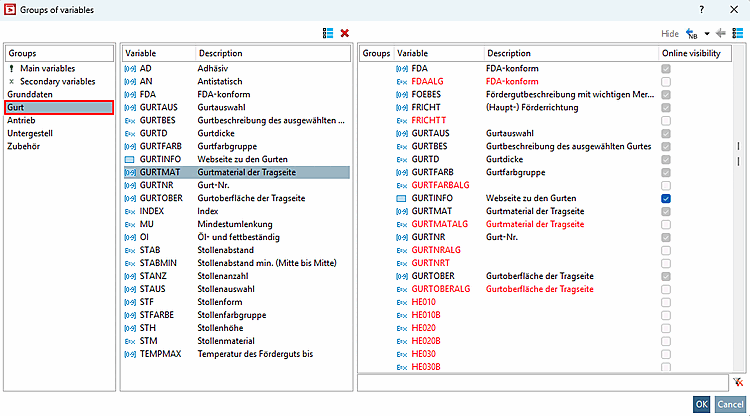
Sélectionnez le projet souhaité et appelez la boîte de dialogue sous Variables → Groupes de variables [Groups of variables].
Sélectionnez un groupe créé dans la boîte de dialogue et déplacez les variables souhaitées dans le groupe créé.
Vous trouverez des détails sur les groupes de variables [Groups of variables] sur Section 5.9.2.3.3, « Groupes de variables - Colonnes (variables) visibles / cachées ».