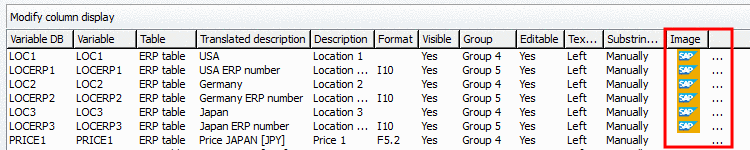
|
Add an icon in the column header of the characteristic attribute table in PARTdataManager. In this way you can mark columns with information from third party systems such as "SAP" for example.
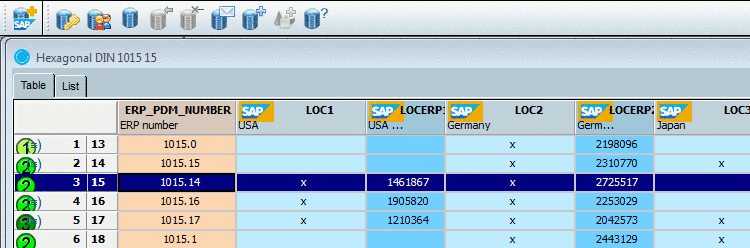
The icon selection is performed in PARTlinkManager.
PARTlinkManager -> Extras menu -> Configure ERP environment -> Configure dialog box -> tabbed page PARTlinkManager preferences -> section Modify column display -> Image
By clicking on the
search button
behind the Image column an explorer window opens. Select
the desired icon. Default storage path is $CADENAS_SETUP/bitmaps.