3.3.7.9. NX : Adapter le dialogue de placement par macro 3.3.7.9.1. Procédure pour l'utilisation de NX sans PDM |  |
| Précédent | Suivant |
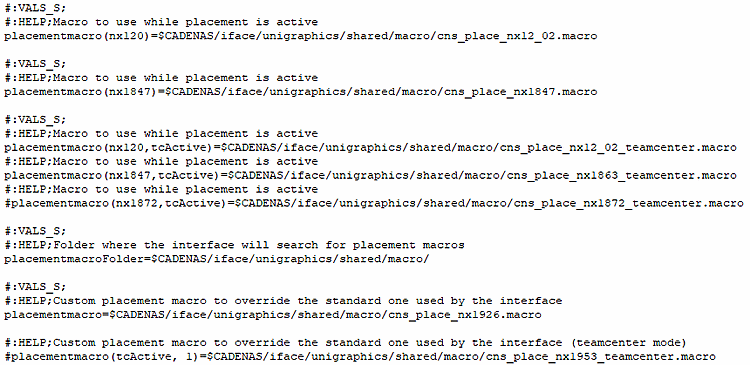
Assurez-vous que le modèle de macro correct se trouve dans ifugnx.cfg
est actif et effectue un placement avec une pièce de test. Dans
Idéalement, tous les paramètres du modèle sont déjà comme vous le souhaitez.
en fait. Dans ce cas, il n’y a pas besoin d’un
Adaptations.
Sinon, suivez les étapes du guide suivant.
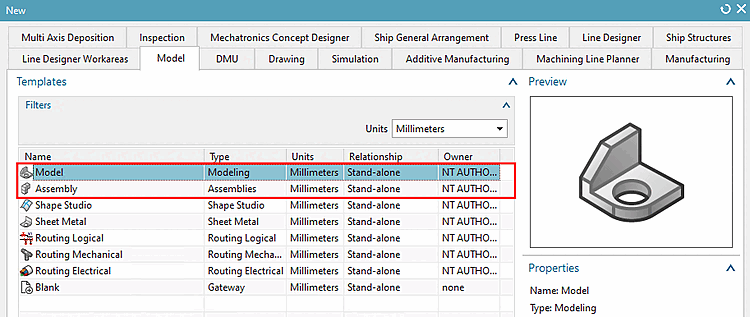
Sélectionnez "Model" ou "Assembly".
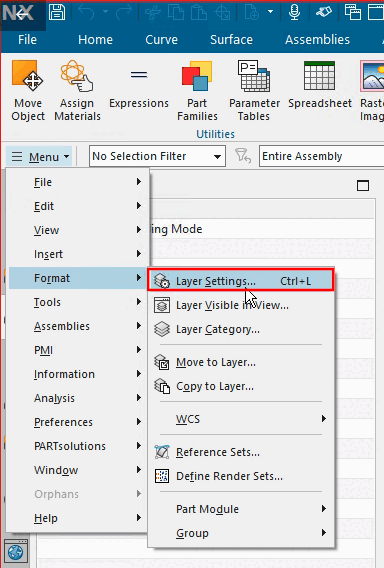
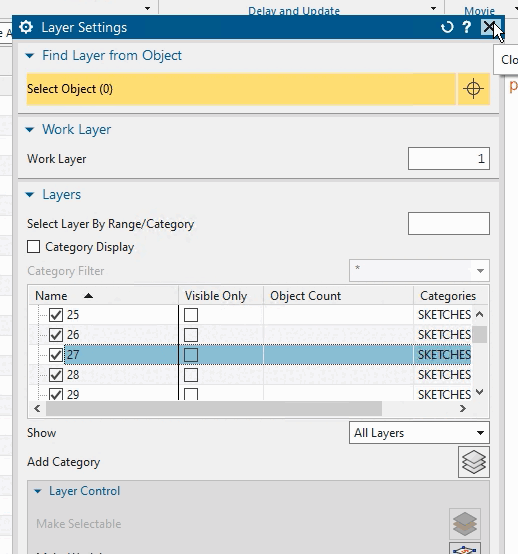
Assurez-vous que "Solid-Layer (par défaut 27)" est activé.
Exécutez un placement à titre d'essai. Vous ne devriez alors pas faire d'erreur lors de l'enregistrement de la macro.
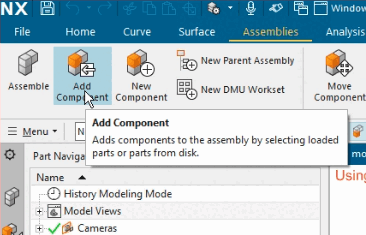
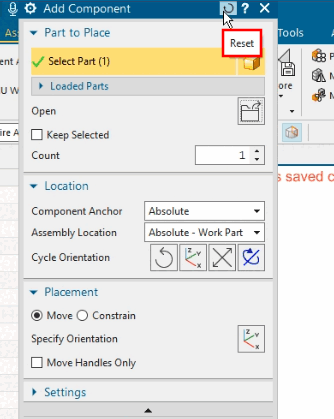
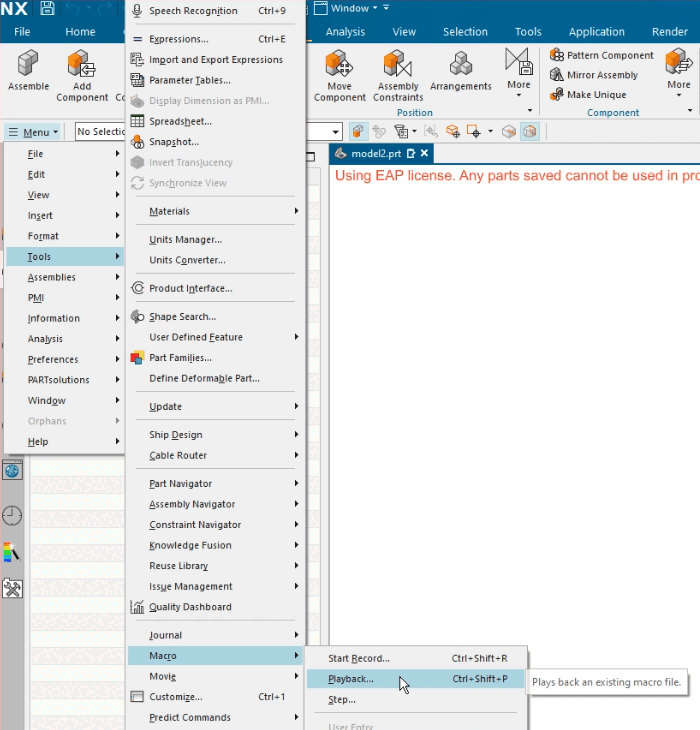
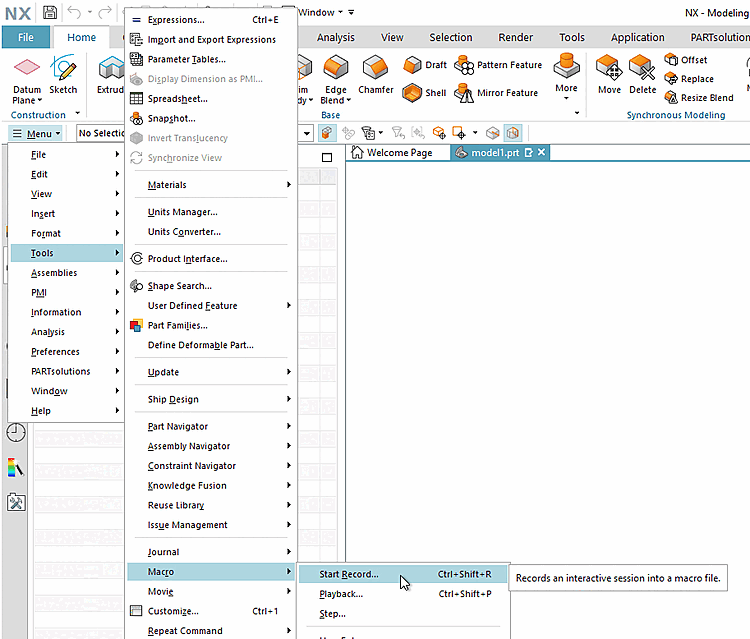
Démarrez l'enregistrement de la macro.
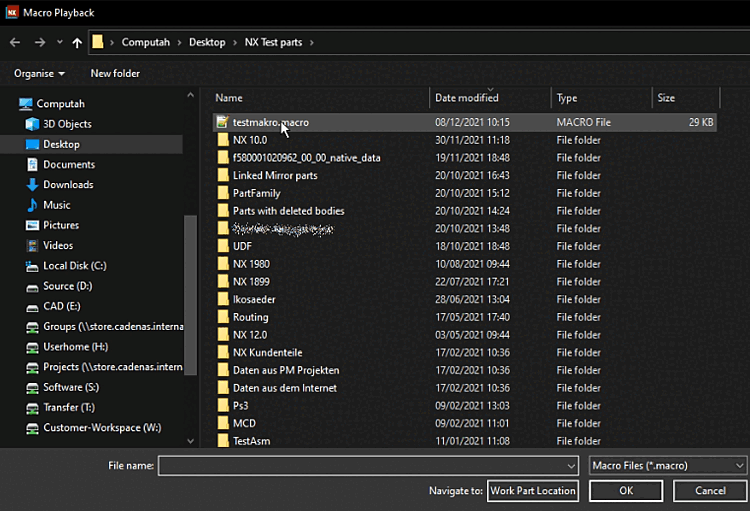
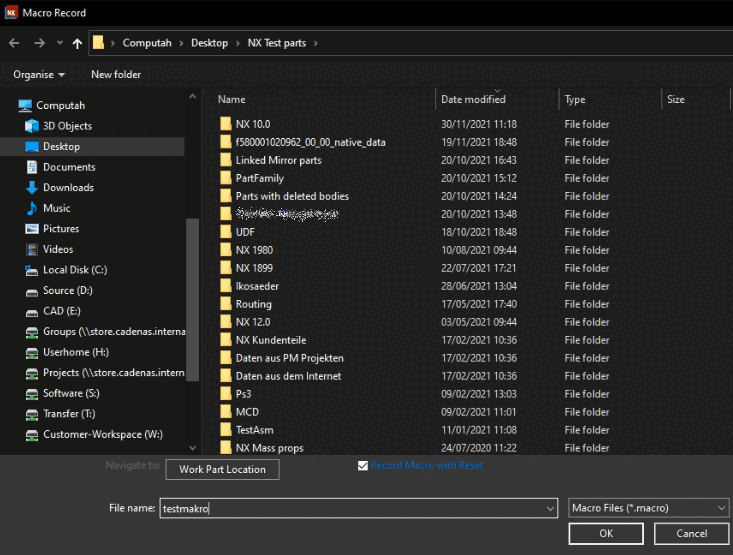
Déterminez l’emplacement et le nom du fichier pour la macro et confirmez avec Enregistrer la macro sur Il est préférable d’aller directement dans l’annuaire prévu à cet effet sous
...\iface\unigraphics\shared\macro\cns_place_....macro.-> L'enregistrement démarre immédiatement.
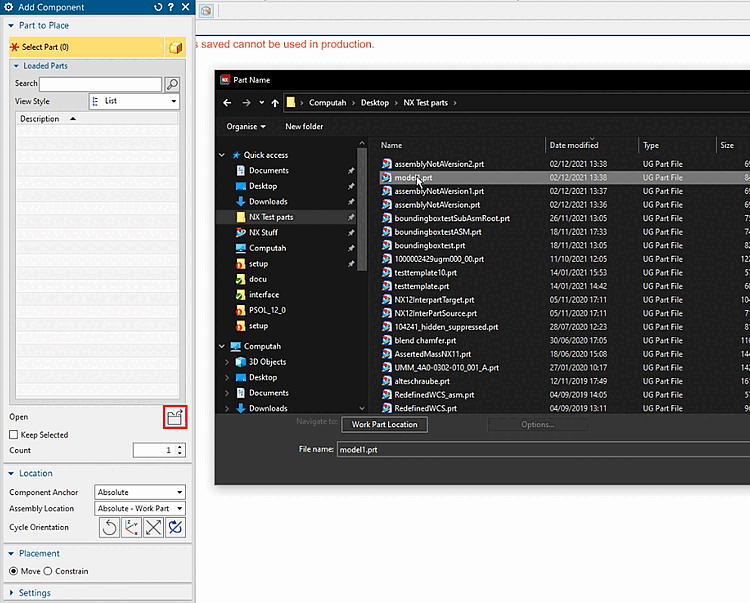
-> La boîte de dialogue Part Name s'ouvre.
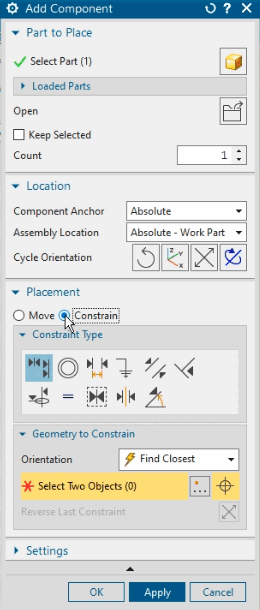
Sélectionnez n'importe quelle partie (pas d'assemblage).
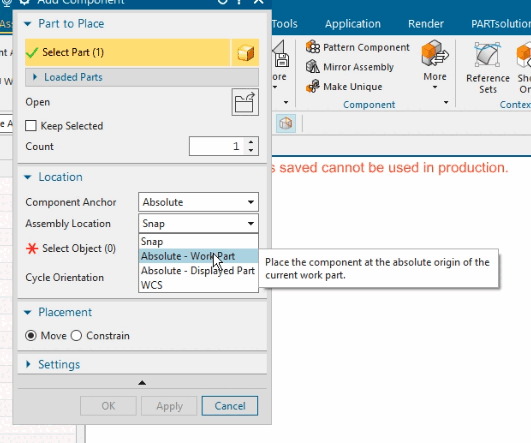
Ouvrez la zone de liste sous Assembly Location et sélectionnez Absolute - Work Part.
Facultatif : changez le paramètre sous Placement de "Move" à "Constrain".
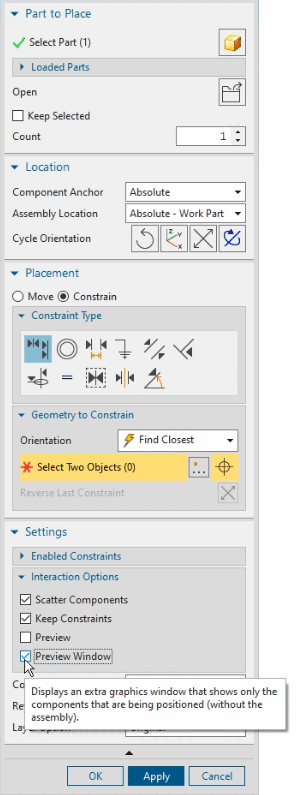
Facultatif : sous Settings -> Interaction Options, désactivez l'option Preview et activez Preview Window.
Ne continuez que si tout s'est passé comme vous le souhaitez jusqu'ici.
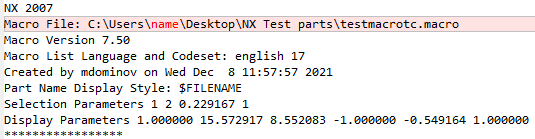
Lors de l'enregistrement de la macro, une pièce d'exemple concrète a été utilisée. Ce sont précisément les endroits qui contiennent des références à cette pièce qui doivent maintenant être remplacés par des caractères génériques.
Supprimez éventuellement votre nom d'utilisateur et remplacez-le par exemple par "administrator". (N'a pas d'importance pour la fonctionnalité).
Cherchez l'endroit avec FILE_BOX et MULTI_SELECT (assez à la fin de la macro).
FILE_BOX -2,@@@D:\cadenas\partsolutions\data\pool\ugnx\16212479780_3211281_
 Supplier dependence.prt@@@
D:\cadenas\partsolutions\data\pool\ugnx\*.prt@@@ 0 ! Part Name
MULTI_SELECT: D:\cadenas\partsolutions\data\pool\ugnx\16212479780_3211281_
Supplier dependence.prt
Supplier dependence.prt@@@
D:\cadenas\partsolutions\data\pool\ugnx\*.prt@@@ 0 ! Part Name
MULTI_SELECT: D:\cadenas\partsolutions\data\pool\ugnx\16212479780_3211281_
Supplier dependence.prtet remplacez ces deux lignes par les suivantes :
FILE_BOX -2,@@@<<CNS_FILENAME>>@@@<<CNS_DIRNAME>>*.PRT@@@ 0 ! Part Name
   MULTI_SELECT: <<CNS_FILENAME>>
Un peu en dessous de la partie en cours d'édition, vous trouverez une entrée avec le nom de fichier de la partie de test utilisée pour l'enregistrement de la macro.
ASK_ITEM 71172097 (1 STRN 0) = "16212479780_3211281_SUPPLIER DEPENDENCE"  !
 Component Name
Supprimez le nom du fichier, c'est-à-dire l'entrée entre les guillemets, en les laissant.
ASK_ITEM 71172097 (1 STRN 0) = "" ! Component Name
En option, vous pouvez également supprimer les lignes suivantes à la fin du fichier.
WINDOW RESIZE 1.000000 10.822917 7.906250 -1.000000 -0.730510 1.000000 0.730510
WINDOW RESIZE 1.000000 10.822917 7.906250 -1.000000 -0.730510 1.000000 0.730510
WINDOW RESIZE 1.000000 10.822917 7.906250 -1.000000 -0.730510 1.000000 0.730510
WINDOW RESIZE 1.000000 10.822917 7.906250 -1.000000 -0.730510 1.000000 0.730510
WINDOW RESIZE 1.000000 10.822917 7.906250 -1.000000 -0.730510 1.000000 0.730510
Définir la macro de placement dans
ifugnx.cfgTestez la macro à partir de PARTdataManager une fois avec une pièce individuelle et une fois avec un assemblage, éventuellement encore une fois avec une pièce en pouces.
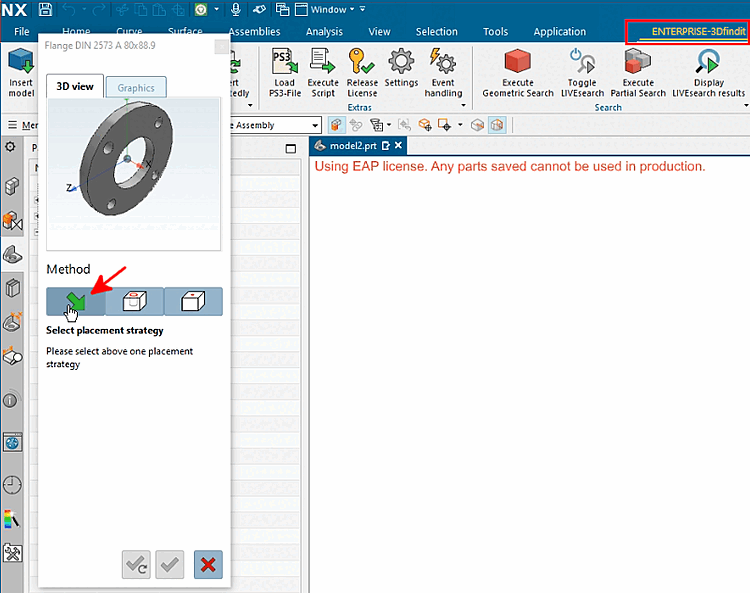
Après le transfert des pièces, cliquez sur la flèche verte (dialogue de placement natif).
-> La boîte de dialogue de placement NX devrait maintenant afficher exactement les réglages que vous aviez effectués lors de l'enregistrement de la macro.
Facultatif pour le contrôle : Afficher le Le fichier de macro
cns_place.macrodans le Annuaire des utilisateurs.Après chaque exportation, celle-ci devrait montrer exactement les remplacements correspondants actuels.
![[Remarque]](https://webapi.partcommunity.com/service/help/latest/pages/fr/partsolutions_user/doc/images/note.png)