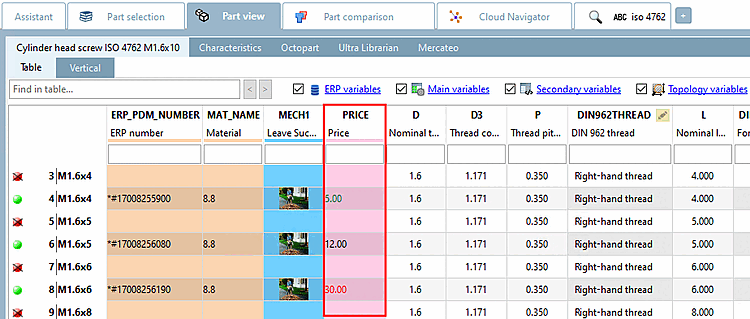
La configuration de la vue PARTdataManager s'effectue sous PARTlinkManager -> Extras -> Configurer l'environnement ERP [Configure ERP environment] -> Page d'onglet Paramètres PARTlinkManager [PARTlinkManager preferences].
Textes d'affichage dans l'en-tête de colonne
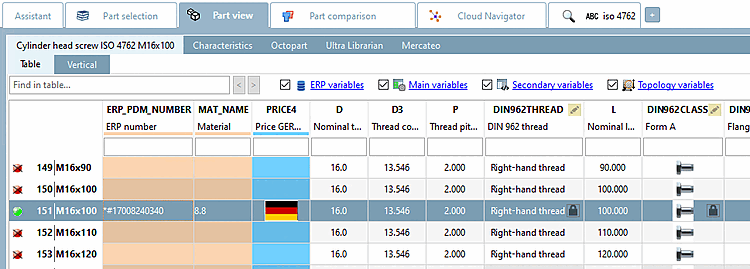
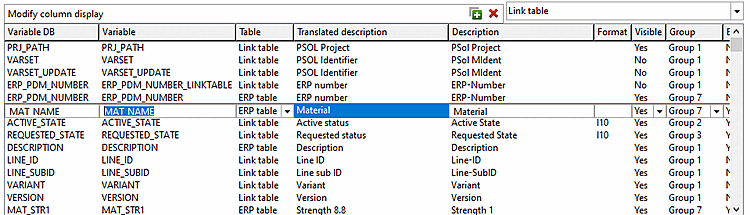
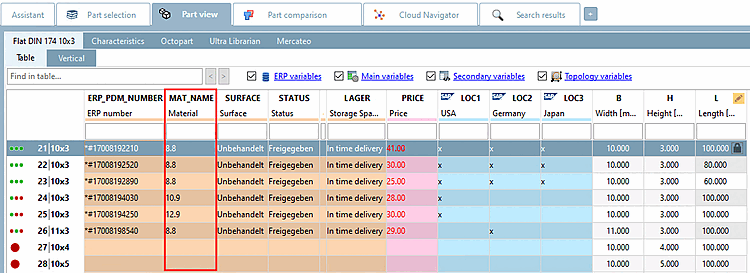
L'entrée sous Variable apparaît dans le PARTdataManager comme entrée principale.
L'entrée sous Description traduite [Translated description] (description [Description], s'il n'y a pas de traduction) apparaît dans le PARTdataManager comme entrée secondaire.
Visibilité des colonnes dans le PARTlinkManager
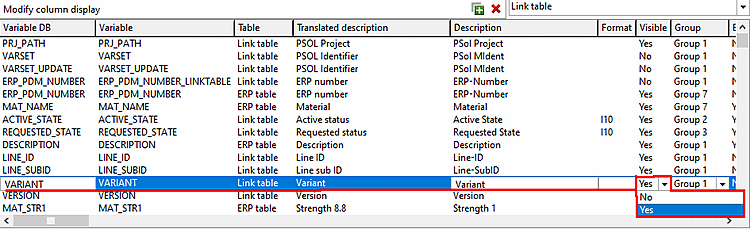
Sélectionnez Oui [Yes] ou Non [No] dans la zone de liste sous Visible.
Le choix se réfère à la visibilité dans le PARTlinkManager.
Couleurs d'arrière-plan des colonnes
Pour déterminer la couleur d'arrière-plan d'une colonne donnée, procédez comme suit :
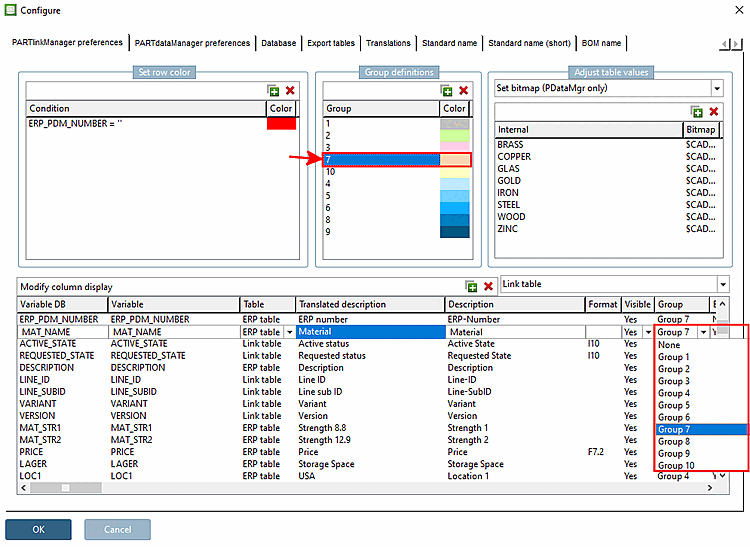
Créez la couleur souhaitée sous Définitions de groupe [Group definitions]. Celle-ci reçoit un numéro spécifique.
Sélectionnez la colonne souhaitée sous Configurer l'affichage des colonnes [Modify column display].
Sélectionnez le numéro de groupe souhaité dans la sélection de liste sous Groupe [Group].
Définir un bitmap avec condition (PDataMgr uniquement) [Set bitmap with condition (PDataMgr only)]
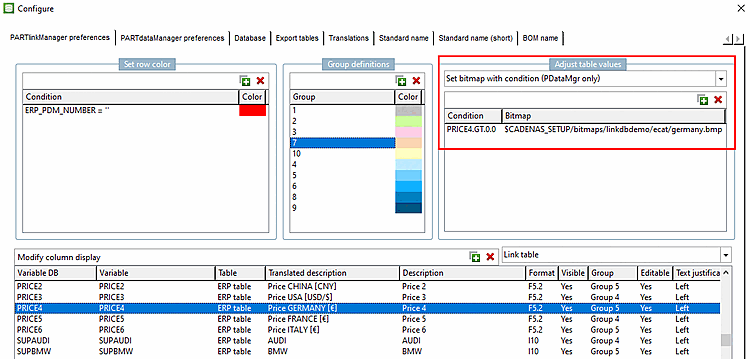
Sélectionnez la colonne souhaitée (ici dans l’exemple
PRICE4).Sous Personnaliser les valeurs du tableau [Adjust table values], sélectionnez l'option Définir le bitmap avec condition [Set bitmap with condition (PDataMgr only)] dans la zone de liste (PDataMgr uniquement) [Set bitmap with condition (PDataMgr only)].
Saisissez la condition [Condition] et sélectionnez ensuite l'image souhaitée en double-cliquant sous Bitmap.
Définir le bitmap (PDataMgr uniquement) [Set bitmap (PDataMgr only)]
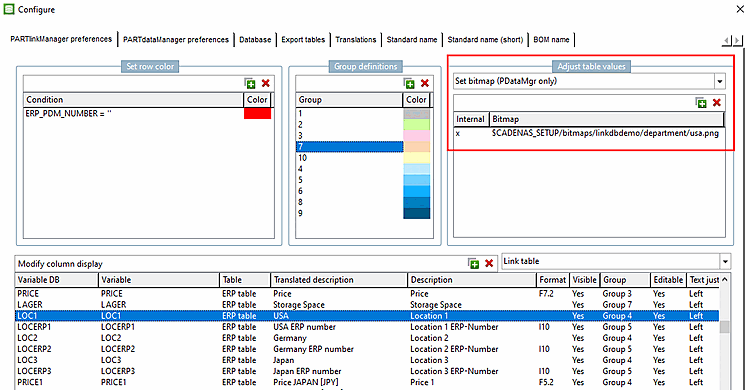
Sélectionnez la colonne souhaitée (ici, dans l'exemple, LOC1).
Sélectionnez Ajuster les valeurs du tableau [Adjust table values] -> Définir le bitmap (PDataMgr uniquement) [Set bitmap (PDataMgr only)]
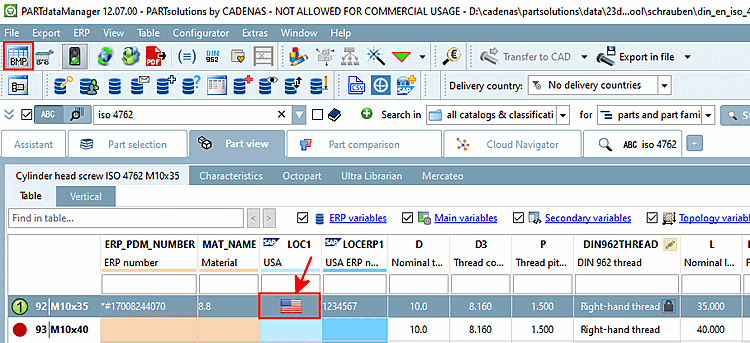
Saisissez sous Intern la valeur pour laquelle le bitmap doit être affiché (ici par exemple 'x') et sélectionnez l'image souhaitée en double-cliquant sous Bitmap.
Utilisateur : location, rôle : LOCRED1 - Indépendamment de la langue d'affichage sélectionnée, l'image appropriée est toujours affichée.
Textes en couleur dans les colonnes
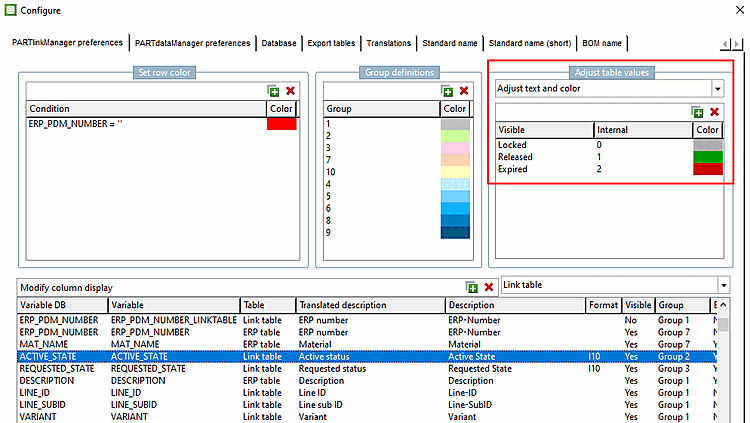
Personnaliser le texte et la couleur [Adjust text and color]
Dans la colonne "ACTIVE_STATE", les couleurs sont réglées différemment pour les entrées.
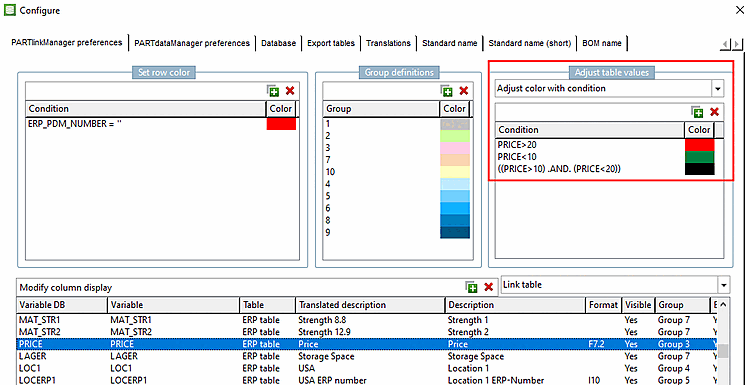
Adapter la couleur avec une condition [Adjust color with condition]
Dans la colonne "PRICE", la couleur du texte est affichée en fonction des conditions.
PRICE>20
PRICE<10
((PRICE>10) .AND. (PRICE<20))
![[Remarque]](https://webapi.partcommunity.com/service/help/latest/pages/fr/partsolutions_user/doc/images/note.png)