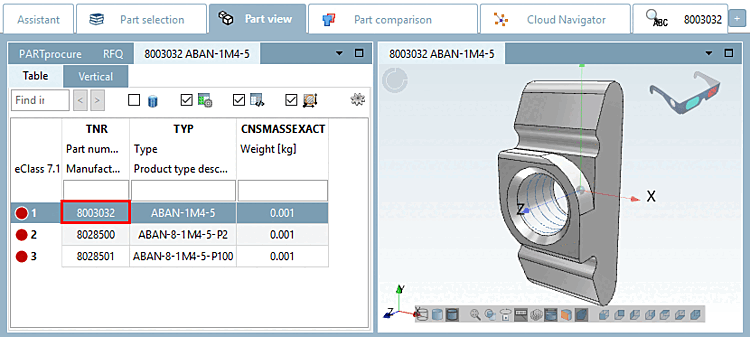
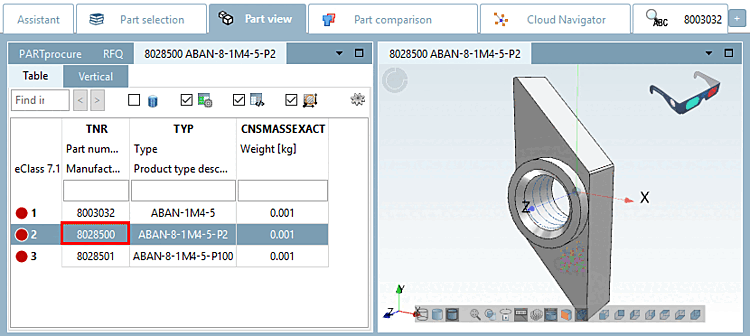
Les variantes peuvent par exemple être utilisées pour les projets qui contiennent des modèles 3D et des vues de cotation différents ligne par ligne.
Dans l'exemple suivant, le numéro de pièce/numéro de commande (TNR) est utilisé pour la commande des variantes.
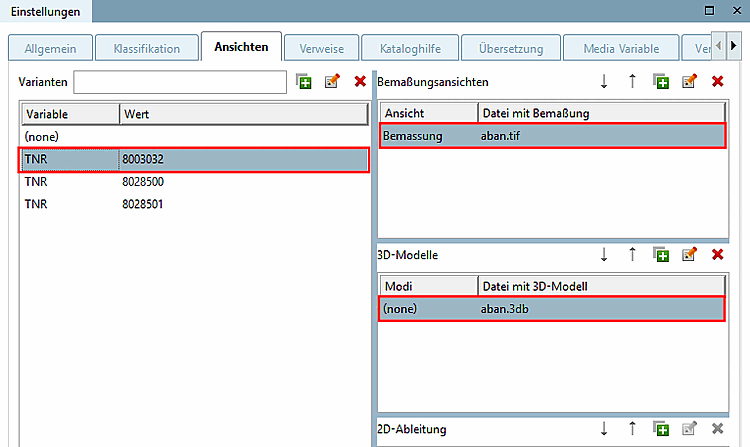
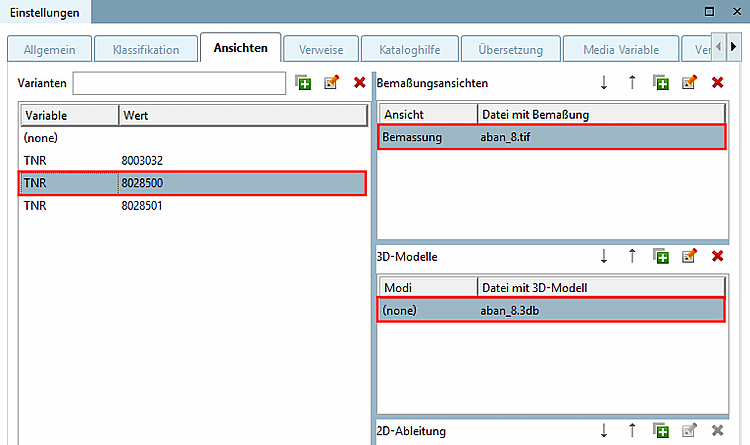
Dans la boîte de dialogue Variantes [Variants] , cliquez sur
 une nouvelle ligne en dessous (aucune)
à.
une nouvelle ligne en dessous (aucune)
à.Créez la variable du numéro de pièce dans la colonne Variable (ici, par exemple, TNR).
Saisissez le numéro de pièce dans la colonne Valeur [Value].
Dans la zone de dialogue Modèles 3D [3D models], sélectionnez le modèle 3D souhaité dans la ligne (none) pour chaque variante par sélection de la zone de liste.
Consultez le résultat dans PARTdataManager.