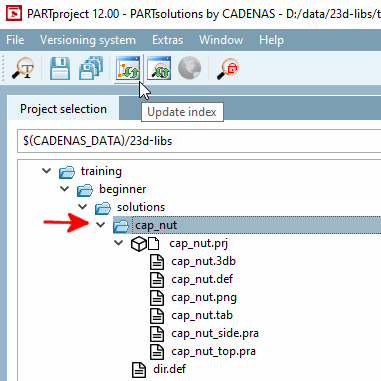
Pour que le projet nouvellement créé soit repris dans la structure de répertoire du PARTdataManager, l'index [Index] doit être actualisé.
Commencez par sélectionner le dossier cap_nut.
Cliquez ensuite sur le bouton Mettre à jour l’index [Update index]
 . (Le bouton se trouve uniquement au niveau du dossier
actif.)
. (Le bouton se trouve uniquement au niveau du dossier
actif.)
-> Le nouveau projet peut maintenant être visualisé dans PARTdataManager.
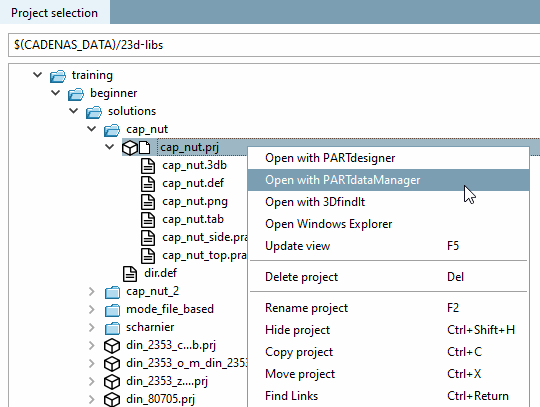
Passez au niveau du projet et cliquez sur la commande de menu contextuel Ouvrir avec PARTdataManager [Open with PARTdataManager].
-> L'écrou borgne s'ouvre dans PARTdataManager dans la vue des pièces [Part view].