5.12.
Conception de la boîte de dialogue "Nouveau numéro d'identification" - erpcustom.cfg -> Bloc [USERDIALOG]
5.12.2. USERDIALOG Traductions
|  |
| Précédent | Suivant |
Par
Ajouter un bloc [USERDIALOG-TRANSLATIONS-<language>]
les traductions des descriptions peuvent être stockées dans USERDIALOG
devenir.
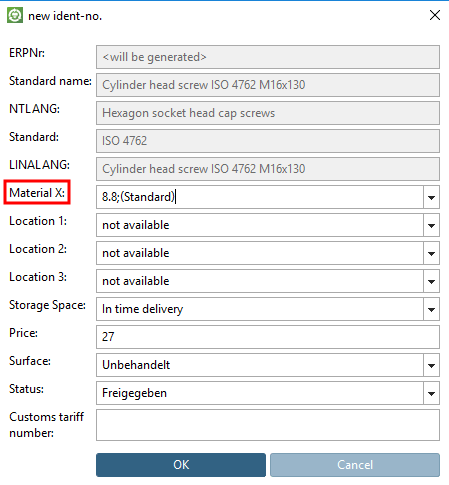
Les termes standard sont couverts par les traductions NLS. Cependant, les nouveaux termes ne sont pas traduits. Dans l'illustration suivante, par exemple, "matériau X" n'a pas pu être traduit.
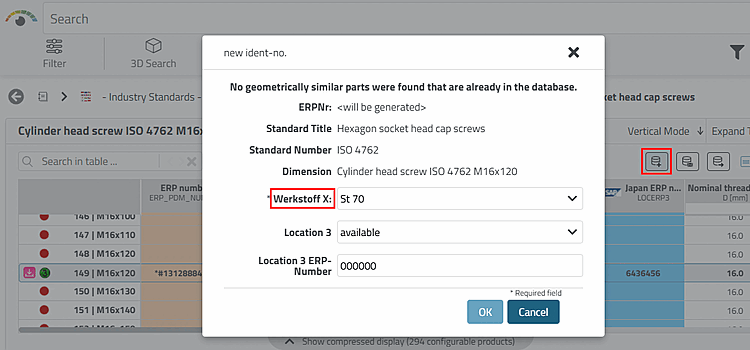
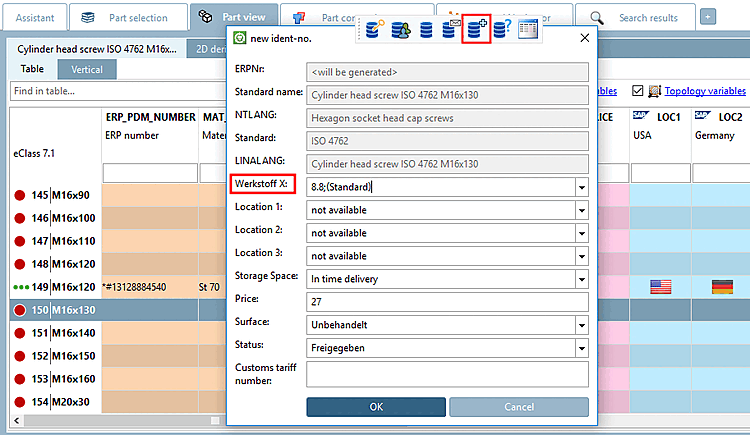
Inscrivez les traductions nécessaires conformément à l'exemple ci-dessous.
[USERDIALOG-TRANSLATIONS-ENGLISH]
Werkstoff X:=Material X:

[USERDIALOG]
SEPARATOR=|
NB=NB    |Normbezeichnung:  |0 |0     |  |0 |1 | |   |  |
NTLANG=NTLANG    |NTLANG:  |0  |0     |   |0 |1  |   | |   |
NN=NN   |Norm:  |0 |0  |   |0  |1  |   |  |  |
LINALANG=LINALANG   |LINALANG:   |0  |0 |  |0  |1  |  |  |  |
Werkstoff=MAT_NAME  |Werkstoff X: |1 |1 | |1 |1 |material_assign.cfg |full |.* |
Location 1=LOC1 |Location 1:   |1  |1  |  |1 |1   |loc1.cfg  |full |.*   |