Vous pouvez générer automatiquement des images d'aperçu pour la structure du répertoire :
![[Remarque]](https://webapi.partcommunity.com/service/help/latest/pages/fr/partsolutions_user/doc/images/note.png)

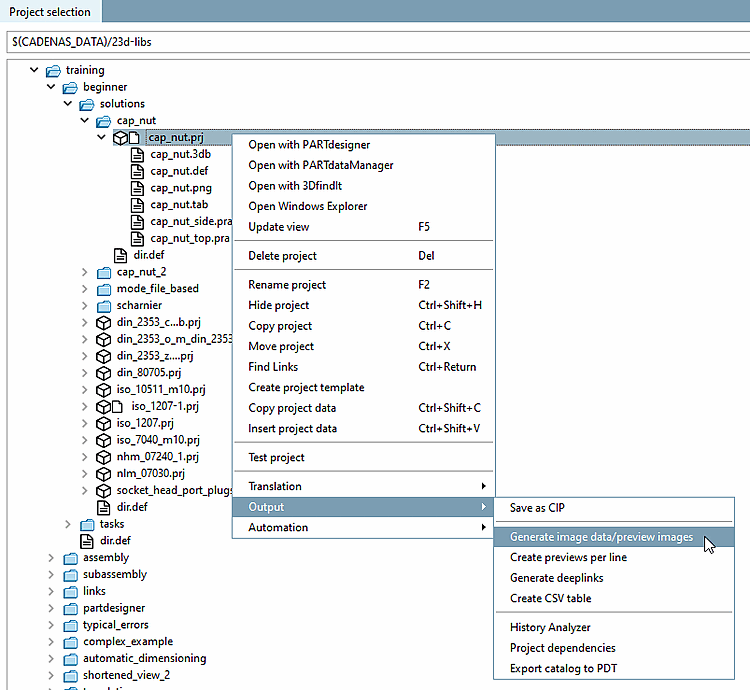
Dans PARTproject, dans le menu contextuel du projet/répertoire, cliquer sur Générer des données d'images/prévisualisations [Generate image data/preview images].
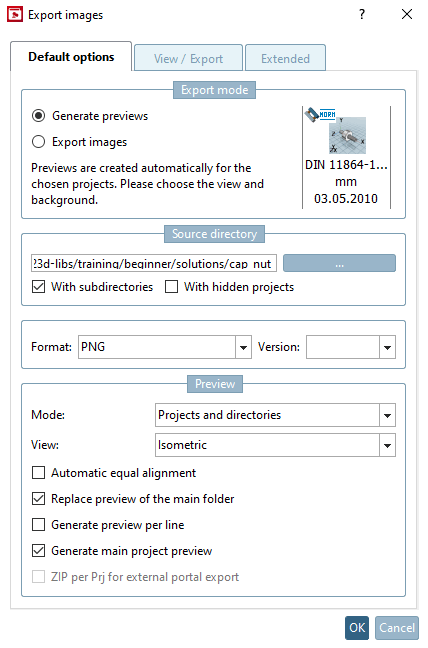
-> La boîte de dialogue Exporter les données d'image [Export images] s'ouvre.
Sélectionnez l'option Générer des aperçus [Generate previews].
Pour plus de détails sur la création d'images d'aperçu, voir Section 5.8.2.1.19.4, « Génération de données d'images/d'aperçus en mode batch » in eCATALOG 3Dfindit.
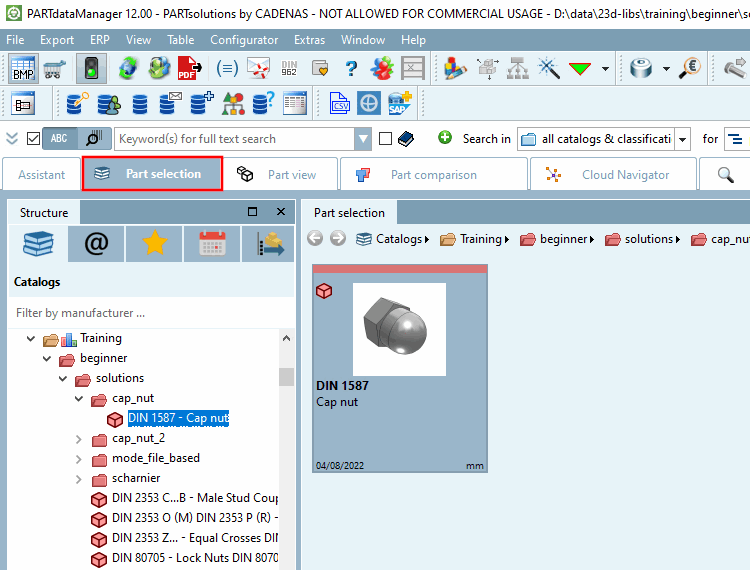
Dans PARTproject, cliquer sur Ouvrir avec PARTdataManager [Open with PARTdataManager] dans le menu contextuel du projet souhaité.
-> Maintenant, des images d'aperçu sont affichées dans PARTdataManager.