
2.8. Créer des dessins dans Sketcher
2.8.1. Sketch 1 - "Corps brut" de l'écrou borgne
|  |
| Précédent | Suivant |
Commencez par créer le "corps brut" de l'écrou borgne.
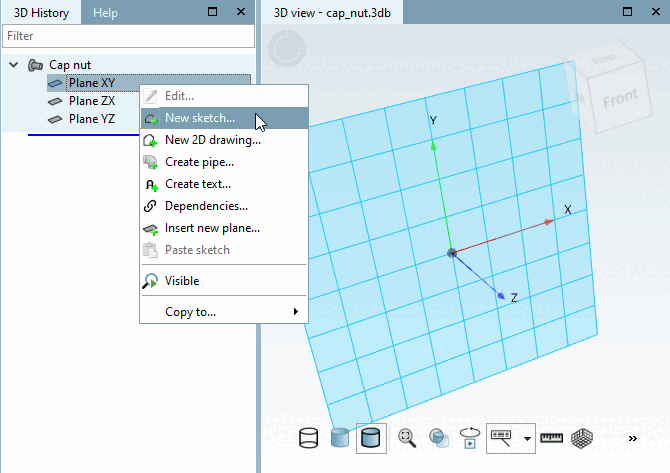
Dans la fenêtre d'accueil Historique 3D [3D History], sélectionnez le plan de départ XY.
-> Le niveau sélectionné est affiché avec une structure réticulaire en arrière-plan.
Appelez le menu contextuel de la bâche XY à l'aide du bouton secondaire de la souris.
Cliquez sur le point Nouveau sketch.... [New sketch...]
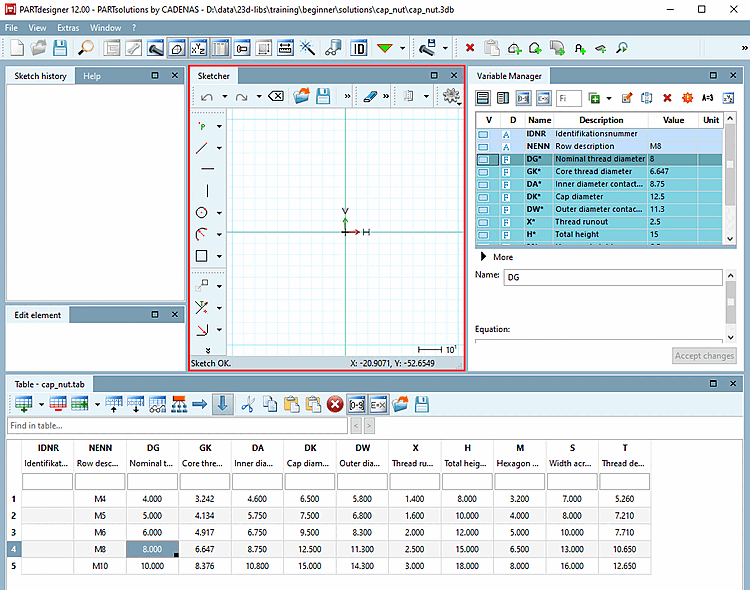
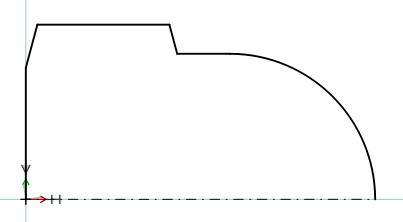
Les étapes suivantes consistent à créer l'esquisse 2D de l'écrou borgne, comme illustré ci-dessous.
![[Remarque]](https://webapi.partcommunity.com/service/help/latest/pages/fr/partsolutions_user/doc/images/note.png)