Dans
Dans cette section, vous trouverez des explications sur les options de réglage de
Vue 3D [3D view]
 .
.
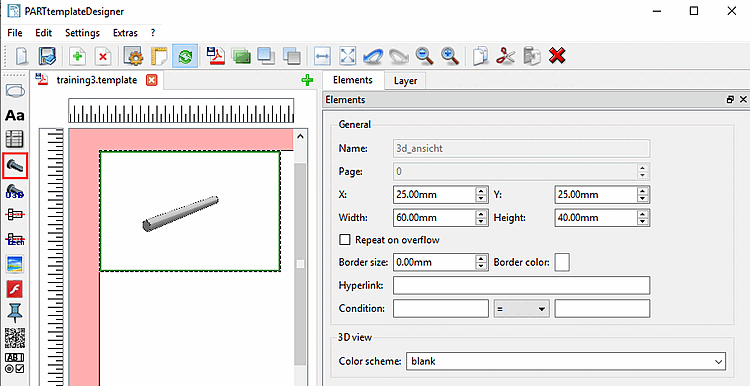
Généralités [General]: voir Section 8.4.2, « Paramètres généraux ».
Modèle de couleurs [Color scheme]: sélectionnez le modèle de couleurs d'arrière-plan souhaité.
![[Remarque]](https://webapi.partcommunity.com/service/help/latest/pages/fr/partwarehouse/doc/images/note.png)
Remarque Vous pouvez également indiquer votre propre schéma de couleurs.
Il peut être stocké dans le répertoire « _templates » a son propre
colorschemes.cfg. Celui-ci ne doit alors être utilisé que pour les Entrée utilisée dans la fiche technique PDF . [a][a] Le Les modèles d’arrière-plan standard sont ci-dessous
$CADENAS_USER/colorschemes.cfg.