![Menu contextuel "Comparaison 3D [3D comparison]](https://webapi.partcommunity.com/service/help/latest/pages/fr/partwarehouse/doc/resources/img/img_27122b89641c4ed78695abdeb9a3cd0f.png)
Dans le menu contextuel de la comparaison 3D [3D comparison], vous trouverez les points de menu suivants :
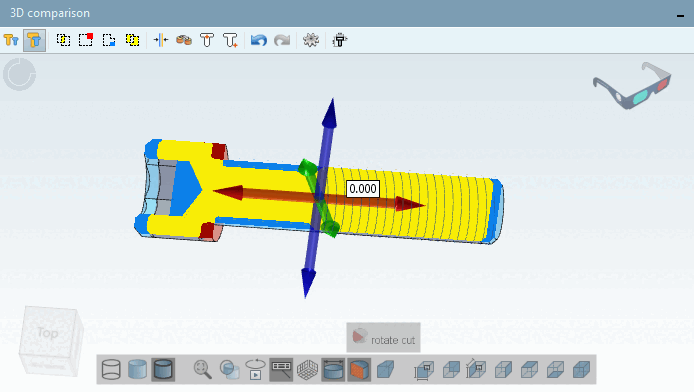
Définir le plan de coupe. [Define section cut...].. : Voir Section 2.1.7.6.7, « Définir le plan de coupe... ». (La fonctionnalité est équivalente à la même dans la vue des pièces [Part view] ).
Dans le plan de coupe, le Les différences entre les composants peuvent être détectées immédiatement. Vous pouvez choisir les couleurs sous Paramètres [Settings]
 .
.
Mesurer . [Measure...].. : Voir Section 2.1.7.6.3, « Mesure de pièces 3D ». (La fonctionnalité est équivalente à la même dans la vue des pièces [Part view] ).
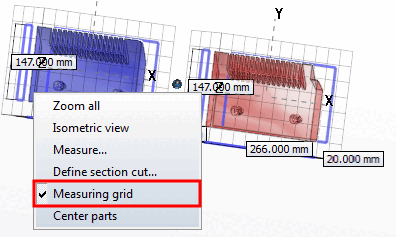
Grille de mesure [Measuring grid]
Activez l'option Grille de mesure [Measuring grid] dans le menu contextuel de Comparaison 3D [3D comparison].