Selezionare la parte di ricerca per la ricerca parziale.
È possibile caricarlo in vari modi:
-> In ogni caso, la parte viene aperta nell'area delle impostazioni con lo stesso nome.
Interruttore alla scheda
 Parziale
Cerca [Partial search].
Parziale
Cerca [Partial search].
(È anche possibile caricare una parte dal file system facendo clic su ).
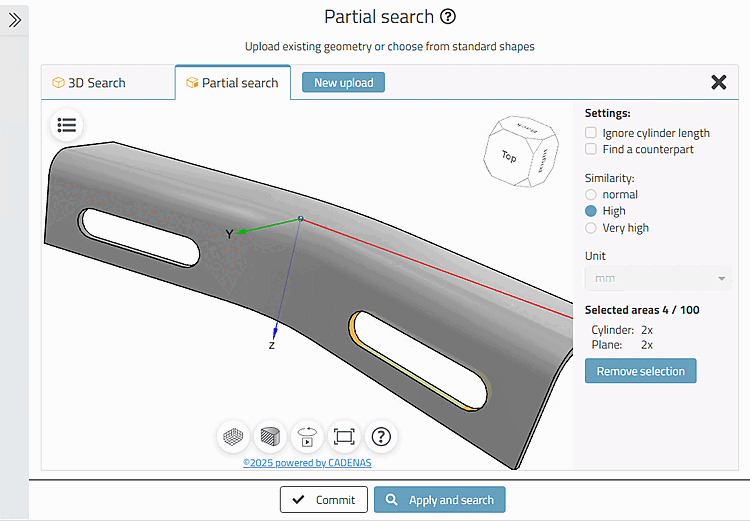
Selezionare una o più caratteristiche del pezzo (qui 4 caratteristiche di un foro scanalato).
Se necessario, ruotare la parte per raggiungere tutte le superfici.
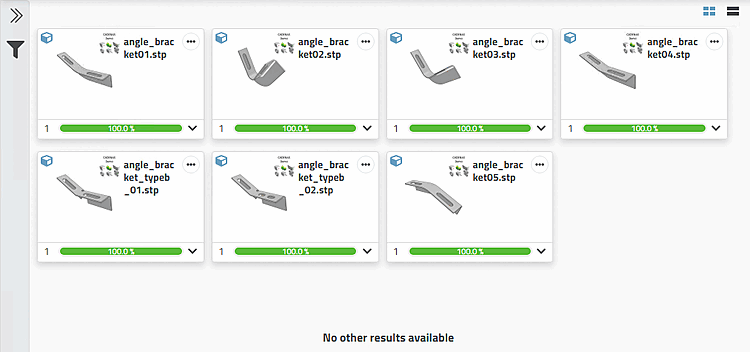
-> Vengono trovate tutte le parti che contengono le caratteristiche specifiche dello slot.
Cliccare sull'icona del metodo visualizzato nella barra di ricerca in alto.
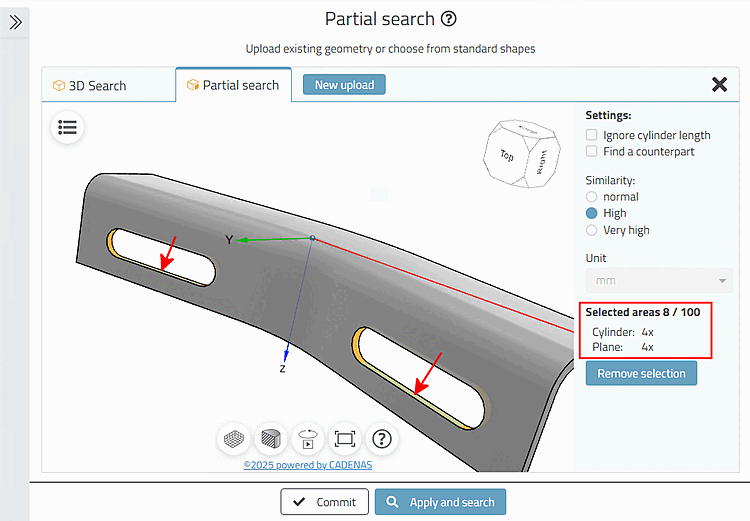
Selezionate anche le caratteristiche della seconda slot.
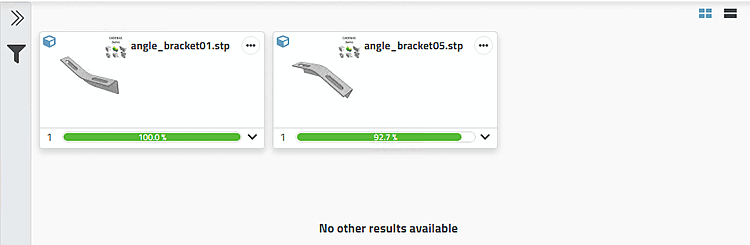
-> Ora vengono visualizzate solo 2 parti di risultato, poiché nel calcolo è inclusa anche la posizione delle singole caratteristiche in relazione tra loro.