

Nella finestra di aggancio della cronologia 3D [3D History], è possibile "saltare" a qualsiasi punto del processo di costruzione spostando la linea orizzontale blu. Ciò significa che la vista 3D mostra il componente nella fase di progettazione corrispondente.

Se ci si trova già "in piedi" in un determinato punto della storia, è sufficiente fare clic sul comando Imposta marcatore [Set mark]...
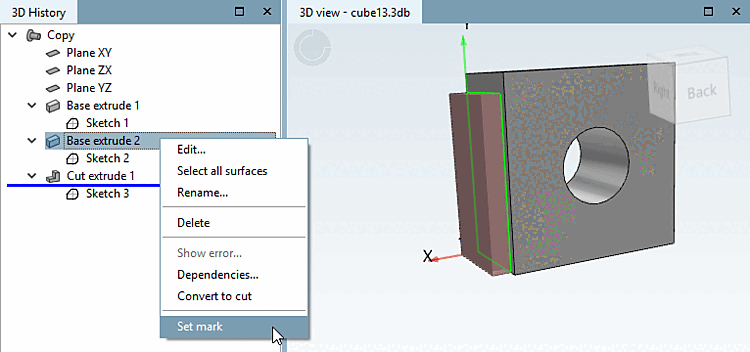
... e la linea si sposta in questa posizione. È possibile inserire ulteriori passi di costruzione in questa posizione.

![[Nota]](https://webapi.partcommunity.com/service/help/latest/pages/it/installation_ecatalogsolutions/doc/images/note.png) | Nota |
|---|---|
È altrettanto facile spostare la linea utilizzando le maniglie. Per visualizzare la maniglia, è sufficiente spostare il mouse sulla linea.
| |
