|
The behavior of User config files has changed with V11 SP5.

The display of config files in PARTadmin under $CADENAS_USER is unchanged, however, physically existing are only those files whose content is not identical with that of the same-named file under $CADENAS_DEFAULT_USER. Furthermore a changed file only contains differing keys. Keys whose value is identical with the one in the same-named file under $CADENAS_USER, are not contained.
The new behavior is caused by the new default-merge-mode Use overlay, which replaced Merge newer as default. Use overlay deletes User configs on file level, if they are identical to the default User config.

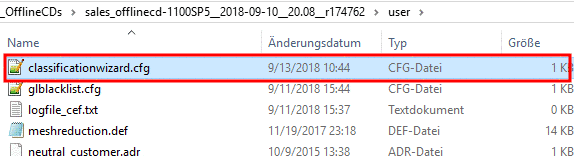
Following example
will clarify the situation using the configuration file classificationwizard.cfg:
Initial situation in PARTadmin:
Under $CADENAS_USER the configuration file
classificationwizard.cfgis displayed.Initial situation on file level:
The file in User directory is not displayed, because there are no differences in compare to the same-named file under $DEFAULT_USER.
Now in PARTadmin, the value of the key System is changed.
-> The change is signalized by bold font.
Now open the User directory on file level.
-> Only now the changed config is displayed.

![[Note]](https://webapi.partcommunity.com/service/help/latest/pages/it/installation_ecatalogsolutions/doc/images/note.png)