7.13.4. Creare un sottogruppo
7.13.4.7. Condizione dell'inserto per la fascetta per tubi |  |
| Indietro | Avanti |
![[Nota]](https://webapi.partcommunity.com/service/help/latest/pages/it/installation_ecatalogsolutions/doc/images/note.png)
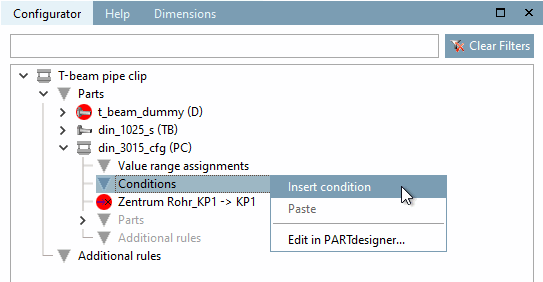
Fare clic sul comando del menu contestuale Inserisci condizione [Insert condition] sotto Condizioni [Conditions] per il componente "Morsetto per tubi" (RS).
-> Si apre la finestra di dialogo delle proprietà della condizione [Condition properties].
Nell'area superiore, selezionare il componente a cui applicare la condizione (qui KP1).
Assegnare un nome e inserire la condizione.
T@B = RS@NR
Ciò significa che la larghezza (B) del supporto (T) deve corrispondere al valore della variabile NR della pinza per tubi, dove NR ha un valore unico per ogni linea e quindi codifica tutte le altre caratteristiche possibili, come il tipo di pinza e di foro, il diametro del tubo, ecc.
-> La condizione viene visualizzata nell'albero con il nome e il simbolo if assegnato nel dialogo.
-> La vista 3D [3D view] attualmente si presenta come segue.