
 |
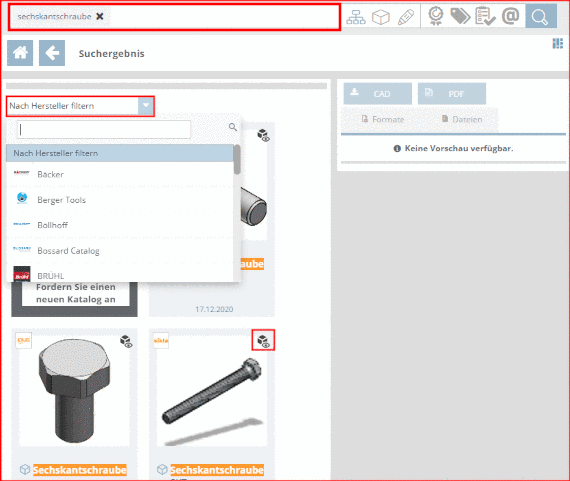
Enter the search
term and click on  .
.
![[Note]](https://webapi.partcommunity.com/service/help/latest/pages/it/partsolutions_user/doc/images/note.png)
➝ The found parts are listed below.
➝ Mouseover on a preview image displays the part name.
➝ When clicking
on  Preview, a 3D
preview is displayed.
Preview, a 3D
preview is displayed.
➝ When clicking on Show more results, successively all results are loaded.
➝ In the list field Filter by catalog, when clicking a catalog supplier, the search results are accordingly filtered.