4.5.2. ENTERPRISE 3Dfindit Integrazione ERP 4.5.2.3. Visualizzazione del nome del database in PARTlinkManager
|  |
| Indietro | Avanti |
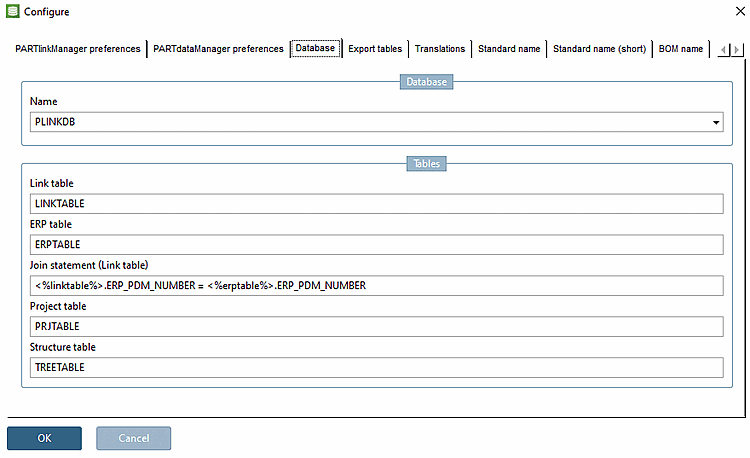
PARTlinkManager > Menu Extra [Extras] > Configura ambiente ERP [Configure ERP environment] > Scheda Database > Database > Nome [Name]
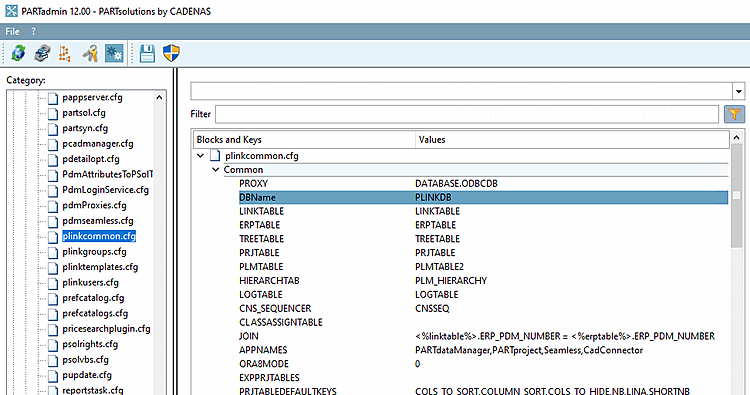
La voce Nome [Name] è ricavata dallo stesso valore di configurazione visualizzato in PARTadmin > Categoria ambiente ERP [ERP environment] > Connessione al database [Database connection] > Connessione al database attiva [Active database connection]:
Effettuare tutte le impostazioni del database in PARTadmin.
Questa voce corrisponde alla chiave DBName in plinkcommon.cfg -> Block Common ->.