

![Impostare i campi [Set fields]](https://webapi.partcommunity.com/service/help/latest/pages/it/partsolutions_user/doc/resources/img/img_39af9aaef8a543679e50eb8dadffd1f9.png)
Questo comando può essere richiamato in vari modi:
Imposta campi [Set fields] elenca le colonne modificabili dell'ERPTABLE. Facendo clic sul titolo di una colonna, è possibile modificarla nella finestra Imposta valori [Set values].
Per Stato attuale [Active status] e Stato richiesto [Requested status], selezionare il valore corrispondente nel campo elenco.
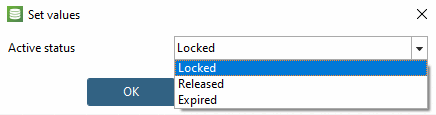
Per tutti gli altri campi (ad esempio, il materiale), inserire direttamente il valore o aprire la finestra di dialogo Genera sequenza di valori [Generate value sequence] con .
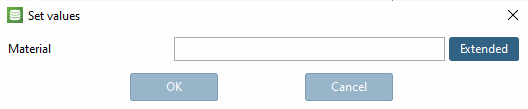
Finestra di dialogo Generate value sequence
![Generare una sequenza di valori [Generate value sequence]](https://webapi.partcommunity.com/service/help/latest/pages/it/partsolutions_user/doc/resources/img/img_5aec23c767614e298035659e383ada96.png)
Utilizzare per creare un numero casuale come il seguente: *#1127406149.%VAR%. È possibile utilizzare gli altri campi di opzione per personalizzare i valori generati automaticamente. Sezione 5.27.8.2.5, “ Assegnare/eliminare numeri ERP ” Per maggiori informazioni, consultare .