|
In the Assembly menu area, right-click the name of the desired part.
--> The respective context menu opens.
The following explains the individual menu points of the context menu for assembly elements:
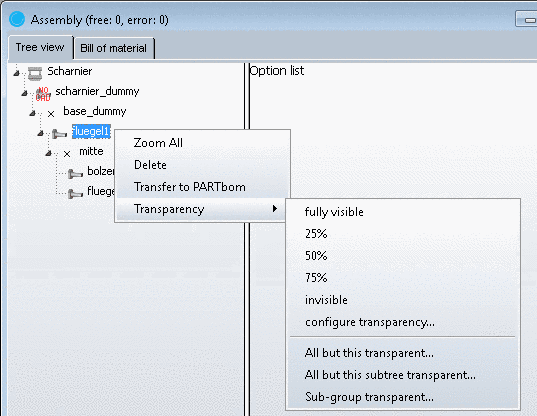
Zoom : With this command the selected part is displayed with default size in the middle of the window.
Delete: ...removes the marked assembly components from the Assembly or 3D preview. The corresponding Table closes.
Transfer to PARTbom: ...transfers the part data to PARTbom. With PARTbom (bom = bill of material) you can combine part lists for orders of parts and assemblies.
All but this transparent...: ...turns all directory elements, except for the currently marked one, transparent.
All but this subtree transparent...: ...turns all directory elements, except for the currently marked one and its subdirectories, transparent.
Sub-group transparent…: ...turns all subdirectories of the currently marked element transparent.