![[Nota]](https://webapi.partcommunity.com/service/help/latest/pages/it/partsolutions_user/doc/images/note.png) | Nota |
|---|---|
A partire dalla V11, viene visualizzato solo per i vecchi assiemi che hanno già utilizzato la funzione. Non utilizzare per i nuovi sistemi! | |
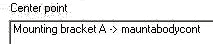
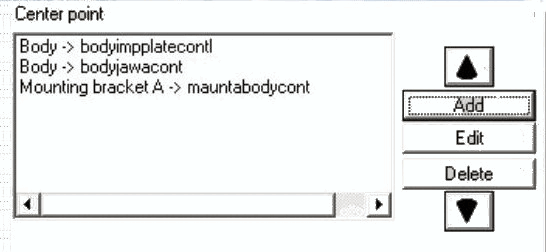
Nella parte destra della finestra è possibile definire la posizione dell'assieme nell' anteprima 3D [Preview 3D] o nel sistema CAD. Questa funzione serve a riallineare l'intero assieme.
Se si desidera posizionare l'assieme individualmente nel sistema di coordinate partendo da un punto di fissaggio, fare clic sul pulsante .
-> Si apre la finestra Seleziona punto di connessione [Choose connection point] si apre.
Figura 7.1206. Finestra di dialogo "Selezionare il punto di connessione [Choose connection point]" (in questo esempio, sono stati selezionati "Piastra di base" e "Foro 1")
Selezionare una parte di connessione [Connection part] e un punto di connessione [Connection point]. In questo modo si definisce un punto di partenza per il "riposizionamento".
![Finestra di dialogo "Selezionare il punto di connessione [Choose connection point]" (in questo esempio, sono stati selezionati "Piastra di base" e "Foro 1")](https://webapi.partcommunity.com/service/help/latest/pages/it/partsolutions_user/doc/resources/img/img_89c9f65f6cc545afaaf949972b6a3600.png)
Il gruppo non è più allineato in base alla preimpostazione (angolo della piastra nel punto zero del sistema KO), ma in base al foro del punto di collegamento foro (vedere figura).
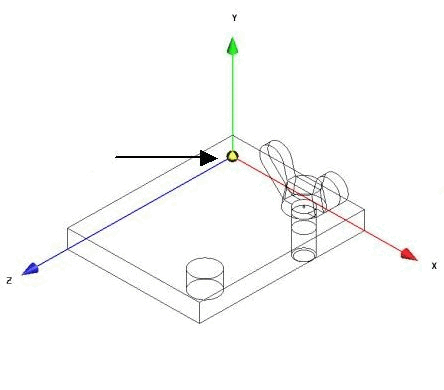
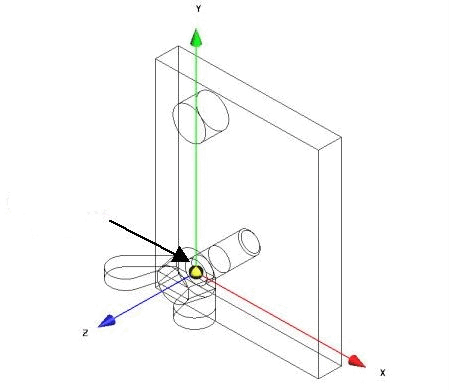
Selezionare [Choose connection point] ulteriori spiegazioni per il punto di fissaggio [Choose connection point]:
![Finestra di dialogo "Selezionare il punto di connessione [Choose connection point]](https://webapi.partcommunity.com/service/help/latest/pages/it/partsolutions_user/doc/resources/img/img_927ea016d36949598c685f439174446e.png)
Ulteriori spiegazioni sulle proprietà dell'assemblaggio [Assembly properties]:
È inoltre possibile collegare le posizioni definite nel campo Punto zero [Center point] e nei campi X, Y e Z utilizzando AND o OR.
AND - Quando si combinano le specifiche di posizione tramite AND, entrambe le specifiche vengono prese in considerazione, cioè sommate.
OR - Con la combinazione tramite OR, ad esempio, l'impostazione nel campo del punto zero [Center point] (vite 1 -> S 1) entra in vigore solo se il componente dell'armatura vite 1 fa già parte dell'armatura corrente.