

La seguente sezione descrive come aggiungere una parte personalizzata dal sistema CAD alla libreria personalizzata [User library] e come esportarla nuovamente.
Seleziona La mia libreria [User library] ->
 parte propria
. [Add own part]
parte propria
. [Add own part]
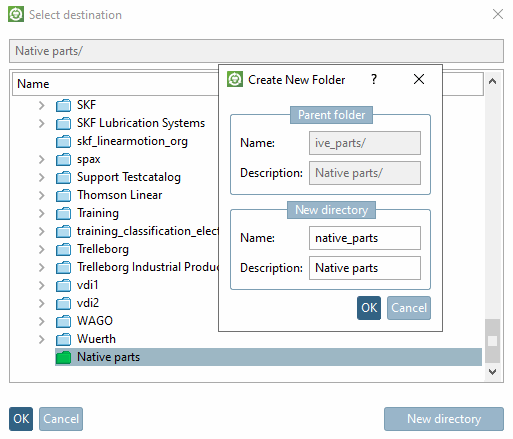
-> Si apre la finestra di dialogo Seleziona destinazione [Select destination].
Facoltativamente, fare clic su per creare prima una nuova sottocartella.
-> Si apre l'omonima finestra di dialogo. Inserire il nome [Last name] e la denominazione [Designation] e confermare con .
Selezionare la cartella in cui si desidera aggiungere il componente e confermare con .
-> La parte è ora memorizzata in La mia libreria [User library].
Per l'esportazione dei pezzi propri dalla directory dei pezzi propri [My Parts] al sistema CAD, procedere esattamente come per i pezzi standard e acquistati.
![[Nota]](https://webapi.partcommunity.com/service/help/latest/pages/it/partwarehouse/doc/images/note.png)