

Aprire l'applicazione PARTadmin tramite il menu Start di Windows > ENTERPRISE 3Dfindit (Professional) o eCATALOG 3Dfindit.
All'interno di PARTadmin, selezionare la gestione degli indici [Index administration] alla voce Categoria [Category].
I riferimenti a directory o file sono necessari per trovare e visualizzare le singole parti in 3Dfindit / PARTdataManager.
Questi riferimenti sono già pre-generati sotto forma di file indice di visualizzazione al momento della consegna del catalogo.
Il risultato visibile è la struttura del prodotto in 3Dfindit o l'albero delle directory in PARTdataManager (vedere la figura seguente).
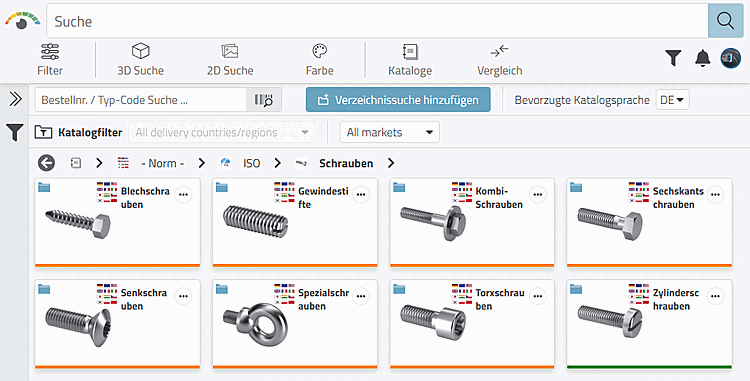
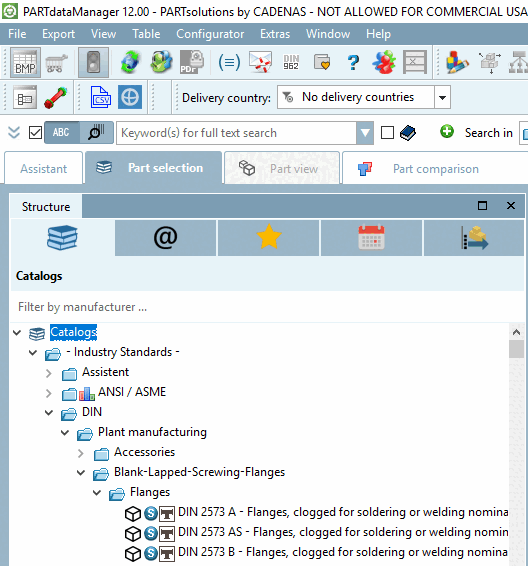
Quando è necessaria la gestione degli indici [Index administration]?
Per alcune modifiche all'interno di ENTERPRISE 3Dfindit / eCATALOG:
Aggiornamenti degli indici (indice di ricerca full-text, indice di ricerca geo [Geometrical search index], indice di ricerca LinkDB [LinkDB search index] )
Gli indici sono già generati quando vengono installati nuovi cataloghi di parti standard e di produttori.
La posizione della directory delle librerie (CADENAS_DATA%) è stata modificata.
I cataloghi o gli elementi di catalogo appena creati devono essere inclusi nell'albero della directory.
I componenti dell'albero delle directory che non sono (o non sono più) necessari devono essere nascosti.
Le vecchie versioni dei cataloghi appena installati o modificati devono essere eliminate o devono essere creati file originali (file di backup) dai cataloghi attuali.
Alcune altre funzioni (vedere sotto Comandi del menu contestuale )
![[Nota]](https://webapi.partcommunity.com/service/help/latest/pages/it/partwarehouse/doc/images/note.png)
Selezione della lingua [Language selection]
L'indice di visualizzazione viene creato per tutte le lingue del catalogo esistenti. Non è necessario selezionare una lingua.
Ricerca a testo completo [Full-text search]
Ogni catalogo ha ora un indice di ricerca full-text che gestisce tutte le lingue in un unico file.
Per impostazione predefinita, i cataloghi consegnati contengono sempre un indice pre-generatoper la ricerca full text [Full-text search] e la ricerca geometrica [Geometric Search].
Nessuna interruzione del lavoro
Non è necessario chiudere le applicazioni in esecuzione durante gli aggiornamenti dell'indice.
Indicatore di progresso per Aggiornamento dell'indice
Le azioni eseguite vengono eseguite in background ed elaborate in un elenco. Ciò significa che è possibile avviare più azioni in successione.
Quando PARTdataManager viene avviato, viene controllato se tutti gli indici sono disponibili senza errori. In caso contrario, viene visualizzato un messaggio corrispondente.
![Messaggio "Indici di ricerca mancanti [Missing search indexes]" in PARTdataManager](https://webapi.partcommunity.com/service/help/latest/pages/it/partwarehouse/doc/resources/img/img_b4dc5d2a61504871bcd36fa1bf0aa69d.png)