5.12.13.6. Utilizzo delle parti in NX
5.12.13.6.5. Trasferimento di ulteriori caratteristiche di classificazione |  |
| Indietro | Avanti |
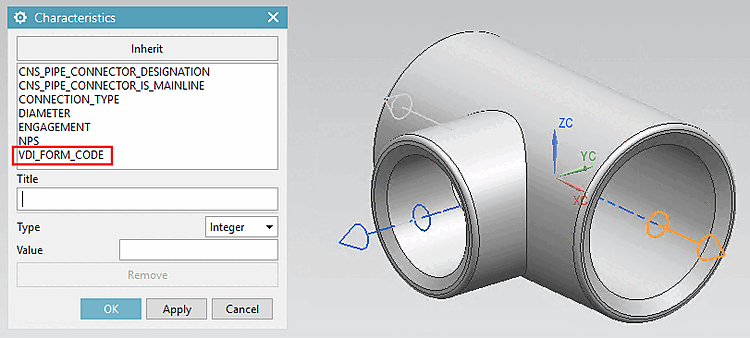
Con la classificazione delle tubazioni CNS, una serie di caratteristiche viene trasferita automaticamente a NX durante l'esportazione. Queste sono PART_NAME e PART_NUMBER o Pipe Connector Nominal Diameter (diametro esterno) e alcune altre.
Sezione 5.12.13.6.4, “Controllare gli attributi della porta”Sono disponibili a livello di porta (vedere ). Sezione 5.12.13.6.3, “CADENAS Parti di ricambio” Inoltre, tutte le parti esportate sono incluse nella Libreria delle parti di routing di CADENAS e si comportano come tutte le altre parti della Libreria di riuso (vedere ).
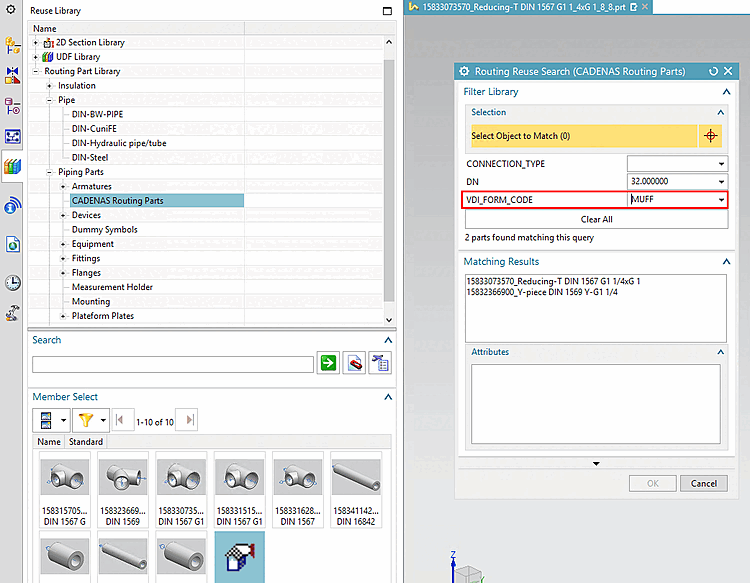
È possibile rendere disponibili ulteriori funzioni aggiuntive sia nelle caratteristiche della porta che nella funzione di ricerca della Libreria del riuso.
Con riferimento
, la caratteristica desiderata deve essere dichiarata in luoghi diversi.
Ad esempio, la caratteristica CNS_PIPE_CONNECTOR_FORM_CODE (Pipe Connector VDI
Form Code) è stata utilizzata di seguito. Procedere con qualsiasi altro
caratteristiche allo stesso modo.
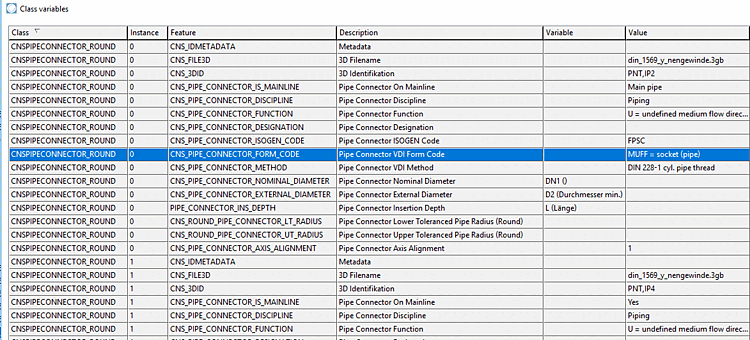
La caratteristica deve essere creata nella classificazione delle tubazioni.
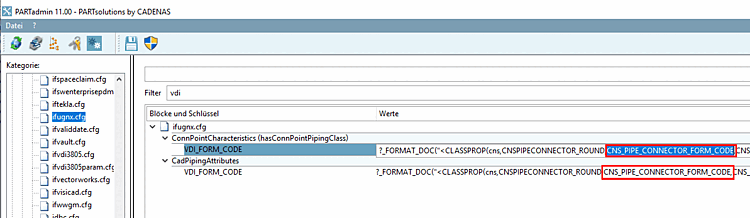
Quella La funzione di classificazione deve essere
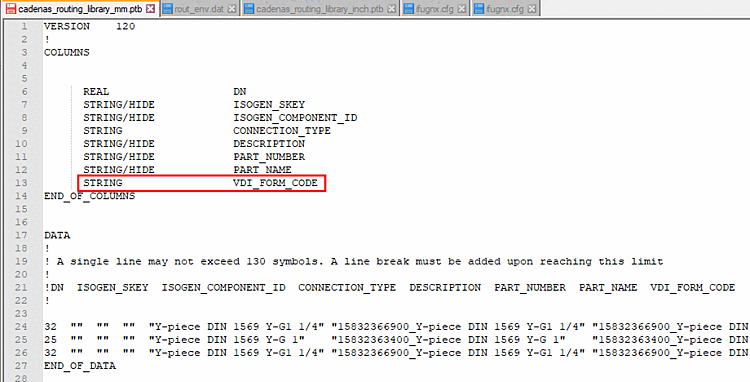
ifugnx.cfga una funzione NX nel file di interfaccia (qui nell'esempio "VDI_FORM_CODE"), una volta sottoConnPointCharacteristics(hasConnPointPipingClass)[qui il valore è assegnato alle singole porte come caratteristica] e una volta sottoCadPipingAttributes[qui caratteristiche dichiarate arrivano nella tabella].Per assicurarsi che la funzionalità nella trap di routing La ricerca è disponibile, deve essere in
cadenas_routing_library_mm.ptbocadenas_routing_library_inch.ptb[i valori vengono quindi recuperati daifugnx.cfg>CadPipingAttributes]. Con Le feature contrassegnate HIDE non vengono visualizzate. (Rimuovere possibilmente l'HIDE per quelli già creati.)