Con
della funzione Raccordo a 2
Elementi [Radius with 2 elements]
 è possibile creare un raccordo tra due elementi
creare. Tuttavia, se si arrotondano più angoli di un poligono contemporaneamente
, sei più veloce con la funzione Aggiungi raggi [Add radii].
è possibile creare un raccordo tra due elementi
creare. Tuttavia, se si arrotondano più angoli di un poligono contemporaneamente
, sei più veloce con la funzione Aggiungi raggi [Add radii].
![[Nota]](https://webapi.partcommunity.com/service/help/latest/pages/it/partwarehouse/doc/images/note.png) | Nota |
|---|---|
Il comando viene visualizzato solo nel menu contestuale dei poligoni (rettangolo, esagono e spigolo N), non per i poligoni composti da linee assemblate manualmente.
| |
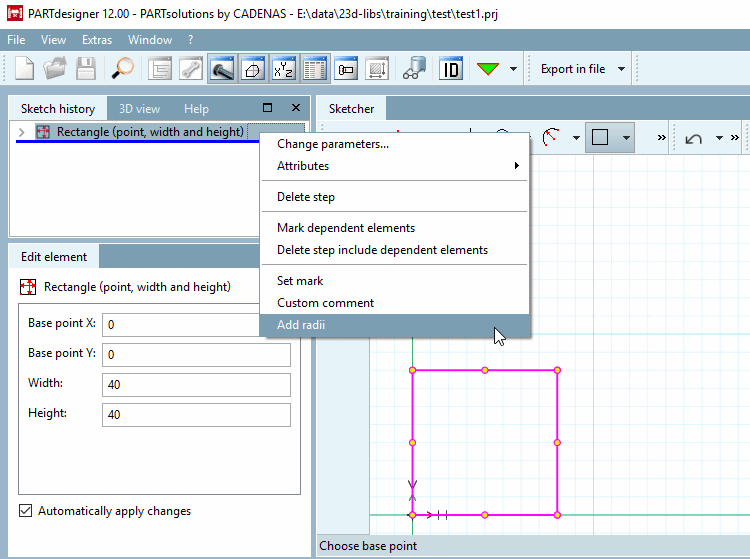
Selezionare l'oggetto da arrotondare nella cronologia degli schizzi [Sketch history].
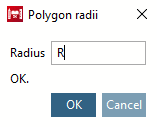
-> Si apre la finestra di dialogo Raggi del poligono [Polygon radii].
Inserire il raggio [Radius] desiderato e confermare con . È possibile inserire un valore definito liberamente o una variabile di tabella.
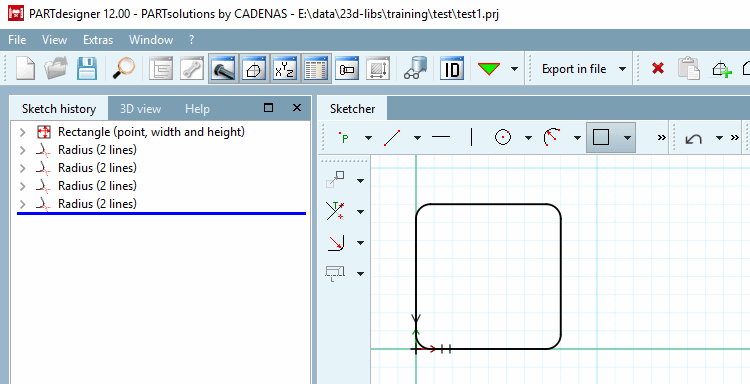
-> I filetti vengono inseriti nello Sketcher. [Sketcher]
-> Inoltre, l'individuo Raccordare gli elementi nella cronologia dello schizzo [Sketch history] applicato. Corrispondono a quelli creati con la funzione Raccordo su 2 Elementi [Radius with 2 elements]
.
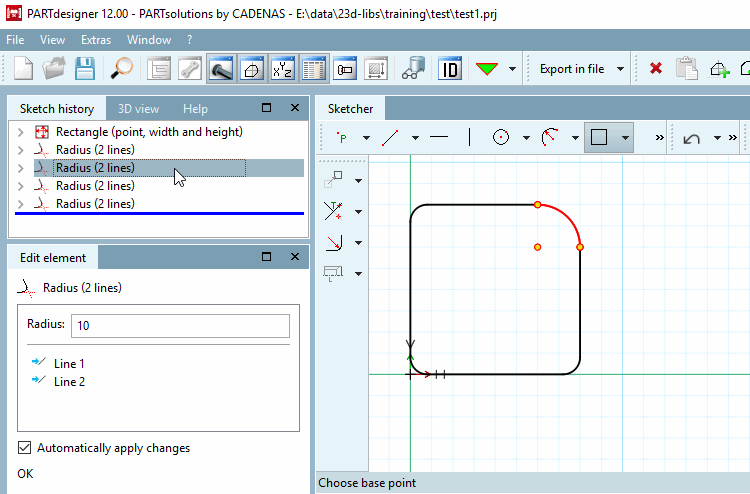
È ora possibile apportare modifiche a singoli filetti (o a più filetti). Selezionare quelli desiderati nella cronologia degli schizzi [Sketch history] o nello Sketcher.