

Affinché i pezzi possano essere utilizzati per le tubazioni, devono essere soddisfatti alcuni requisiti minimi:
Assicurarsi che siano impostati i punti di connessione richiesti.
Selezionare il punto di connessione da classificare.
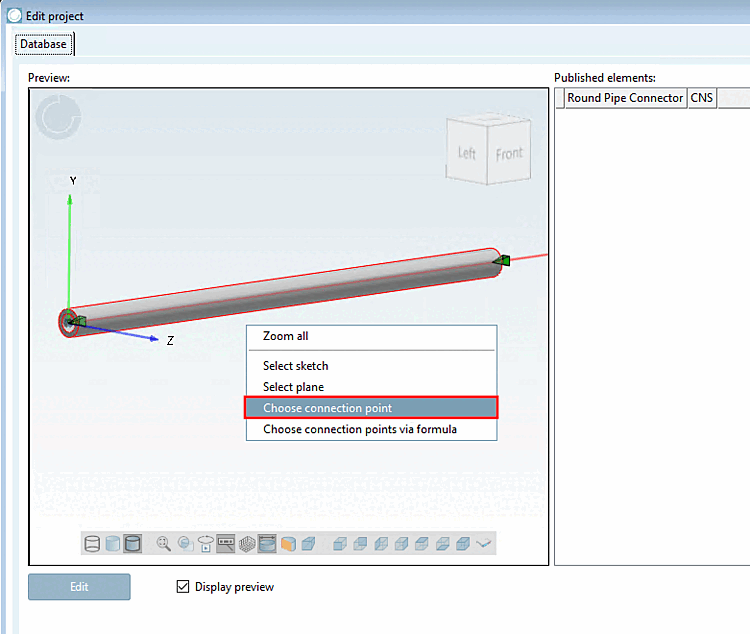
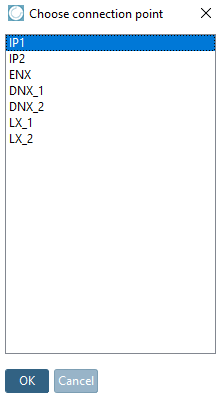
Nell' anteprima [Preview], fare clic sul comando del menu contestuale Seleziona punto di connessione [Choose connection point].
-> Si apre l'omonima finestra di dialogo con l'elenco dei punti di connessione esistenti.
Oppure selezionare il punto di connessione desiderato nell'anteprima (il punto è ora evidenziato in rosso) e fare clic sul comando del menu contestuale Punto di connessione [Connection point].
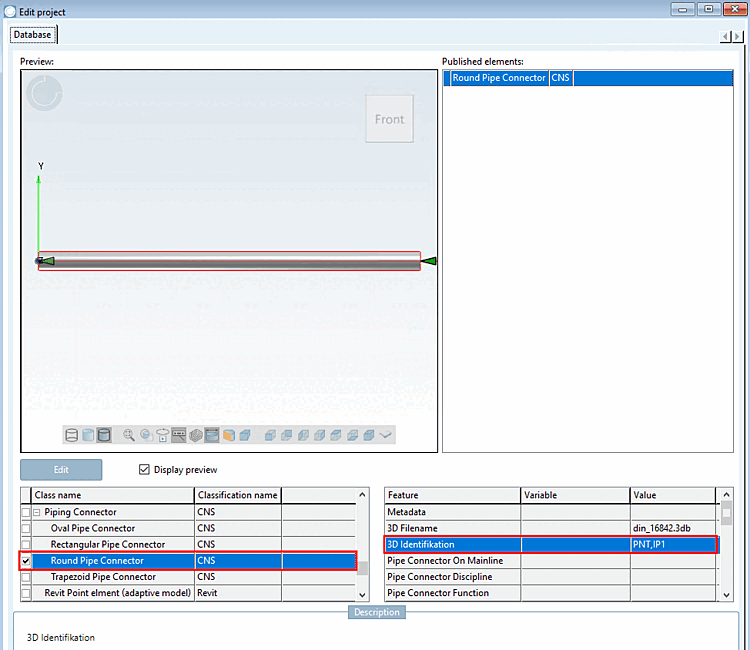
-> In entrambi i casi, l'area di dialogo per gli elementi pubblicati [Published elements] si apre di seguito.
Attivare la classe Round Pipe Connector in Nome della classe [Class name].
-> La caratteristica di identificazione 3D viene riempita automaticamente.
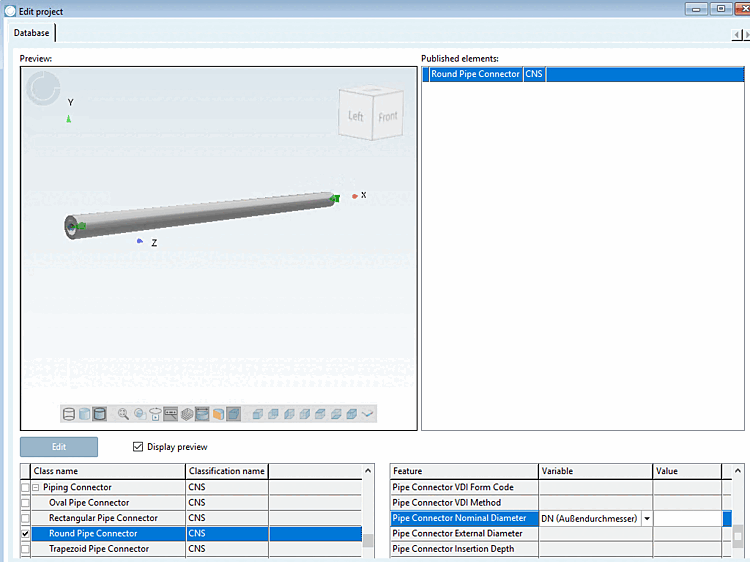
Impostare la variabile corrispondente per la caratteristica Pipe Connector Nominal Diameter (diametro esterno) (DN in questo esempio)
Salvare il progetto e aggiornare l'indice di visualizzazione.
Naturalmente, anche tutte le altre caratteristiche devono essere compilate il più possibile. Tuttavia, è possibile avere una panoramica migliore nella finestra di dialogo Variabili di classe [Class variables].
Figura 5.1533. Le due caratteristiche già compilate vengono visualizzate nuovamente nella finestra di dialogo "Variabili di classe [Class variables]".
![[Nota]](https://webapi.partcommunity.com/service/help/latest/pages/it/partwarehouse/doc/images/note.png)
![Le due caratteristiche già compilate vengono visualizzate nuovamente nella finestra di dialogo "Variabili di classe [Class variables]".](https://webapi.partcommunity.com/service/help/latest/pages/it/partwarehouse/doc/resources/img/img_da5b92050bb040eda7751af1e9fc2d42.png)