


|
|
| ||
|
|
| ||
|
|
| ||
|
| |||
|
|
La loupe permet d'observer les détails de la pièce.
| ||
|
|
L'animation (composant en rotation) est activée ou désactivée.
| ||
|
|
Afficher les textes et les classes [Show texts and classes] La commande Afficher les textes et les classes [Show texts and classes] permet de les afficher ou de les masquer dans la vue 3D [3D view]. Pour la création de textes et de classes, vous trouverez des informations complémentaires sous Section 5.12.5, « Classer les points d'attache ». | ||
|
| |||
|
|
Afficher la grille de mesure [Show measuring grid]
| ||
|
|
Affichage des [Show Dimensionings] dimensions Voir Section 2.1.7.6.5, « Afficher les cotes » in PARTsolutions - Utilisateurs Vues contenant une dimension, peut être reconnu dans la barre d’outils 3D par une icône correspondante avec Ligne de cotation . .
| ||
|
|
Définir le plan de coupe. [Define section cut...].. Voir Section 2.1.7.6.7, « Définir le plan de coupe... » in PARTsolutions - Utilisateurs | ||
|
|
Projection en perspective [Perspective projection], vue avant (Z) [Front view (Z)], vue arrière (-Z) [Rear view (-Z)], vue gauche (-X) [Left view (-X)], vue droite (X) [Right view (X)], vue haut (Y) [Top view (Y)], vue bas (-Y) [Bottom view (-Y)], vue isométrique [Isometric view] Si pour une vue
ont été créées par le fabricant et Afficher les dimensions [Show Dimensionings]
| ||
|
|
Représentation du composant en aperçu plastique 3D. L'effet tridimensionnel n'apparaît qu' avec l'utilisation de lunettes rouge-cyan ! La pièce sélectionnée est représentée alignée pour augmenter l'effet plastique. L'arrière-plan s'assombrit automatiquement. L'option Effet rouge/cyan est applicable indépendamment du mode de représentation (Lignes [Lines], Bords cachés [Hidden lines], Ombré [Shaded], etc.). | ||
|
|
Afficher la géométrie auxiliaire [Show auxiliary geometry] Affiche une géométrie auxiliaire qui, à l'instar d'un espace de perturbation, illustre par exemple un espace défini, nécessaire par exemple pour le mouvement. La géométrie auxiliaire est créée et contrôlée par des classifications. | ||
|
|
Afficher les limites de contrôle [Show rule limits] Lorsqu'elle est activée, toutes les limites de contrôle d'un module sont affichées. |

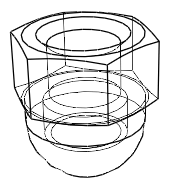


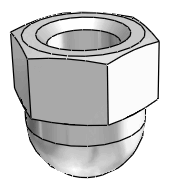


![Loupe [Magnifying glass] allumée](https://webapi.partcommunity.com/service/help/latest/pages/fr/installation_ecatalogsolutions/doc/resources/img/img_28b3cc1fc53f437fae98fb7798a08ddf.png)
![[Remarque]](https://webapi.partcommunity.com/service/help/latest/pages/fr/installation_ecatalogsolutions/doc/images/note.png)


