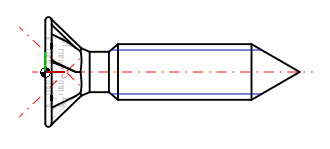
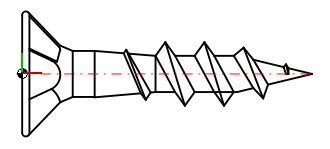
Dans PARTproject -> Page d'onglet Vues [Views] -> Zone de dialogue Dérivation 2D [2D derivation], les attributions correspondantes sont effectuées.
![Onglet Dérivation 2D [2D derivation]](https://webapi.partcommunity.com/service/help/latest/pages/fr/partsolutions_user/doc/resources/img/img_cda9dab462f3409697fc8219d7dc38c3.png)
Sous Vue [View], sélectionnez une vue standard si vous souhaitez la remplacer par une vue modifiée
saisissez un texte libre pour indiquer une vue que vous avez créée vous-même si vous souhaitez l'ajouter (dans l'illustration ci-dessus, "special3" à titre d'exemple).
![[Remarque]](https://webapi.partcommunity.com/service/help/latest/pages/fr/partsolutions_user/doc/images/note.png)
Remarque Si le dessin est enregistré en interne dans le modèle 3D, vous devez utiliser exactement le nom défini précédemment.
Sous Modèle 2D [2D model], sélectionnez
A partir de la 3db [From 3db file], si vous avez créé dans Sketcher un dessin 2D enregistré en interne.
un modèle que vous avez créé dans Sketcher et que vous avez enregistré dans le répertoire du projet.
Celui-ci est affiché dans la zone de liste, à condition qu'il existe dans le répertoire du projet sous forme de fichier .2db (dans l'illustration ci-dessus, exemple "senkkopf.2db).
Sélectionnez Ajouter [Add] ou Remplacer [Replace] ou Superposer [Overlay]:
N'est possible que si vous avez choisi une vue que vous avez créée vous-même !
N'est possible que si vous avez choisi une vue standard. La vue par défaut correspondante est remplacée.
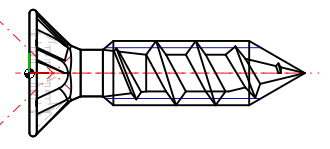
La superposition permet d'insérer des détails supplémentaires d'un fichier 2db dans une dérivation 2D standard.
La troisième illustration montre, à titre d'exemple, une superposition d'une dérivation 2D standard et d'un fichier Extra 2db.