Déclaration des vues de cotation
Voir Section 5.9.4.3.3, « Exemple : Variantes de vues de cotes ».
Déclaration correcte dans le cas de modèles 3D:
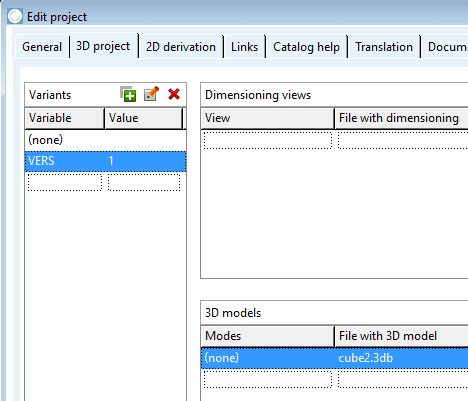
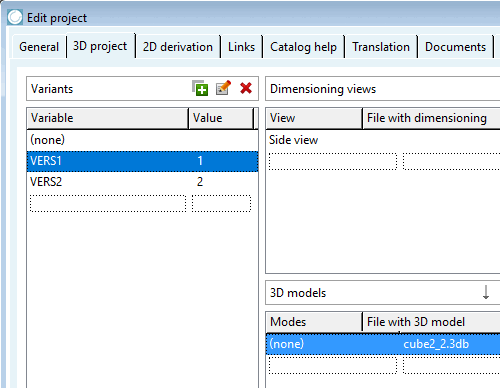
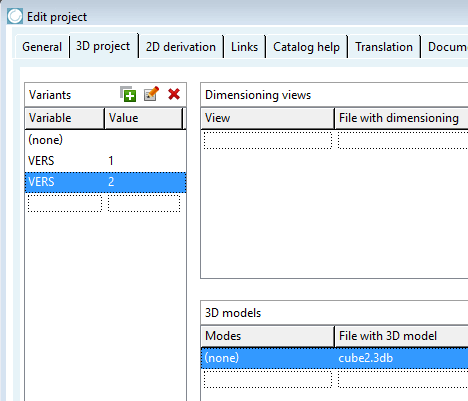
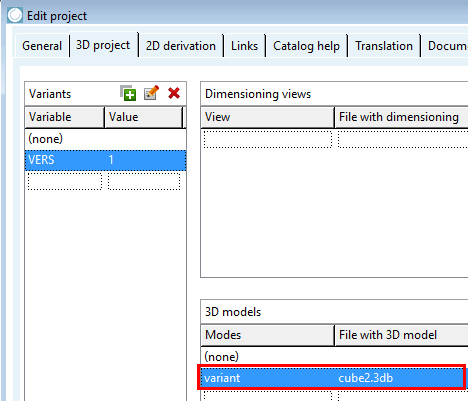
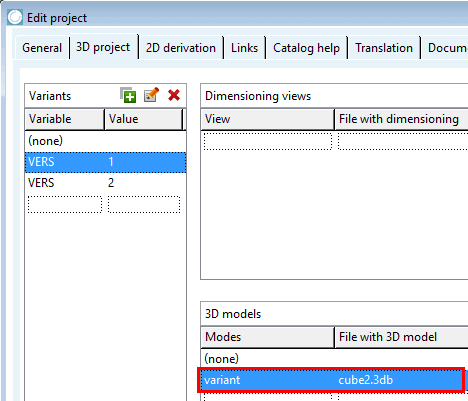
Sous Variantes [Variants], vous pouvez utiliser la valeur par défaut (none) et créer VERS 1, mais vous pouvez tout aussi bien laisser (none) vide et créer les lignes VERS 1 et VERS 2.
Pour l'attribution du modèle 3D, utilisez simplement la ligne par défaut sous Modes "(none)".
A) Utilisation des variantes (none) et VERS=1
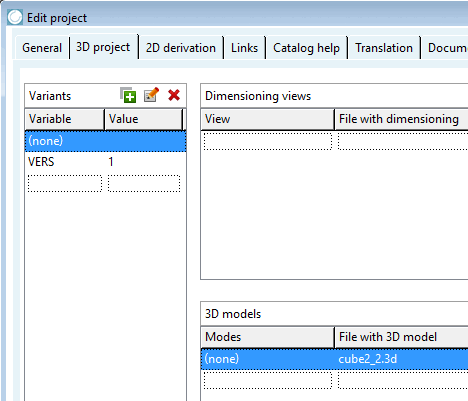
B) Utilisation des variantes VERS=1 et VERS=2
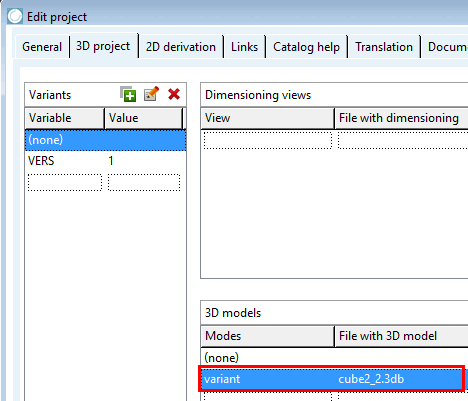
Une autre possibilité d'attribution correcte consiste à créer une nouvelle ligne avec son propre terme sous Modèles 3D [3D models] -> Modes (ce qui ne représente toutefois pas un réel gain par rapport à l'utilisation directe de la ligne (none)).
![[Remarque]](https://webapi.partcommunity.com/service/help/latest/pages/fr/partsolutions_user/doc/images/note.png) | Remarque |
|---|---|
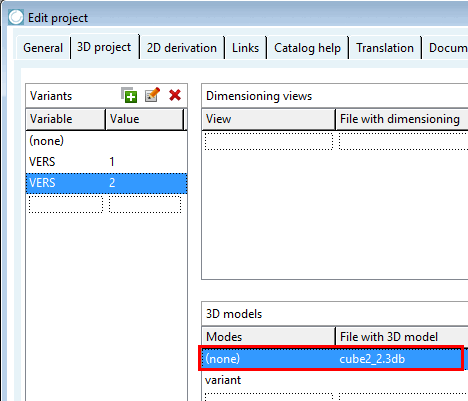
Erreur d'attribution de modèle: une fois sous les modes [Modes] "(none)" et une fois sous les modes [Modes] "variant".
En cas de test meta, un avertissement [Warning] apparaîtra.
| |
![Avertissement [Warning] - erreur dans le composant : <chemin> : Le 3DB n'a pas été chargé ...](https://webapi.partcommunity.com/service/help/latest/pages/fr/partsolutions_user/doc/resources/img/img_b1720461387d468088037f987a5aa8af.png)
(none) fait également office de fallback
S'il existe une attribution de modèle 3D pour la variante (none) dans la zone de dialogue Variantes [Variants], cette variante est utilisée comme "fallback" pour tous les cas où aucun modèle n'est attribué aux variantes (dans l'exemple ci-dessous "VERS=2").
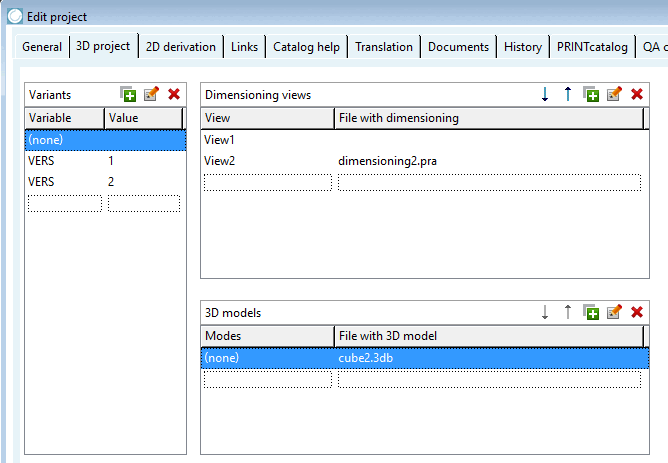
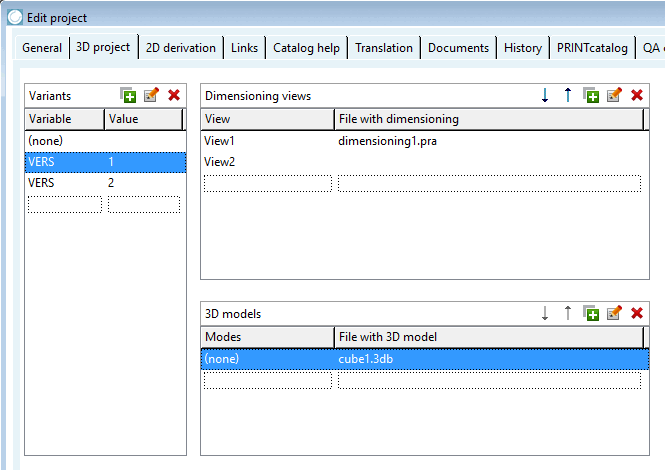
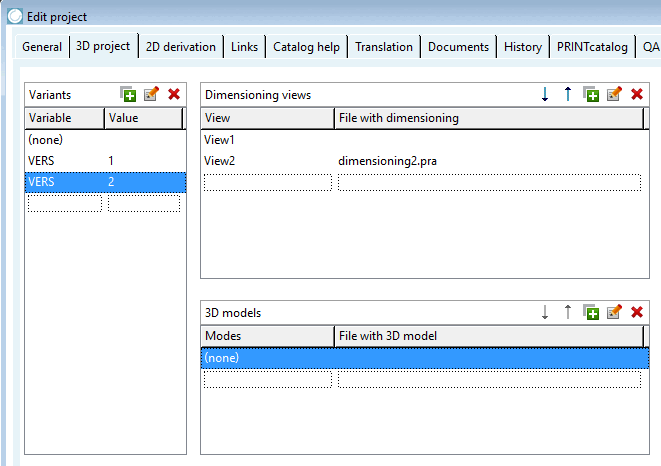
Les illustrations suivantes permettent de clarifier les relations :
Sélection de la variante (none)
Le modèle "cube2.3db" fait en outre office de repli pour les variantes dont l'affectation au modèle 3D fait défaut.
Cette variante n'a pas d'attribution de modèle 3D. Le modèle de la variante (none) est utilisé comme fallback.
-> Aucun avertissement n'apparaît dans TestMeta