Informations générales sur la société CADENAS et ses partenaires
Tenez-vous au courant des dernières infos et évènements !
Un support rapide et pratique pour toutes questions sur nos produits & solutions
Vous trouverez d'autres contenus passionnants ici
Consultez nos implantations dans le monde entier et contactez-nous.
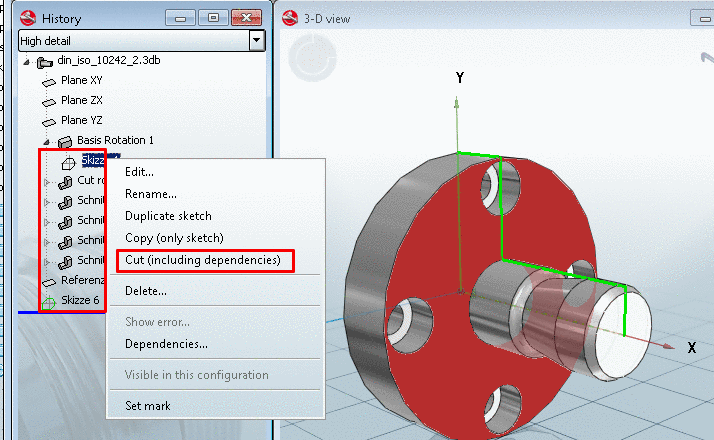
V9 enables you to move an entire History tree including all dependencies within a part.
Mark the sketch at which you want to move.
From the context menu, select the command Cut (including dependencies).
Cut (including dependencies)
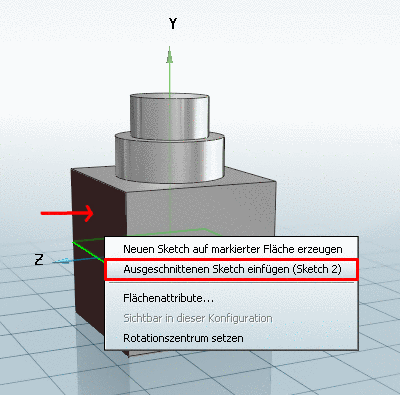
Mark the face on which you want to add the sketch.
From the context menu, select Insert previously cut sketch (Sketch ...)
Insert previously cut sketch (Sketch ...)
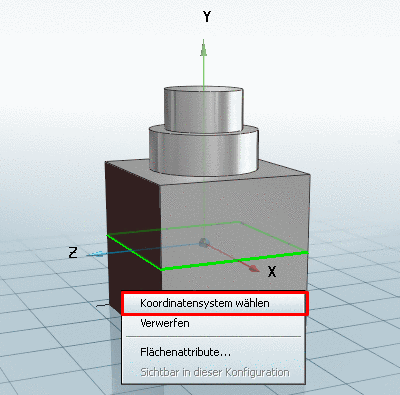
Define the direction of the coordinate system on the insertion plane.
Then click on Choose coordinate system.
Choose coordinate system
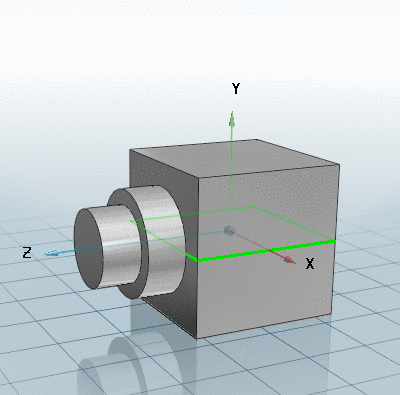
Now the entire history below the selected sketch is moved onto the new face (or level).
Sketch moved