General information about the company and partnerships
Don´t miss anything! Inform yourself aboutall news and events.
The next dimension visual 3d search engine for manufacturer components
Fast and comfortable support for all questions about our products & solutions.
Explore more exciting content here.
Use our contact form or find a branch office nearby.
V9 enables you to move an entire History tree including all dependencies within a part.
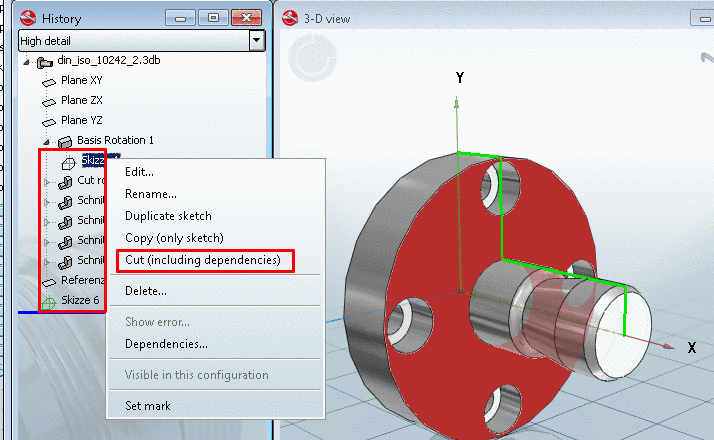
Mark the sketch at which you want to move.
From the context menu, select the command Cut (including dependencies).
Cut (including dependencies)
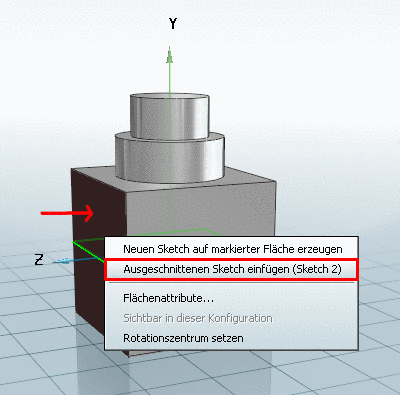
Mark the face on which you want to add the sketch.
From the context menu, select Insert previously cut sketch (Sketch ...)
Insert previously cut sketch (Sketch ...)
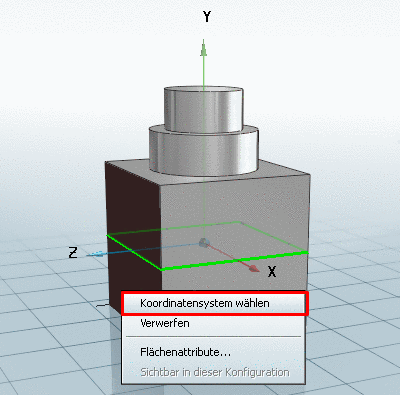
Define the direction of the coordinate system on the insertion plane.
Then click on Choose coordinate system.
Choose coordinate system
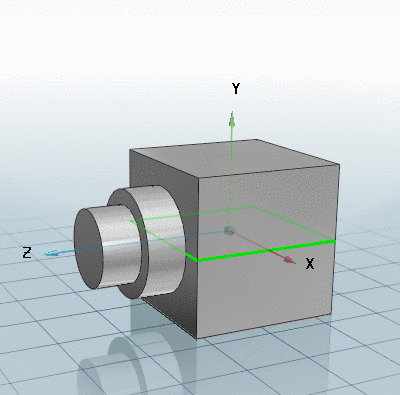
Now the entire history below the selected sketch is moved onto the new face (or level).
Sketch moved