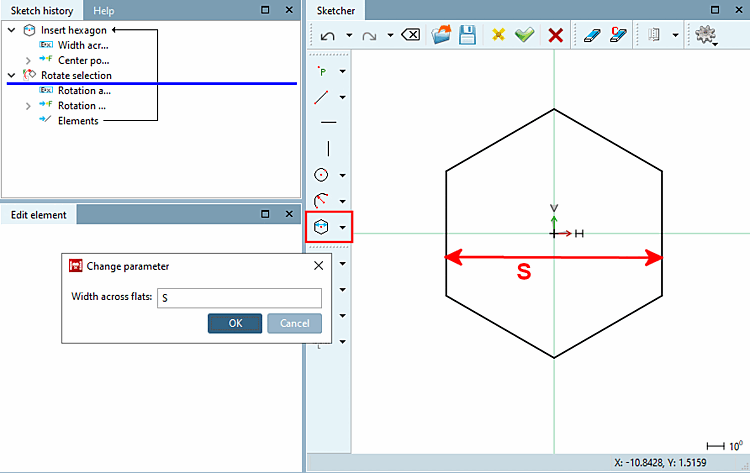
Spostare la freccia del mouse sul punto zero delle coordinate finché non appare lo snap e fissarlo con un clic del mouse.
Trascinare l'esagono dal punto zero KO e fissarlo con un clic del mouse.
???Fare doppio clic su Larghezza trasversale [Width across flats] per aprire la finestra di dialogo Modifica parametri [Change parameter] (se la finestra di dialogo non si apre automaticamente [vedere sopra ]) e inserireS e confermare con OK.
Lasciare invariate le specifiche del centro di rotazione [Rotation point] e dell' angolo di rotazione [Angle of rotation].