4.7.8.7.  2D derivation: Create own views

With PARTsolutions V9 you can expand the 2-D derivation views, which exist in the standard installation if you wish.

Suppliers can create their own layouts for their catalogs. In the 2-D derivation, these are then offered to the users as an additional template.

Companies can create their own templates for a company wide standardization of the layout.

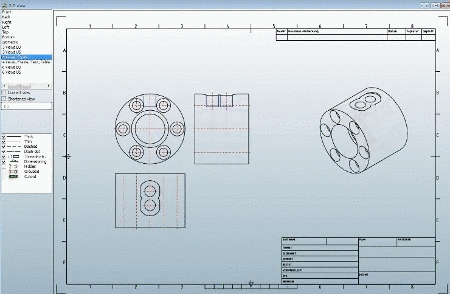
4 views, frames

4 views, frames

The following features are available:

  • Grid structure for placing several elements

  • Placeholder elements to define the position and dimension

  • Positionable and measurable titles and text with translations

  • Display of measuring unit below title

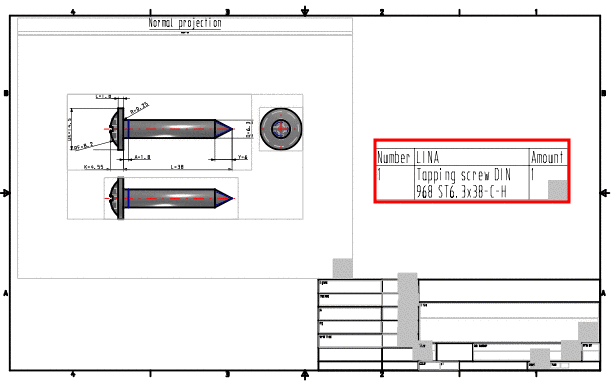
  • Positionable and measurable BOM-list table

  • Frames for combining several single elements

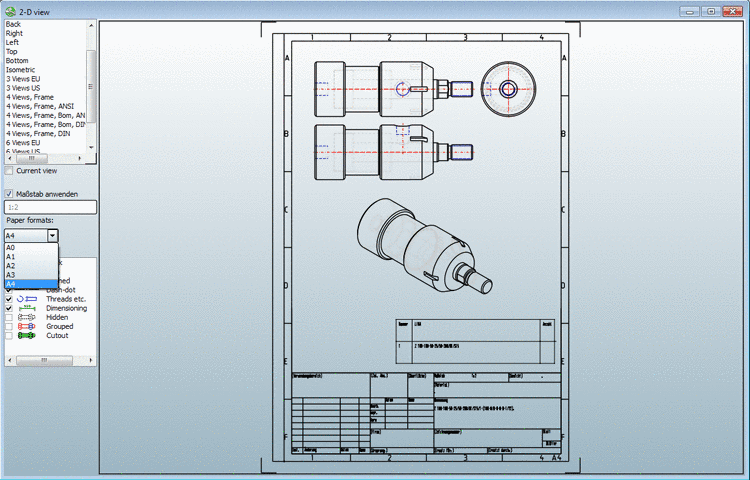
  • Paper formats: Paper formats DIN A0 to A4 and ANSI A to E may be added.

  • Scaling: The permitted standard scalings (1:1, 1:2, 1:5, 1:10, ...) enable the exact integration into the paper formats. The scaling may be turned off if desired as well.

    The permitted scalings are saved in a configuration file and may be changed or extended as needed. Translation texts for tables for example (see Fig. „4 views, frames, text, table“) may be applied in as many languages as you wish and stored in a separate file.

Detailed information can be found under Section 7.11, “Docking window "2D derivation" - Create own Combination views (*.dw) ” in eCATALOGsolutions Manual.

The following are some examples.
ANSI B format

ANSI B format

DIN A4 format

DIN A4 format

4 views, frames, text, table

4 views, frames, text, table