1.7.7.2.3. Ottimizzare l'interfaccia utente di PARTproject 1.7.7.2.3.2.
menuvisibility_PARTProject.cfg: nomi di azioni di menu, voci di menu, barre degli strumenti e pulsanti |  |
| Indietro | Avanti |
In questa sezione si trovano i nomi delle azioni PARTproject di menu, voci di menu, barre degli strumenti e pulsanti.
![[Nota]](https://webapi.partcommunity.com/service/help/latest/pages/it/partwarehouse/doc/images/note.png)

| Nome del menu | Nome dell'azione |
| File | Menu File |
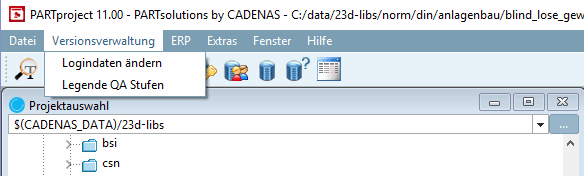
| Gestione delle versioni [Versioning system] | QAMenu |
| ERP | ErpMenu |
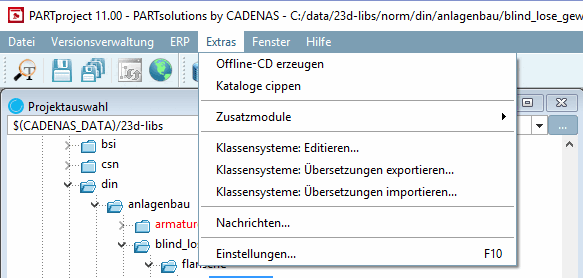
| Extra [Extras] | Menu Extra |
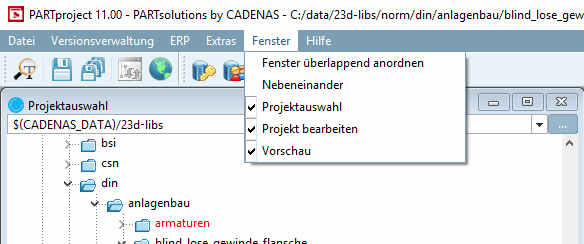
| Finestre [Window] | FinestraMenu |
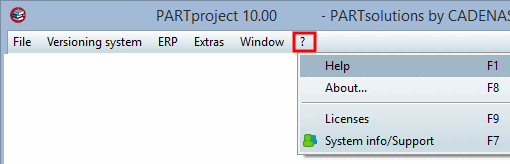
| Aiuto [Help] | Menu di aiuto |
Comandi di modifica per i singoli menu e le barre degli strumenti:
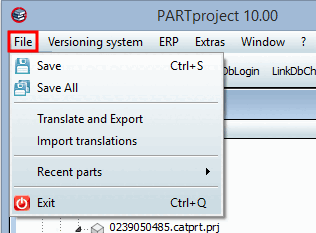
Menu File e barra degli strumenti standard
Icona Visualizzazione del testo o del tooltip Nome della chiave in menuvisibility_partproject.xmlSpecifica corrispondente a menustructure_PARTProject.cfgRisparmiare [Save] 
Salva tutti i ... [Save All] / Salva tutti i file [Save all Files] FileSaveAll Esportazione di traduzioni [Translate and Export] FileExportTrans Importazione di traduzioni [Import translations] FileImportTrans Vedere menustructure_PARTProject.cfg, blocco [hasSubMenuActions].
Uscita Ricerca testuale di una parte [Text search for part] Indice di aggiornamento [Update index] Recuperare lo stato di pubblicazione [Fetch publication status...] La struttura viene creata nel file di configurazione menustructure_PARTProject.cfg.
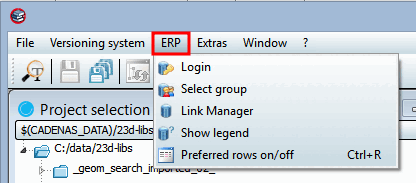
Menu ERP / [Link database] Barra degli strumenti del database
Gli stessi comandi vengono utilizzati per il menu e la barra degli strumenti.
Le La struttura viene creata nel file di configurazione
menustructure_PARTProject.cfg. Vedere menu ERP o Barra degli strumenti del database di collegamento.Menu Gestione delle versioni [Versioning system]
La struttura viene creata nel file di configurazione menustructure_PARTProject.cfg.
ExtrasOfflineCD ExtraCipCatalogo I sottomenu vengono visualizzati in
menustructure_PARTProject.cfgGenerato. Vedi Sezione 1.7.7.2.2.1.2, “ Blocco [hasSubMenuActions] ”.ExtrasEditClassSystem Sistemi di classe: Traduzioni per l'esportazione [Class systems: export translations...]...
ExtraEsportazioneCSistemaTraduzione Sistemi di classe: Traduzioni di importazione [Class systems: import translations...]...
ExtraImportCSystemTranslation Notizie [Messages...]... Elenco di messaggi extra Seleziona la moda [Select mode] ModalitàPreferenze Impostazioni.. [Settings...]. MostraPreferenze La struttura viene creata nel file di configurazione menustructure_PARTProject.cfg.
Disporre le finestre in modo che si sovrappongano [Cascade windows]
azioneFinestraCascata WindowsTile Albero di Windows WindowsEdit Anteprima Windows La struttura viene creata nel file di configurazione menustructure_PARTProject.cfg.
Aiuto [Help] Circa [About] Licenze [Licenses] Visualizzazione delle informazioni di sistema/invio all'assistenza [Show system information/send to support] La struttura viene creata nel file di configurazione menustructure_PARTProject.cfg.



![Barra degli strumenti del database dei collegamenti [Link database]](https://webapi.partcommunity.com/service/help/latest/pages/it/partwarehouse/doc/resources/img/img_8771c976000748ee96977ecf2220a34c.png)