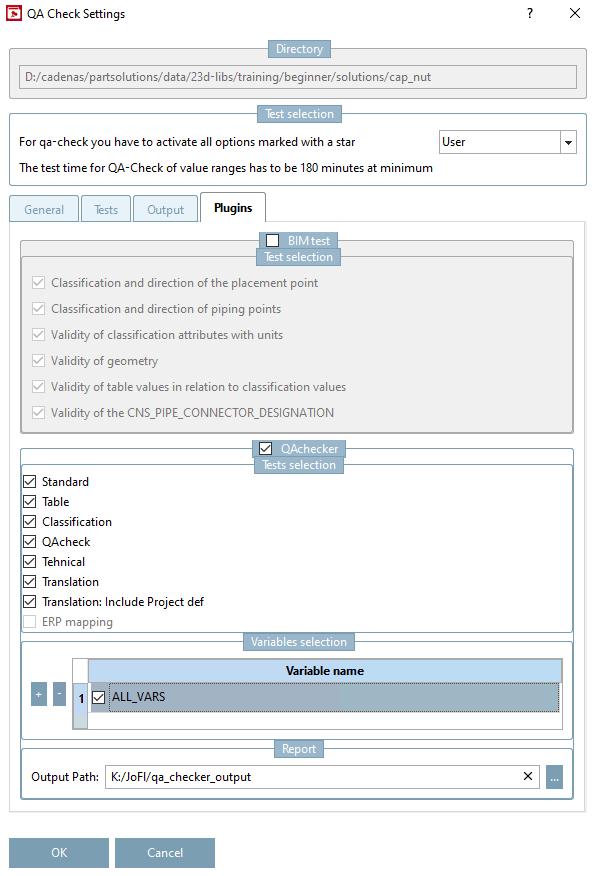
5.8.2.1.12.4. Tabbed page "Plugins"

The tabbed page Plugins concerns Testmeta as a whole, the plugins displayed under Classification list (tabbed page Tests) are only related to classifications.

Tabbed page "Plugins"

Tabbed page "Plugins"

"Classification list" on tabbed page "Tests"

"Classification list" on tabbed page "Tests"

5.8.2.1.12.4.1.  BIMtest

With the functions of the dialog area BIMtest you can check certain aspects of vital importance for the BIM field.

Activate the desired functions:

  • Classification and direction of the placement point:

    • Check if either CNS_CP_PLACE_PC or RVT_CP is available, as these are elementary for the correct orientation in CAD.

    • Check orientation of CNS_CP_PLACE_PC / RVT_CP (The local Z axis of point has to show downwards.)

  • Classification and direction of piping points:

  • Validity of classification attributes with units:

  • Validity of geometry:

  • Validity of table values in relation to classification values:

  • Validity of the CNS_PIPE_CONNECTOR_DESIGNATION:

On the tabbed page General following points have to be set, the rest may remain disabled for a pure BIM Check.

  • Calculate geometry

  • Test already tested projects

  • Test value ranges

If a report shall be created, in the tabbed page Output, activate the function Create protocol. Then enter the output path for the Error file and the CSV separator.

[Note]Note

The test should not be applied for too big directories. CSV files (even if opened in Notepad) have a restriction regarding the amount of lines. Over a certain size the files cannot be opened anymore. So better test the subdirectories separately.

The BIM test can be customized if needed.

Evaluation and interpretation of report

The report is created as CSV file. There, some points like status, project path, text, for example, are shown.

Results of the BIM checker are always a warning, as they are not mandatory for increasing the QA state.

Primarily interesting are Project path, Text and Group, where appropriate also Value range.

  • Project path: Refers to respective project

  • Text: Error description

  • Group: In tests of the BIM checker the NB is stated here.

  • Value range: For each available value range, a test is performed. Here, settings relevant to the test are shown.

Following texts are shown:

  • Check 1: RVT_CP/CNS_CP_PLACE_PC not classified (missing CLASSTYPE(cns)=CP?)

  • Check 2: BIM_RVTFML: local Z isn't pointing in the opposite direction of the global Z axis

  • Check 3: project doesn't have pipe classification

For a better overview, it is recommended to make the evaluation via Pivot table. For this, there is a variety of options, depending on personal preferences.

Error-oriented Pivot table

Error-oriented Pivot table

Project-oriented Pivot table

Project-oriented Pivot table

5.8.2.1.12.4.2.  QAchecker

When using the QAchecker certain aspects such as table, classification, translation, for example, can be checked.

  1. Activate the QAchecker and then the desired options.

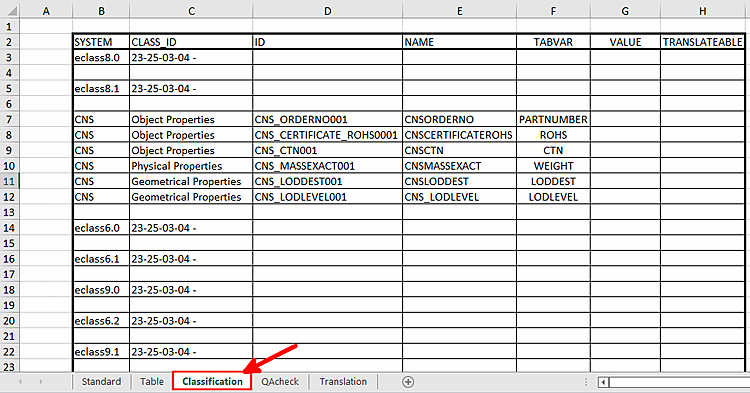
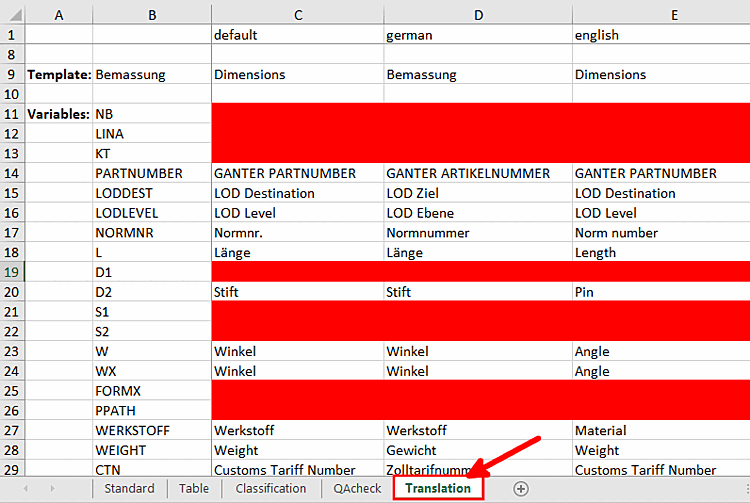
  2. In the dialog area Report, set the Output path. The function writes an Excel file per project, where the respective values of a project a stored. The individual points are Excel tables, which are available or not depending on selection.

    Evaluation "Classification"

    Evaluation "Classification"

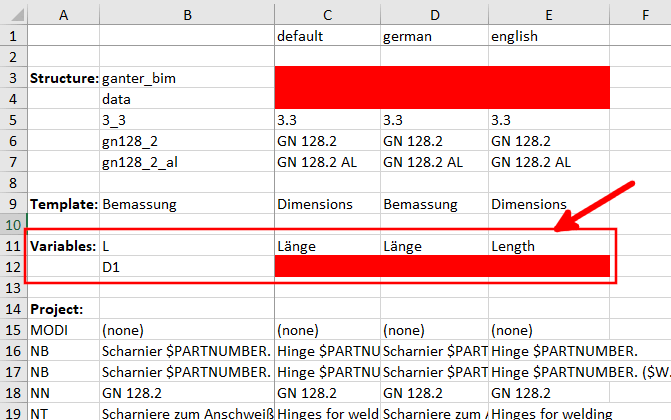
    Evaluation "Translation"

    Evaluation "Translation"

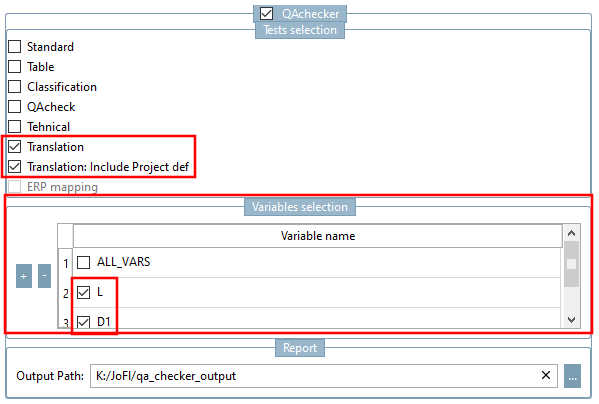
In the dialog area Variables selection, you can make a restriction to certain variables. Disable ALL_VARS and set the desired variables via Plus sign +.

Now the table Translation only shows the manually created in the Variables section.