

In questo esempio, la ricerca di una caratteristica geometrica è combinata con la ricerca di uno schizzo 2D [2D Sketch search].
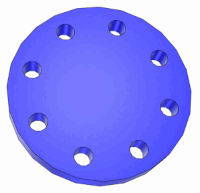
Sezione 5.4.4, “ Ricerca nella directory ”-> È stata impostata la directory di ricerca desiderata per le parti proprietarie (vedere ).
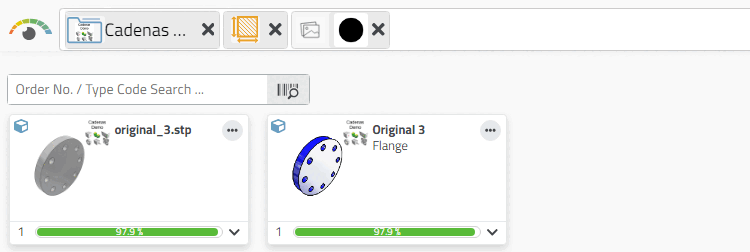
-> La ricerca di una flangia (cerchio) è stata effettuata utilizzando una ricerca per schizzo 2D [2D Sketch search].
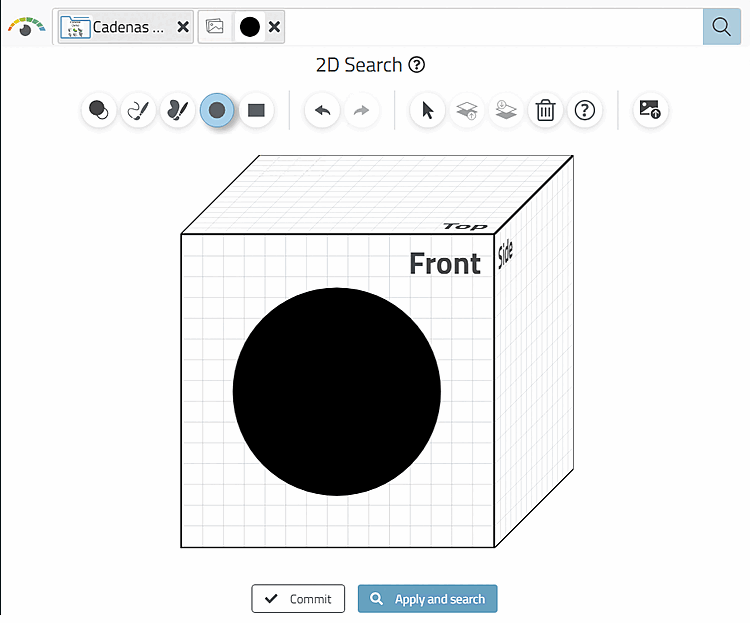
Con un solo schizzo, oltre ai "dischi" sono state trovate parti completamente diverse, poiché è stata definita solo una dimensione.
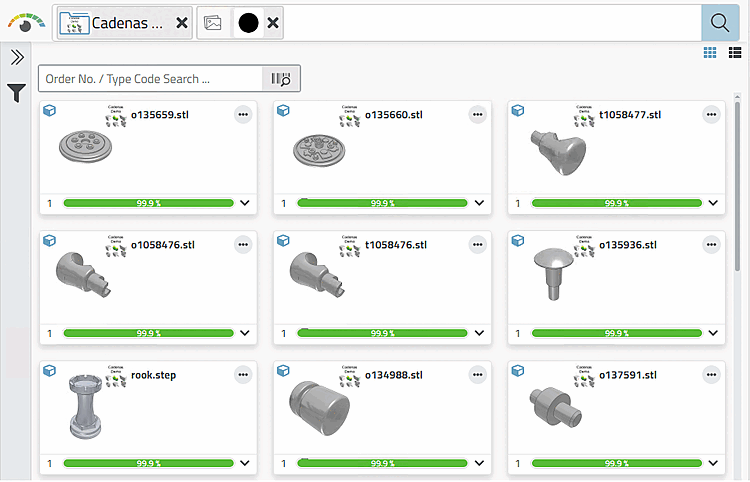
La ricerca per schizzo funziona bene con la ricerca di caratteristiche geometriche. È anche possibile definire una seconda dimensione (ad esempio lo spessore del pezzo che si sta cercando) utilizzando una caratteristica geometrica.
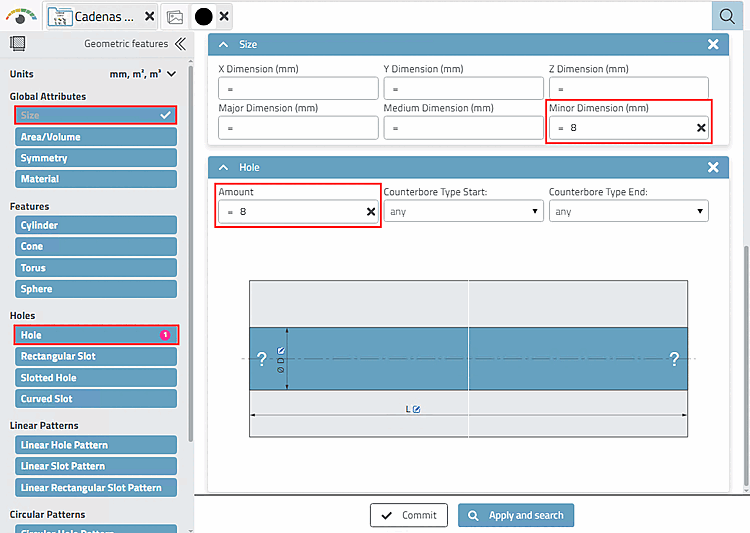
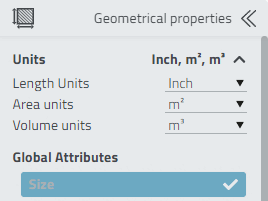
Aprire la ricerca 3D [3D Search] e fare clic su Ricerca avanzata di caratteristiche geometriche [Advanced search for geometric features].
-> Si apre l'area di dialogo Caratteristiche geometriche [Geometric features].
In Attributi globali [Global Attributes], fare clic su Dimensioni [Size].
-> Si apre l'area di dialogo corrispondente.
Ad esempio, inserire il valore 8 in Dimensione [Size] per la dimensione più piccola [Minor Dimension] (mm).
In corrispondenza dei fori [Holes], fare clic su Foro [Hole] e inserire il valore 8, ad esempio, in Numero [Amount].
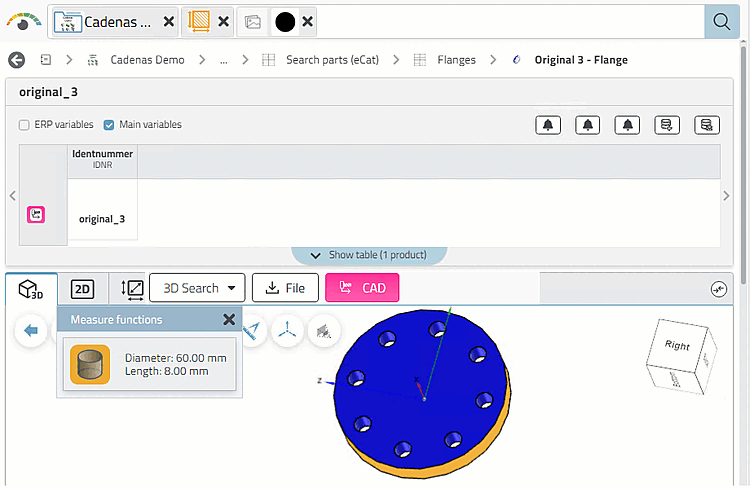
-> La flangia cercata è ora in cima all'elenco dei risultati.
-> Vengono visualizzate la tabella e la vista 3D.
![Aprire l'area di dialogo "Caratteristiche geometriche [Geometric features]".](https://webapi.partcommunity.com/service/help/latest/pages/it/partwarehouse/doc/resources/img/img_2cecee1657754001a4d3f9e0fcccd495.png)
![[Nota]](https://webapi.partcommunity.com/service/help/latest/pages/it/partwarehouse/doc/images/note.png) | Nota |
|---|---|
Di norma, il 100% di tutte le righe per tabella è indicizzato per i pezzi propri e solo una certa percentuale per i pezzi acquistati. Se si desidera includere anche il 100% di tutte le righe per i pezzi acquistati, è possibile indicizzarle amministrativamente in qualsiasi momento.[28] | |
[28] Vedere Sezione 1.4.3.6.6.6, “ Indice di ricerca geografica ” in ENTERPRISE 3Dfindit (Professional) - Amministrazione.