
 |
The display of materials in table and file name became more comfortable.
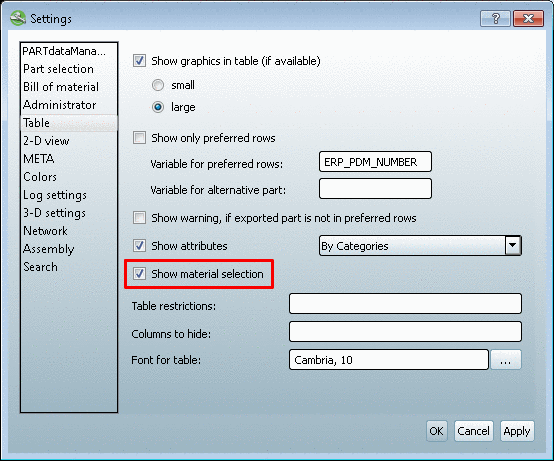
When you want to distinguish identical parts via material then activate the Show material selection option. It is found under PARTdataManager -> Extras -> Settings... -> Table.[74]
Thereby in the table a "virtual" column "CNSMAT" is displayed for the material selection.
Before the export you open the Enter value dialog by a click in the respective field.
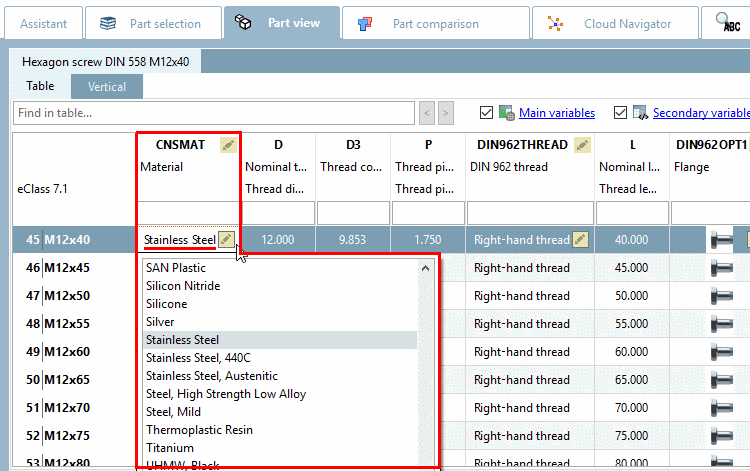
After transferring the part to the CAD system now the material is already inserted in the file name just by the default setting of file name creation.[75]
[74] Under V8.1 this setting was available, too. But the material was selected in a dialog window and not displayed in the table. Furthermore the inserting of the material into the file name had to be initiated by a VB file. Now the setting can be done via the interface configuration file.
[75] Further details regarding file name creation is found under Section 2.2.6.2, “File name: set generation options ("FileName" key) ” in PARTsolutions - Administration Manual.